

Nur in FieldQuo
Service plans (recurring billing)
Sell a repeat — spring and fall, monthly, quarterly — and let each visit raise its own invoice, or charge the client's saved card or bank account automatically.
Dieser Artikel ist vorerst auf Englisch, Französisch und Spanisch verfügbar. Sie lesen die englische Fassung. Français · Español
A service plan is a standing instruction to bill one client the same amount on a cadence you choose: gutter cleaning twice a year, a monthly lawn visit, a quarterly maintenance call. Every occurrence raises a real invoice in your name. Collection is either an invoice with a pay link, which works for every client, or an automatic charge against a card or Canadian bank account the client authorised in writing.
The money terms — amount, discount, cadence, length — are frozen when you save the plan, because the client authorises those exact figures. To change the deal, cancel the plan and sell a new one.
Overview
Service Plans sits in the Money group of the sidebar, after Invoices, because a plan is a rule that raises invoices. The screen reads “Recurring work sold as a package, billed on a cadence you choose.” Each row shows the plan name, Active, the client, the cadence (Twice a year, Quarterly), the per-visit price, how it is collected (Invoice sent each visit or Charged automatically — Visa ···· 4242), and either the term total with its package discount or Runs until cancelled.
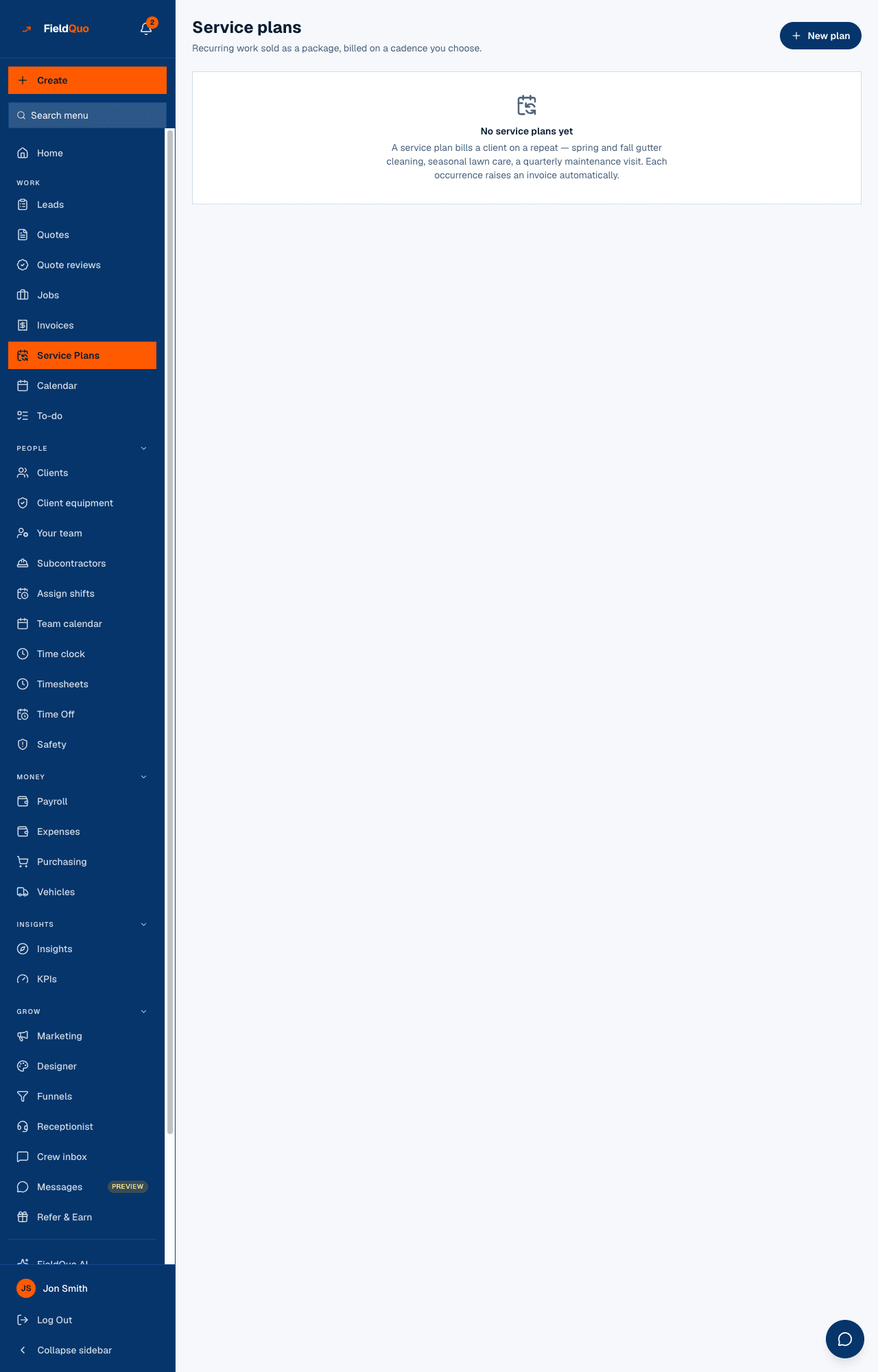
How to sell a plan
- Open Service Plans and press New plan.
- Pick the Client and the Service, and give the plan a Plan name — that is what the client sees on every invoice.
- Under Schedule, choose How often (Weekly, Monthly, Quarterly, Twice a year, Once a year), the First visit date, and How long: A number of visits, Until a date, or Until cancelled.
- Under Price, enter the amount Per visit, before discount, an optional Package discount %, and Tax % — blank means no tax on this plan.
- Under How it gets paid, choose Invoice each visit or Charge automatically, then press Create plan.
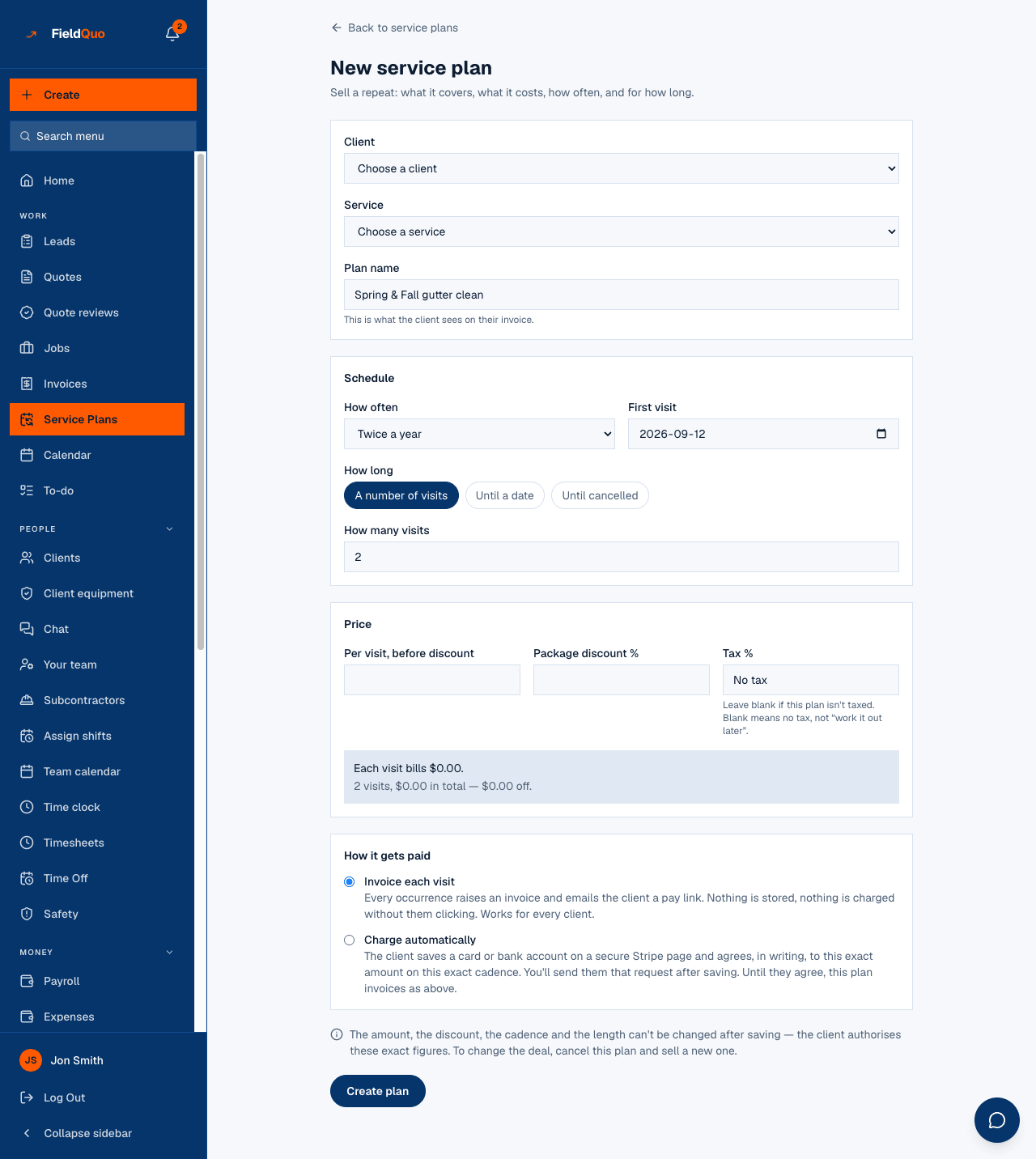
The preview under Price says what will actually bill — for $200 a visit at 10% off: “Each visit bills $180.00.” and, for a fixed term, “6 visits, $1,080.00 in total — $120.00 off.” The discount is applied to each visit at the same rate, so every invoice adds up on its own and the term total is the sum of the invoices.
What each field changes
| Field | What it does |
|---|---|
| How often | Weekly steps 7 days; the others step by month from the first-visit date, so a plan anchored on the 31st bills on the 31st (or the last day of a shorter month) and never drifts earlier. |
| How long — A number of visits | 1 to 520 visits, then the plan finishes on its own. |
| How long — Until a date | Nothing bills after the Last day. An end date before the first visit is refused. |
| How long — Until cancelled | No end date. The client is told exactly that before agreeing to anything. |
| Package discount % | Taken off each visit, 0–99%. Shown on the invoice. |
| Tax % | Applied to each visit. Blank is a decision — no tax — not a gap. |
| Invoice each visit | Each occurrence raises an invoice and emails the pay link. Nothing stored, nothing charged unless the client pays. |
| Charge automatically | The same invoice, plus an off-session charge against the payment method the client authorised. Until they authorise, the plan invoices as above. |
What happens on each visit date
Once a day FieldQuo looks at every active plan. An occurrence whose date has arrived raises one invoice — a single line, “Plan name — Service”, with the discount and tax the plan states, due on the visit date, in the language the plan was sold in — and emails the client the pay link. At most one occurrence per plan per day is generated, so a mistyped start date costs one invoice, not a hundred, and a missed week catches up over a week.
On the plan's page, Billed so far lists each occurrence as Preparing, Invoiced, Payment in progress, Paid or Payment failed, with View invoice. A plan sold for six visits flips to Finished after the sixth; an open plan runs until you press Cancel plan.
Cancel plan stops the money. No further visit is billed, the client's authorisation is withdrawn and their saved payment method is detached at Stripe. Invoices already raised stay exactly as they are — cancel the plan, then deal with an unpaid invoice on its own page.
Automatic collection, in brief
Choosing Charge automatically does not charge anything yet. After saving, press Ask the client to authorise payments: the client receives a link, reads the exact amount, cadence and cancellation terms, ticks a box, and saves a card or bank account on a Stripe page. From then on the plan page reads Charging Visa ···· 4242 automatically. The client authorised this on 12 Sep 2026. A declined card or a removed method falls back to the invoice with a pay link, and the page says which. The full flow, the wording and the Canadian bank-debit mandate: Service plans paid by bank debit.
Maintenance plans on a quote
Settings → Maintenance Plans keeps the plans you sell again and again — “Quarterly Deep Clean, 4 visits, 10% off every visit”. Each has a name and a list of what is included in every document language, a cadence, a number of visits (or until cancelled), a Price per visit, before discount and a Discount on every visit %. The screen shows what each one works out to a month and a year; those figures are the visits added up, not a separate fee. Companies in cleaning, carpet, windows, HVAC, plumbing, lawn, pest control, pools, gutters, chimneys, irrigation, garage doors, janitorial, property care and house washing get starter plans with their trade; a company billing in a currency other than USD or CAD gets them without a price, and a plan with no price cannot be put on a quote.
- Open a saved quote in the builder, or its quote page, and press Add a maintenance plan.
- Pick the plan and how it is offered: Included (approving the quote starts it) or Optional (the client can tick it on their quote, beside the extras).
- Optionally set the First visit — blank means one interval after the client approves — and the Tax on each visit %, filled in from the quote's own rate.
- Press Add to quote. The terms are copied onto the quote in the quote's language, so editing the plan in Settings later never changes a quote already sent.
The plan is not added to the quote's total — the client's page says so. When the client approves (or you record the approval), each included plan and each ticked optional plan becomes that client's service plan here, invoiced per visit with the discount applied and the discount written on every invoice. The client ticks ids only; the price always comes from the plan copied onto the quote.
Who can see and sell plans
Seeing the Service Plans screen needs the Invoices level View only — Estimators upward. Creating a plan and asking a client to authorise payments need View, create, and edit on Invoices plus the Payments switch (“Allow payment collection on quotes and invoices” — the access grid is in English on every screen): a Manager, an administrator or the owner. Cancelling a plan needs only View, create, and edit, so a Dispatcher can cancel one but not sell one.
Why this is listed under Only in FieldQuo
FieldQuo's comparison pages decide “only in FieldQuo” one way: the capability is not listed on the other product's pricing page at any tier — never by assertion. Of the five products FieldQuo compares itself with, recurring service plans are listed by one (Housecall Pro, on its top tier) and absent from the other four pricing pages. Canadian pre-authorized bank debit at 1% capped at $5, as the collection method for a plan, is listed by none of them.
Häufige Fragen
Can I change the price of a running plan?
No. The amount, discount, cadence and length are frozen at creation because the client authorised those figures. Cancel it and sell a new plan.
Does the plan create a visit on the calendar?
No. A plan raises invoices on its dates; scheduling the crew is done on the job and its visits as usual.
What if the client's card is declined?
The occurrence is marked Payment failed, the client gets the invoice with a pay link, and the plan page tells you. Nothing collects silently.
Can a client on a plan pay by bank debit?
Yes, if your company bills in CAD — the client saves a Canadian bank account when they authorise, and each debit costs 1% + 40¢, capped at $5.
War das hilfreich?