

A client's language
The language on a client record drives every quote, invoice, email, portal page, review request and reminder text they receive — with one rule about documents already written.
Sa ngayon, available ang artikulong ito sa Ingles, Pranses at Espanyol. Binabasa mo ang bersyong Ingles. Français · Español
Two languages matter in FieldQuo and they are separate: the one your team works in, chosen in Choose your language, and the one each client reads. This article is about the second. You pick it once on the client record, and everything you send that client follows it.
Eight languages are available for a client: English, French, Spanish, Ukrainian, Punjabi, Tagalog, German and Italian. The PDF, the covering email, the portal and the texts all have hand-written wording in each — nothing is machine-translated at send time.
Overview
The field is Language for their documents on the new-client form and the edit sheet, with the hint “Quotes, invoices and emails to this client are written in this language.” The list is in each language's own name — a homeowner who reads Punjabi is offered “ਪੰਜਾਬੀ — Punjabi”. The first option, Company default (…), means the client follows your company's setting, and keeps following it if you change that setting later.
How to set a client's language
- Open the client record and press Edit (or set it on New Client when you add them).
- Choose a language under Language for their documents, or leave Company default to follow your company.
- Press Save Changes. The contact card now shows the language with the tag “documents & emails”, or “Company default (English)” when unset.
- Start the next quote. The quote builder adopts the client's language the moment you select them, and its language bar warns if any of your services is still missing a translation in that language.
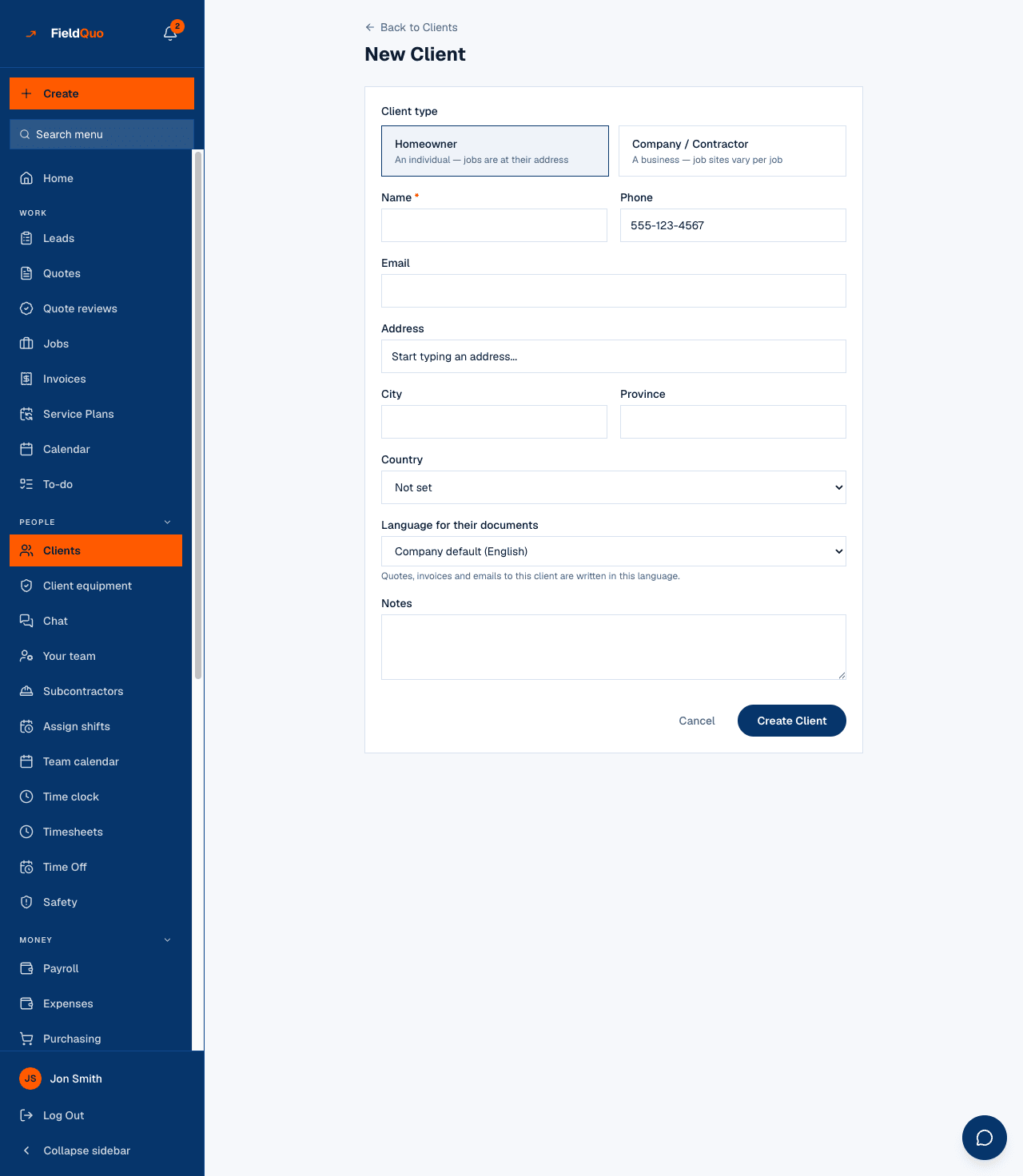
The label Language for their documents and the option Company default are shown in English on every screen, whatever language your app is set to. The rest of the form is translated.
What follows the client's language
- New quotes and invoices — the document is written in the client's language at creation. The labels, the wording of each service and the terms all come from the translation tables, never from a machine at send time.
- The covering email for a quote or an invoice — matched to the document it carries (see the rule below).
- The client portal and the public quote and invoice pages.
- Review requests after a job, and the one-question satisfaction survey inside them.
- Appointment reminder and on my way texts, and the emails around a booked visit.
- Payment reminders and service-plan invoices sent on a schedule.
Which language wins
Every send answers the same question in the same order, so a client never gets a French quote with an English reminder and a Spanish follow-up:
| Order | Source | When it applies |
|---|---|---|
| 1 | The document's own language | A quote or invoice keeps the language it was created in, for its whole life, even if the client's language is changed afterwards. Its covering email matches it. |
| 2 | The client's saved language | Anything not tied to a specific document: reminders, booking emails, review requests, the portal. |
| 3 | The company default | Clients set to Company default. See Settings → Language. |
| 4 | English | When nothing above is set. |
Changing a client's language does not translate the quotes they already have. A signed document must keep saying what it said when it was signed. To send the same quote in another language, create a new quote — see Quote language.
Mga madalas itanong
My crew works in English. Can a client still get a Spanish quote?
Yes. The app language and the client language are independent — set the client to Español and write the quote as usual; the document and its email go out in Spanish.
Why did the quote builder warn about missing translations?
Your services have wording the client reads, and that wording is translated per language under Settings → Translations. The bar names what is still missing so you fix it before sending, not after.
Does the language change how the app looks for me?
No. Your own interface language is yours, under Settings → Language. The client's language only affects what the client receives.
Nakatulong ba ito?