

What FieldQuo is, and the pipeline it runs
FieldQuo runs one pipeline — lead, quote, job, invoice, payment — and every document your client sees carries your name, not ours.
Поки що ця стаття доступна англійською, французькою та іспанською. Ви читаєте англійську версію. Français · Español
FieldQuo is the back office for a field-service contractor: a painter, a cabinet maker, a flooring installer, a plumber, a landscaper. It exists so that you can win a job, do the job and get paid without leaving one place — and so that a homeowner comparing three contractors cannot tell which of them use the same software.
This article is the map. It names the pipeline, the two surfaces the product has, the promise about your name, and where to start.
Overview
Everything in FieldQuo is a step on one line: a lead becomes a quote, an approved quote becomes a job, a finished job is billed on an invoice, and the invoice is paid online through your own Stripe account. Around that line sit the things a shop needs to run it — scheduling, crew time, materials, expenses, job costing, your website, your booking page, your reviews.
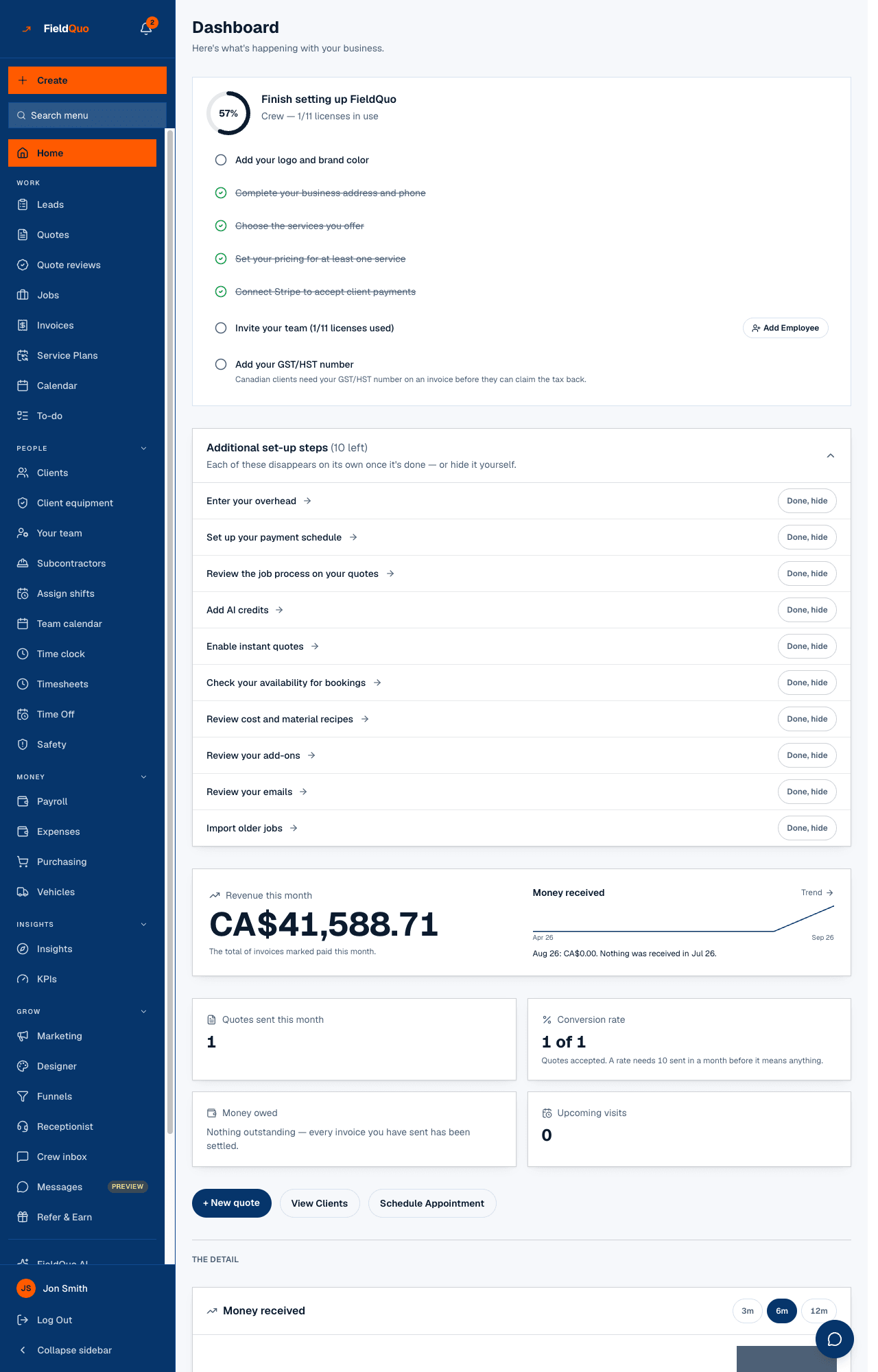
The sidebar follows the same order. Under Work you will find Leads, Quotes, Jobs and Invoices, in that sequence, because that is the sequence money moves in.
The pipeline, step by step
- Lead — an enquiry from your website form, your booking link, an instant estimate, the phone receptionist or a referral. It lands on the Leads board scored Hot, Warm or Cold.
- Quote — built from your price book, in the language it was created in, reviewed by AI if you ask, and sent as a page and a PDF with your logo on it. The client approves and signs online.
- Job — created when the quote is approved. Visits go on the calendar, the crew clocks in, photos and checklists come back from the site.
- Invoice — mirrors the quote: same sections, same branding. A deposit can be raised first if your payment schedule says so.
- Payment — the client pays by card or, in Canada, bank debit, straight into your bank. FieldQuo never holds the money.
Each step has its own category in this help centre: Leads, Quotes, Jobs, Invoices and Payments.
Two surfaces: your back office, and what your clients see
Your team works in the back office — the screens behind the sidebar, where staff spend the day. Your clients never sign in there. They see a second set of pages: the quote approval page, the invoice and its Pay button, the booking page, the client portal, your website, the emails and texts. Those are built for a stranger on a phone, on a bad connection, in a driveway.
The category What your clients see walks every client-facing page exactly as the client gets it.
Everything carries your name
Your logo, your brand colour and your company name go on every quote, invoice, PDF, email, booking page and website page. With your own domain verified, the From line in your client's inbox is your address, not ours. This is set up once, on Branding and Email Domain.
There is one deliberate exception: a small Site by FieldQuo line in the footer of a website whose company is not on a paid plan. A paying company's website carries no mention of FieldQuo at all.
What FieldQuo does not do
- It does not hold your money. Client payments are Stripe charges in your company's name, paid to your bank — see fees and payouts.
- It has no public API and no Zapier connector — see Integrations.
- FieldQuo AI answers questions about your own quotes, invoices, clients and costs. It declines general requests, and it never sees another company's data.
Where to start
- Start your free trial — the signup steps, and why there is no card to give.
- Your first day — the checklist the dashboard shows until it is done.
- The sidebar — where every screen lives.
Часті запитання
Is FieldQuo for one person or for a team?
Both. The Solo plan is one seat with five free crew logins; Scale is ten seats and fifteen crew. Crew logins cost nothing.
Do my clients need an account?
No. A quote, an invoice, a booking and the portal all open from a link. Nobody on the client's side signs up for anything.
Will my clients see the FieldQuo name anywhere?
Not on a quote, invoice, email or booking page. The only place it appears is the footer of a website whose company is not on a paid plan.
Чи була ця стаття корисною?