

Sa FieldQuo lang
Pamphlet and door-hanger routes
Plan a door-to-door distribution as a list of addresses, let FieldQuo order them into a route, and tick off each doorstep from a phone — with a doorstep conversation turning straight into a client and a visit.
Sa ngayon, available ang artikulong ito sa Ingles, Pranses at Espanyol. Binabasa mo ang bersyong Ingles. Français · Español
A pamphlet campaign is a marketing campaign of the type Pamphlet distribution. You add the addresses you intend to hit, FieldQuo orders them into an efficient walking or driving route starting from your company address, and whoever is doing the distribution marks each stop as they go — Delivered, Not home, or Spoke to owner. The last one is the point: a conversation on a doorstep becomes a client record, optionally a booked visit, and a quote you can start on the spot.
FieldQuo plans and tracks the route. It does not print the door hangers or arrange delivery — you supply the printed material and the people. Nothing in the comparison data FieldQuo keeps on Jobber, Housecall Pro and Projul lists a door-hanger route at any tier, which is why this article sits under Only in FieldQuo.
Overview
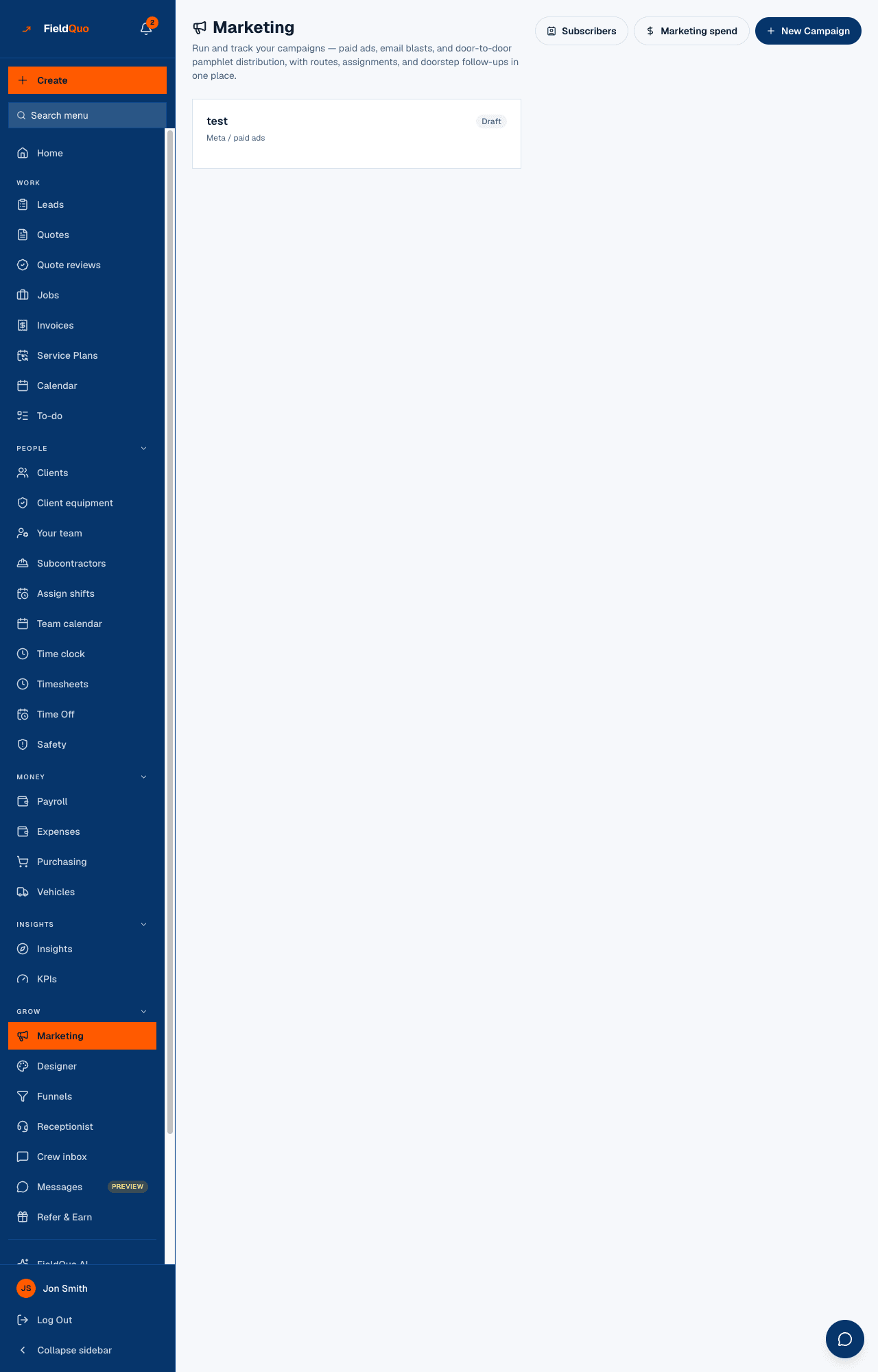
Campaigns live under Marketing in the sidebar. The screen's own words: “Run and track your campaigns — paid ads, email blasts, and door-to-door pamphlet distribution, with routes, assignments, and doorstep follow-ups in one place.” Each campaign is a card with its status chip, its kind (Pamphlet distribution, Meta / paid ads, Email blast, Other) and, for a pamphlet campaign, its progress — 26/40 stops and 9 spoke to — plus who it is assigned to.
Open a pamphlet campaign and you get the route: a map with numbered markers in route order, a box to add addresses, and the ordered list of stops with a status chip on each. That page is what the person walking the route keeps open on their phone.
How to create a route
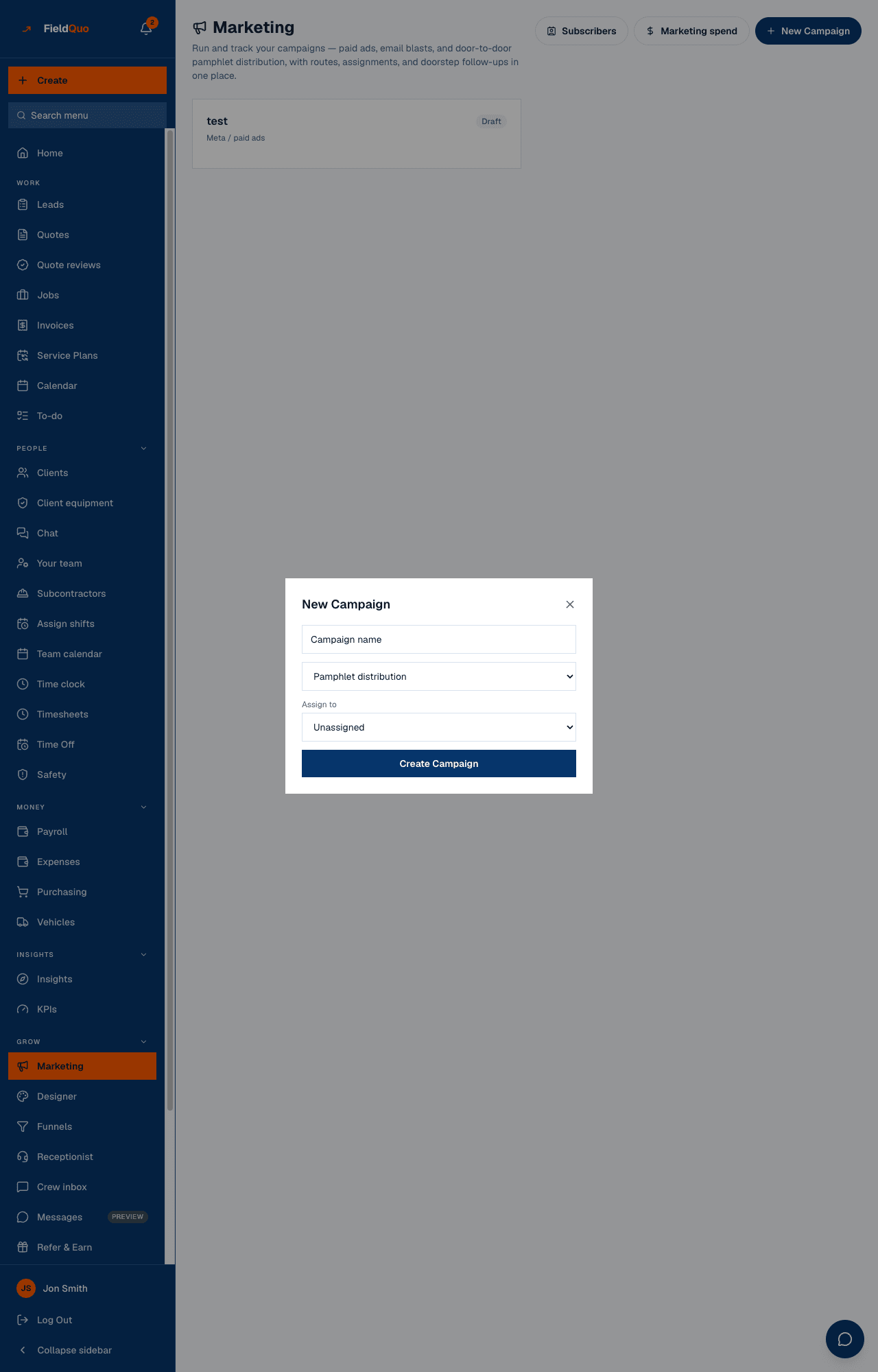
- Open Marketing and press New Campaign.
- Give it a name, keep the type on Pamphlet distribution, and pick who it is assigned to under Assign to (or leave it Unassigned). Press Create Campaign.
- Open the campaign. Under Add an address to the route, start typing a street address, pick it from the suggestions and press Add. Repeat for every street you plan to cover.
- Each address you add is placed into the route automatically — the map and the numbered list re-order themselves after every addition.
The order is a nearest-neighbour route: it starts at your company's address (from Company Settings) and always goes to the closest stop not yet placed. An address that could not be located on the map is listed at the end, in the order you added it, so it never distorts the ones that could.
Working the route from the doorstep
Every stop starts as Pending and has three buttons. What each one does:
| Button | What it changes |
|---|---|
| Delivered | The stop is marked Delivered and counts as visited. Nothing else happens. |
| Not home | The stop is marked Not home (amber). It counts as visited — it is the one worth going back to. |
| Spoke to owner | Opens a small form: Homeowner name, Phone (optional) and Schedule a visit (optional). On save, FieldQuo creates a client with that name and the stop's address (reusing one already linked to the stop), marks the stop Spoke to owner, and — if you set a date and time — books an appointment at that address. |
| The bin icon (Remove stop) | Deletes the stop from the route. There is no undo. |
Once a stop has a client on it, a Create quote link appears under it. It opens the quote builder already scoped to that client, so the estimate starts before you have left the street. The campaign header counts visited as every stop that is no longer Pending.
Booking the visit from the doorstep needs appointment permissions. If the person walking the route does not have them, the form says so — leave the date blank and just save the client; someone at the office can book it from the client record.
Who can see it
The Marketing row, the campaign list and New Campaign are for owners, administrators, managers and dispatchers — the same rule as every other marketing screen. Creating a campaign and adding addresses need that level too.
Marking a stop is deliberately open to any active member of the company: distribution is fieldwork, and the person on the street is often a crew member. They will not see the Marketing row, but the campaign page itself opens for them from a link — send the assigned person the campaign's link and the Delivered / Not home / Spoke to owner buttons work on their phone. A budget on the campaign is hidden from them.
Mga madalas itanong
Does FieldQuo print the flyers or door hangers?
No. It plans and tracks the route only; you print the material and hand it out yourself. Log what the print run cost under Marketing spend, channel Pamphlets, so it shows in your cost per lead.
Why does the card still say Draft?
The status chip on a pamphlet campaign is not changed by anything on the screen — watch the stops count and the spoke-to count instead; those are what the route updates.
Can I paste a whole list of addresses at once?
The screen adds one address at a time, from the map's suggestions. Each one is placed into the route as soon as it is added.
Nakatulong ba ito?