

Job costing: quoted against actual
What a job actually cost — approved hours, receipts, subcontractors, overhead — beside what you quoted for it, and the close-out that asks whether your rates need changing.
Поки що ця стаття доступна англійською, французькою та іспанською. Ви читаєте англійську версію. Français · Español
A quote carries an estimated cost: materials, labour hours, a share of overhead, a target margin (see Cost and margin on a quote). Then the job happens. Job costing is the other half — what it really cost — shown on the job page as What this job has cost, and compared line for line against the estimate when the job is done.
Nothing in it is guessed. It is a sum of things that were recorded: hours somebody approved, expenses somebody tagged, a subcontractor's agreed price, the overhead you told FieldQuo about. Where a number is missing, the panel says so rather than showing a cheaper job.
Overview
The panel appears on the job page only once something has been recorded against the job and only for someone with the Job costing switch on. It shows Expenses, Labour (with {hours}h approved on this job), Subcontractors, Overhead, and Total cost; then Quoted, Approved changes and Contract value now when there are change orders; then Left after costs and Margin; and Spend by category underneath.
The same figures feed the KPI dashboard's profit and estimate-accuracy tiles, which is why that screen also requires the switch.
What counts as cost
| Line | Where it comes from | Rule |
|---|---|---|
| Labour | Approved time entries on this job × the worker's hourly rate (Settings → Workers). | Pending hours are shown but not costed. A worker with no rate adds hours and no money, and the panel says how many hours are unrated. |
| Expenses | Expenses tagged to this job in Expense Tracking, by category. | Payments to subcontractors are skipped here so they are not counted twice. |
| Subcontractors | The amount agreed with each subcontractor on the job (agreed, done or paid). | A quoted-but-not-agreed bid is shown as +{amount} quoted, not agreed and left out of the total. |
| Overhead | Your cost per job from Settings → Overhead. | Absent, not zero, until you fill that screen in — a job cannot be costed against an overhead nobody has stated. |
| Equipment | Your own assets logged on the job. | Reported for information, and added to the total only when no overhead is set — otherwise the overhead share already carries the depreciation. |
Quoted against actual
Quoted is the quote's total. Contract value now adds approved change orders. Left after costs is that contract value minus Total cost, and Margin is the same as a percentage. The variance against the *estimated* cost is worked out separately: if either side is missing — no costed quote, or nothing recorded yet — there is no percentage, because a job with nothing recorded has not come in on budget.
Time entries that were clocked during the job's dates but never tagged to a job are listed as unattributed, with the note Tag those entries to a job on the timesheet and they'll land here.
The prices ticked on the job's Materials to buy list are not in Total cost. They go into your price history; a receipt that should count against this job is recorded as an expense — the close-out offers Add a material or receipt to this job for exactly that.
The close-out when a job is completed
Marking a job Completed opens the review once: This job is done — is its cost? with a Review actual costs button, and a task Review what "…" actually cost due in three days. The review walks top to bottom:
- Labour: hours estimated vs approved — the quote's hours against the approved ones, with pending and unrated hours called out and an Approve hours link to Timesheets.
- Materials: what the estimate said vs what you used — every line on the job with a box for what you actually used; Add a material or receipt to this job records a receipt that was never entered, as an expense.
- The verdict — estimated, actual, the difference, the margin. If the job came in over your threshold, one question: This job cost {pct}% more than you quoted. Update your costing from what it really cost? with Update and Leave as is.
- The cost is complete signs it off and settles the task. Not yet leaves everything open.
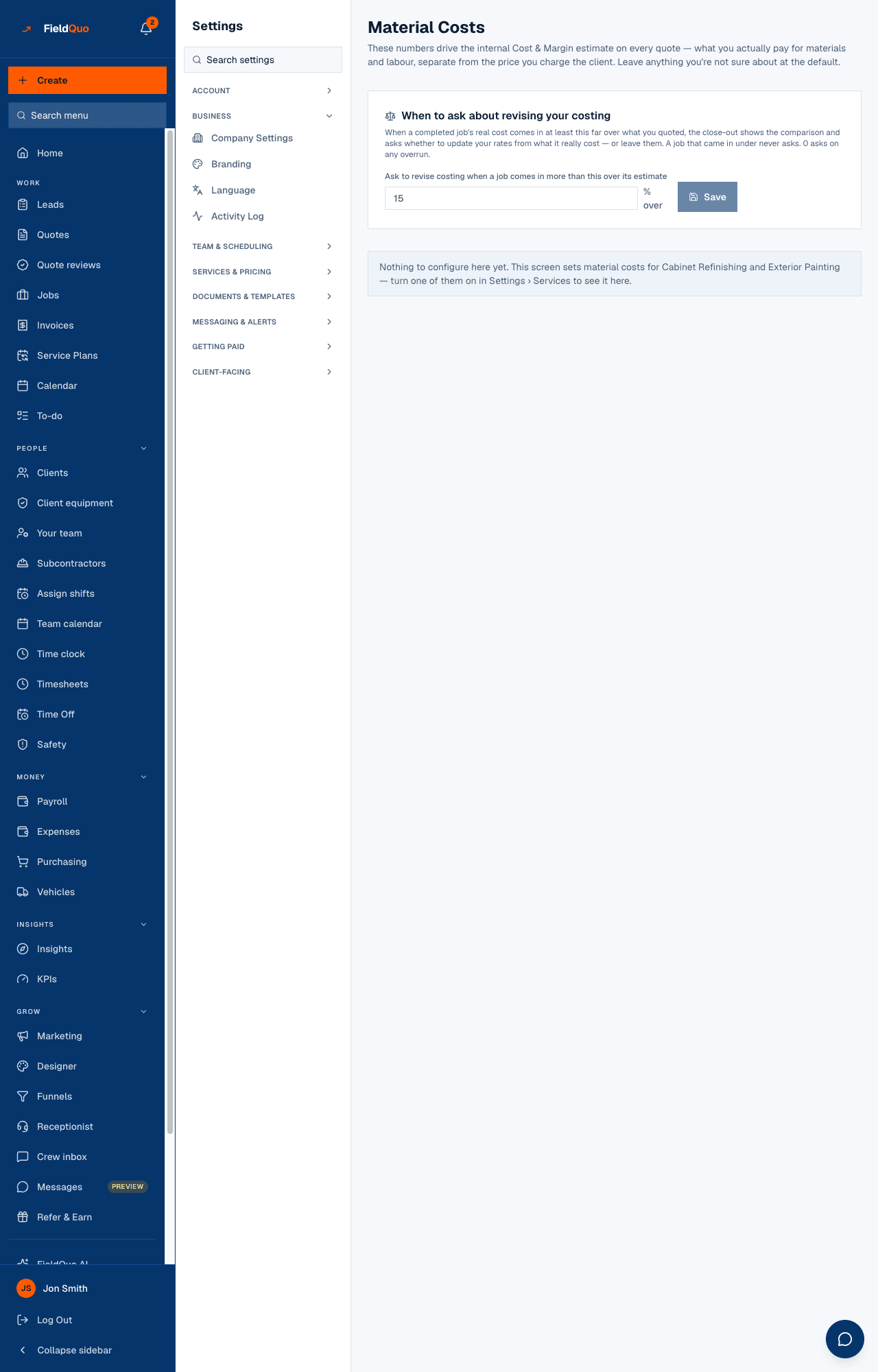
Update opens per-line suggestions, each with a button only where a saved rate exists to move. Nothing is applied without a press, and the answer is recorded once — a job is never asked twice. The threshold is under Settings → Material Costs, default 15%; a job that came in under never asks.
Who can see it
The Job costing switch is on for the owner, administrators and the Manager preset, and off for Dispatcher, Estimator and Crew. Without it the panel is not rendered, the costing route refuses, and the cost columns on the materials list are blanked. The switch requires See prices, time tracking, expenses and jobs access, and an owner can grant it to any person in the Custom access editor.
Часті запитання
Why is the panel missing on a fresh job?
Nothing has been recorded yet. It appears once an approved hour, an expense, a subcontractor or an equipment log exists on the job.
Why is my margin higher than I expected?
Look for pending hours, unrated workers and an empty Overhead screen. Each is named on the panel; each makes the actual smaller than reality until it is filled in.
Does the client see any of this?
No. Cost, margin and the comparison are internal. The quote and invoice the client receives carry prices only.
Чи була ця стаття корисною?