

Visits and appointments
The three kinds of entry on your calendar — job visits, appointments and client bookings — what each is for, and what you can do with each.
Поки що ця стаття доступна англійською, французькою та іспанською. Ви читаєте англійську версію. Français · Español
The calendar merges three different things and labels each: a Job visit is a trip to a job's address, an appointment is a stand-alone booking with a client, and a Client booking is a slot a client picked on your public booking page that has not yet become an appointment. They look alike on the day; they behave differently, and knowing which is which saves a phone call.
This article is the map. The Appointments calendar walks the screen itself, and Book a visit for a client the two forms.
Overview
FieldQuo keeps one row per real thing and reads all three at once, so a visit booked on a job shows on the calendar without a second copy that could drift. The controls differ a little per kind: an appointment and a job visit can be reassigned, moved, cancelled and completed from the calendar (a visit also from its job page); a booking that has not yet become an appointment is moved by the client through their own link.
The three kinds
| Kind | Where it comes from | What it belongs to |
|---|---|---|
| Job visit | Add visit or Schedule a visit on a job page; the next visit of a recurring job. | A job. It carries the crew's checklist, photos, notes and the On my way / Mark complete buttons. |
| Appointment | New Appointment on the calendar; a confirmed booking from your booking page; a callback or visit booked by the AI receptionist. | A client, with no job behind it. It gets the reminder text, as a visit does. |
| Client booking | A confirmed booking from the booking page that has not been turned into an appointment yet. | The event type the client chose. The client can move or cancel it with the link in their confirmation email. |
What the calendar shows
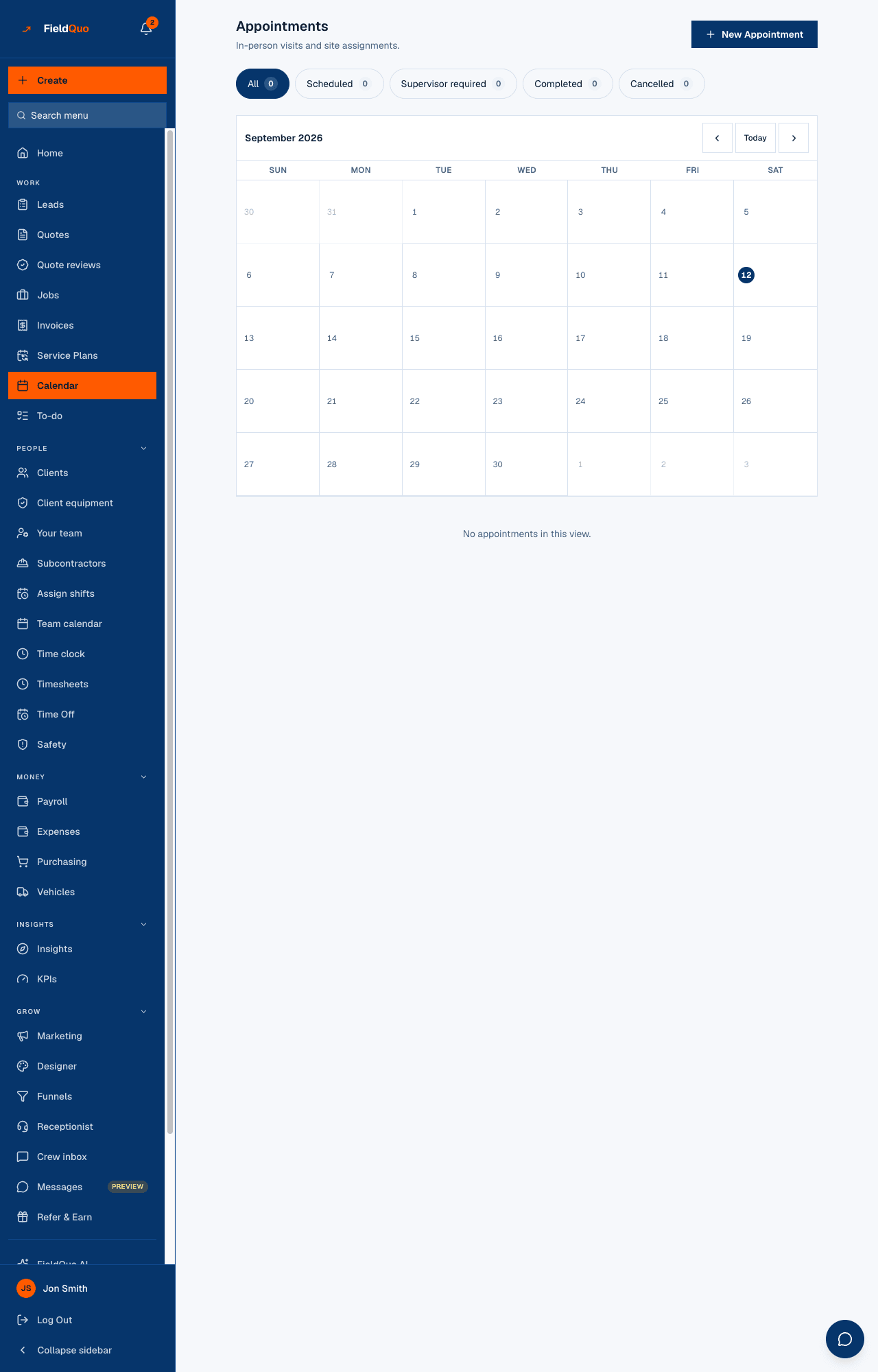
Every kind lands on its day in the month grid and in the list under it, sorted by time, with its own badge so nothing pretends to be something it is not.
- A Job visit badge, the job's title under the client's name, the assignee's name and Open job.
- An appointment: the status badge, a Booked a visit / Callback booked / Video call booked badge when it came through the booking page or the receptionist, Booked by the AI receptionist when nobody in the company spoke to the client, and the assignee dropdown.
- A Client booking badge, the event type's name and the assignee.
- On any row, the phone number dials and the address opens maps without opening anything first.
Which one to use
- Work at a job's address — a measure, an install day, a warranty return — is a visit on that job. It keeps the job's status honest and gives the crew the checklist and the photo record.
- A first look before there is any job — an estimate visit, a callback — is an appointment. It can be reminded by text and reassigned from the calendar.
- A client who books from your website or through the receptionist is neither — they made a booking, which becomes an appointment on its own (immediately when the visit is free, once the visit fee is paid otherwise).
If a job already exists, book the visit from the job, not from New Appointment. An appointment does not link to a job, and a visit is what makes the job appear in the crew member's Jobs list.
What each kind can and cannot do
An appointment on the calendar and a job visit — on the calendar or on its job page — share one set of buttons: Reschedule, Mark complete, Cancel visit, and afterwards Reopen or Put it back on. Reschedule is held to the same travel-buffer arithmetic as the client's own link and explains a short gap before offering Move it anyway; Cancel visit asks for a reason that stays on the row, and is a status, never a delete. Both dialogs offer to email the client, in the client's language, that the office moved or cancelled it. A booking that came through the booking page moves and cancels with its appointment; one that has not become an appointment yet is moved by the client through their own link — see When a client reschedules or cancels.
Appointment reminders go out for appointments and job visits alike, once each, at the lead time set under Settings → Notifications. The crew's On my way button is the visit's second heads-up, at the moment they leave.
Часті запитання
Does a job visit get a reminder text?
Yes — the reminder reads job visits as well as appointments: same wording, same lead time, same STOP check, never twice. A visit already completed or cancelled gets none. The crew's On my way tap is a second text, at the moment it matters.
Can I turn an appointment into a job?
Not with a button. Create the job (or let the approved quote create it) and book a visit on it; the appointment stays on the calendar as its own row.
A Client booking row has no Open job link.
Right — a booking belongs to an event type and a client, not to a job. It becomes an appointment on its own; it never becomes a job visit.
Чи була ця стаття корисною?