

Ask for reviews automatically
One short email, from you, to each client after their job is marked complete — never twice, never to someone who unsubscribed — with the delay you choose and a live count of who is in the queue.
Поки що ця стаття доступна англійською, французькою та іспанською. Ви читаєте англійську версію. Français · Español
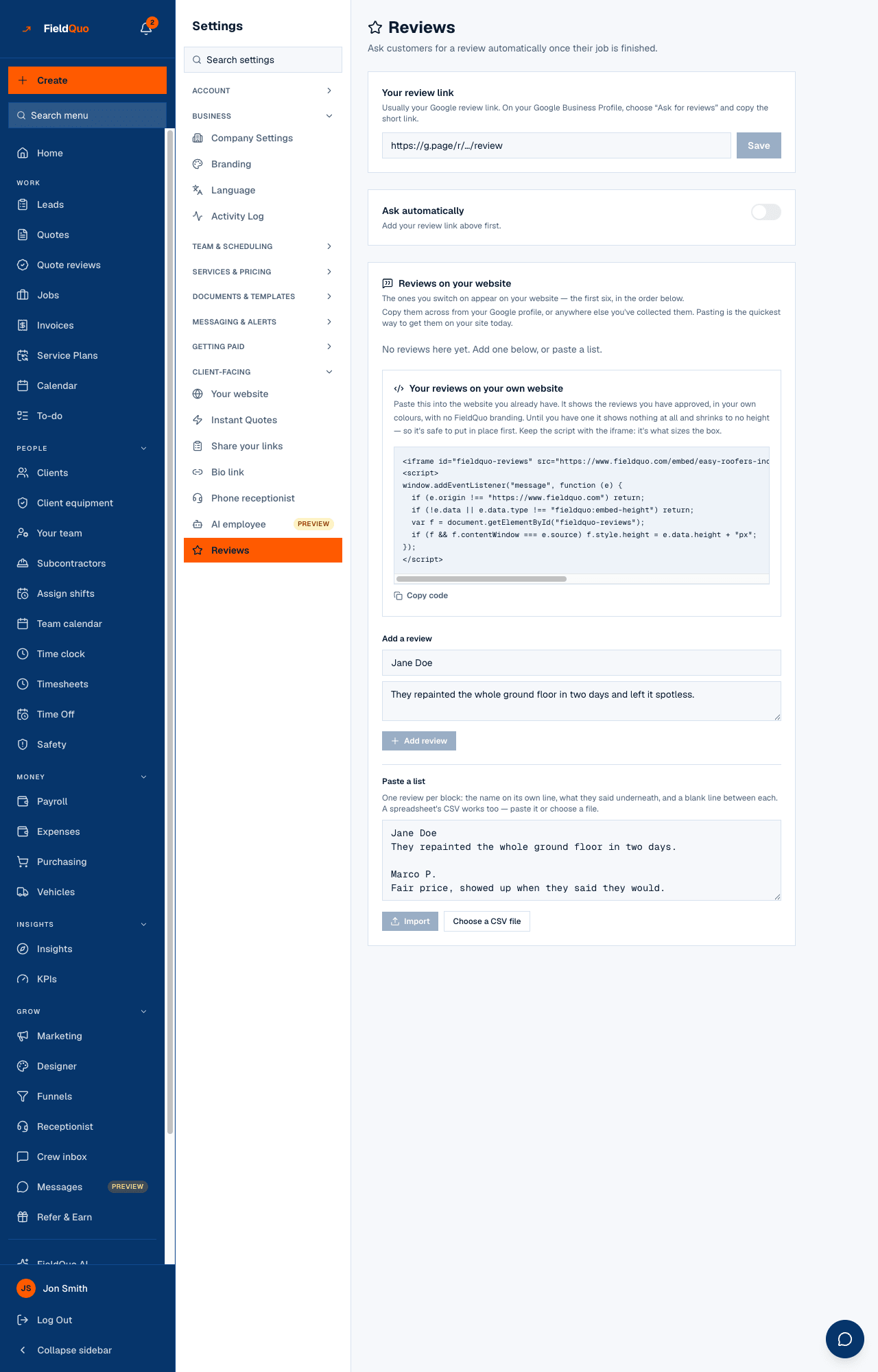
Reviews are the biggest driver of inbound work a small contractor has, and asking is the step that gets skipped. Settings → Client-facing → Reviews asks for you: once a job is marked complete, the client gets one message with your review link, after a delay you set. The screen does not just say On — it tells you how many customers are in the queue right now and how many were asked in the last 30 days.
Overview
Top to bottom: Your review link with Save; the Ask automatically switch; When to ask delay chips; a sentence like “3 customers are in the queue, and 12 have been asked in the last 30 days.”; and a footnote: “Customers who have unsubscribed are skipped, and anyone who replies saying something went wrong reaches you directly rather than the review page.” Below that, Reviews on your website — the testimonials half of the screen, covered in Testimonials on your website.
How to switch it on
- Paste your review link under Your review link and press Save. The help under it says where to get it: on your Google Business Profile, choose “Ask for reviews” and copy the short link. Any http or https page works — Google, Facebook, HomeStars, your own form. Use Open it and check it goes where you expect.
- Turn on Ask automatically. It cannot be turned on without a link — the switch says “Add your review link above first.” — and the server refuses it too.
- Pick When to ask: 2 hours later, 4 hours later, The next day, Two days later, Three days later or A week later. The sentence under it updates to show the queue.
The rules the ask obeys
- Once, ever. A job is asked about at most once. The job is stamped before the email leaves, so an overlapping run or a double-click can never ask twice.
- Complete means complete. Only a job with the status completed and a completion time. Cancelled or reopened jobs are not asked.
- The client needs an email address, and must not have unsubscribed — the same list your email campaigns use.
- On time. FieldQuo checks every hour, so a 4-hour delay means about 4 hours, not the next morning.
- Not the distant past. A job finished more than 30 days ago is never asked, and jobs imported from your old system are skipped — switching this on today does not email every customer you ever had.
The email itself is short on purpose: one sentence of thanks, one button, your logo and colour, your name in the From line, replies to your inbox. Under the button sit five small rating links, 1 to 5 — the client's score lands in FieldQuo, and an unhappy reply reaches you, not the review page. Every copy carries an unsubscribe link.
Who can see it
Owners, administrators, managers and dispatchers can open and change this screen. What happens when a job is marked complete, including this ask, is in When a job is completed.
Часті запитання
Does it text the client too?
No. The review request is an email only.
Can I ask a specific client by hand?
Not from this screen — it is automatic, and once per job. Send them your review link yourself from the client record.
What counts as “in the queue”?
Completed jobs whose delay has not yet run out and that have not been asked, read from the same columns the hourly job reads.
Чи була ця стаття корисною?