

Taxes and currency on your subscription
Why a Canadian company pays in CAD, an Australian one in AUD and everyone else in USD, how sales tax, VAT or GST is added to FieldQuo's charge at checkout, and how none of it touches the tax on your own invoices.
Dieser Artikel ist vorerst auf Englisch, Französisch und Spanisch verfügbar. Sie lesen die englische Fassung. Français · Español
FieldQuo bills in your own currency: Canadian dollars for a company in Canada, Australian dollars for one in Australia, US dollars everywhere else. The plan prices are the same number in each — Solo is 99 in CAD for a Canadian and 99 in USD for an American — so nobody pays a sticker price plus an exchange rate plus a card fee. Sales tax on that charge is worked out by Stripe from your billing address and added at checkout.
This is FieldQuo's charge to you. It has nothing to do with the tax you charge your clients: that is set on Settings → Company Settings and applied to your quotes and invoices, and the two never meet.
Overview
Your billing currency is decided once, from the country of your business address, and every FieldQuo charge on your subscription is in it: the monthly or yearly plan, an upgrade's prorated difference, a scheduled downgrade. Stripe keeps one currency per customer, so it cannot change later without a new customer record — which is why the plan grid only ever shows you the one row that matches your address.
Which currency you are billed in
| Business address | Billing currency | Shown as |
|---|---|---|
| Canada | CAD | CA$ |
| United States | USD | US$ |
| Australia | AUD | A$ |
| Any other country Stripe serves (the UK, the EU, New Zealand…) | USD — the same numbers; there are no GBP or EUR plans | US$ |
| Somewhere Stripe does not serve, or no address yet | Not decided — the Plans grid asks you to add your business address first | — |
The four rungs are 99, 169, 269 and 369 a month, the same figures in either currency, and a 1 year commitment is ten months for twelve — see The four plans and Monthly, or a one-year commitment. If Account & Billing says it needs to know where your business is, press Add your business address, save the country, and come back.
Sales tax on the charge
- Stripe Tax works out the rate from the billing address you enter at checkout, and adds it as its own line — GST/HST/QST for a Canadian address, state sales tax where a US state charges it.
- A billing address is required at checkout for that reason, and Stripe writes it back to your customer record so that renewals, which do not go through checkout, are taxed the same way.
- You can enter your tax number at checkout — a Quebec or US business number, a UK or EU VAT number, an Australian ABN — and it appears on the invoice Stripe issues.
- The UK, the EU and Australia: once FieldQuo's registration there is active, UK VAT (20%), EU VAT at your country's rate or Australian GST (10%) is added the same way. A business that enters its VAT number or ABN at checkout is not charged it — the invoice says reverse charge and you account for it yourself.
- A scheduled plan change keeps the tax setting it started with, so a downgrade booked for the renewal date is taxed exactly as the plan it replaces.
None of this changes what your clients pay. The tax on your quotes and invoices comes from your own tax settings — see Tax settings and Sales tax on invoices — and is charged in your company's own currency through your own Stripe account. Stripe's automatic tax is deliberately not applied there, because that would tax an already-taxed total a second time.
Other charges from FieldQuo
Phone credit, AI image credit and the monthly AI credit plan are priced in US dollars whatever your plan's currency, because the minutes and the AI are bought in US dollars — see AI credit and phone credit. The monthly AI credit plan cannot be started on a CAD account for that reason; one-off top-ups can. The migration service is priced by FieldQuo on the request itself. Stripe's automatic tax is applied to the subscription checkout and its renewals; those other one-off charges are not run through it today.
Where to see the currency and the tax
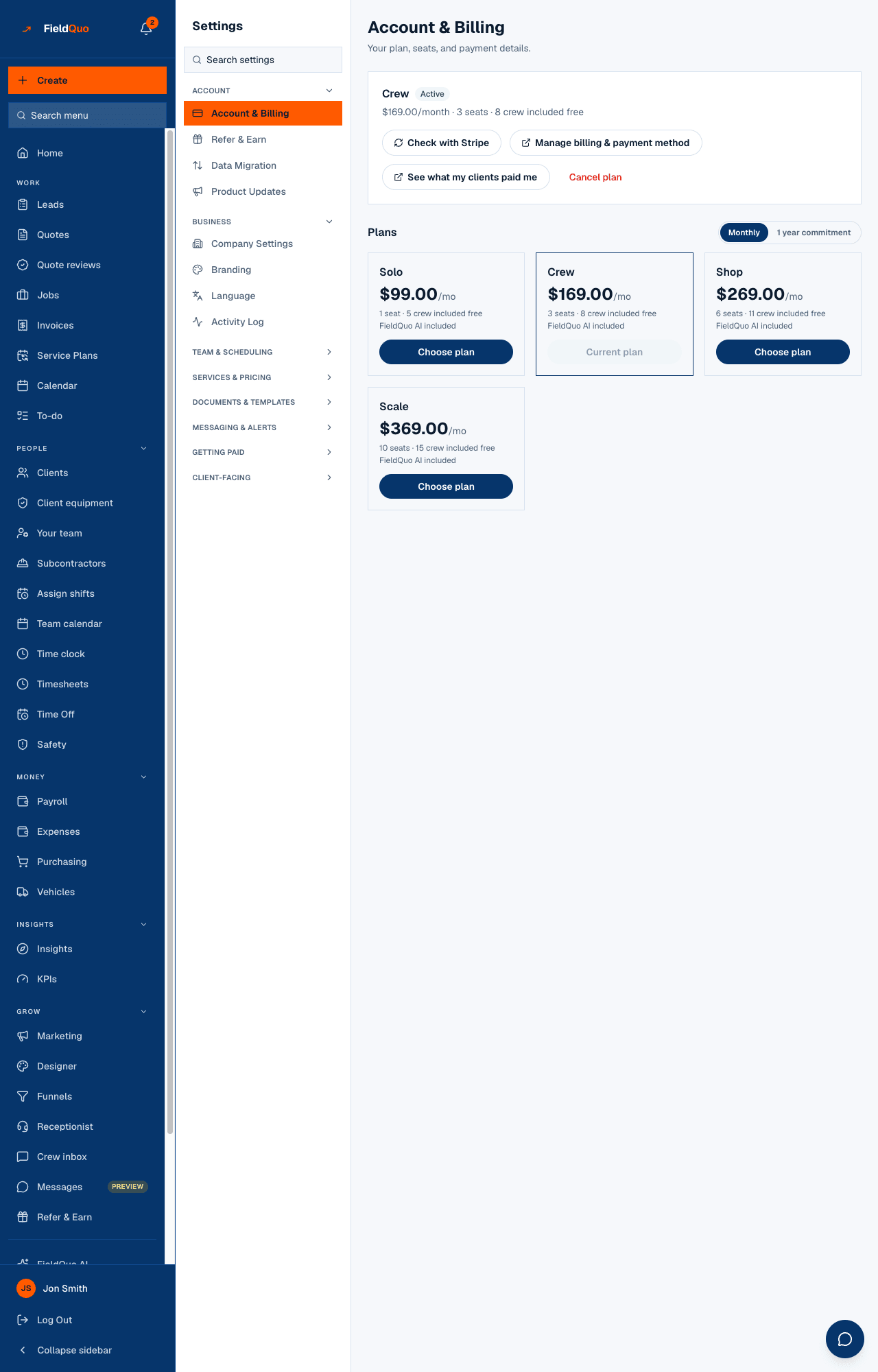
- Open Settings → Account & Billing. The plan card shows your price in your billing currency, per month or per year.
- Press Manage billing & payment method. Stripe's portal lists every invoice FieldQuo has issued you, each with the tax line and your tax number if you gave one — see Invoices and receipts from FieldQuo.
Häufige Fragen
I moved my business from Canada to the US. Can my billing switch to USD?
Not by yourself. Stripe holds one currency per customer, so the switch needs a new customer record on FieldQuo's side — write to us.
Is the price on the pricing page before or after tax?
Before. Tax is added at checkout from your billing address, on its own line, and shown on every invoice Stripe issues.
Does FieldQuo's tax setting affect my invoices to clients?
No. Your invoices use your own tax settings. FieldQuo's charge to you and your charge to your clients are two separate sales in two separate Stripe integrations.
War das hilfreich?