

Invoices and receipts from FieldQuo
Where the invoice for each subscription charge lives, what it shows, which emails FieldQuo itself sends about your billing, and how not to confuse them with the invoices you send clients.
Dieser Artikel ist vorerst auf Englisch, Französisch und Spanisch verfügbar. Sie lesen die englische Fassung. Français · Español
Every charge FieldQuo makes to your card — the monthly or yearly plan, and any top-up or migration payment — is a Stripe invoice on your company's Stripe customer. They are read and downloaded from Stripe's billing portal, reached from Account & Billing; FieldQuo does not keep a second copy in the app.
This article says where to find them, what is printed on one, and which emails you get from FieldQuo about your subscription so you know which is which when the bookkeeper asks.
Overview
FieldQuo bills you through Stripe Billing, in your own currency — Canadian dollars for a Canadian address, Australian dollars for an Australian one, US dollars for anywhere else. Each period Stripe issues an invoice, charges the card on file, and marks the invoice paid; the paid invoice is the receipt. There is no separate FieldQuo-branded receipt email per charge.
These are the opposite direction from the invoices on your Invoices screen, which are yours to your clients and go through your own connected Stripe account. The two never mix: your subscription invoice is never among your invoices to clients, and a client's payment is never on your Stripe customer.
Where to find them
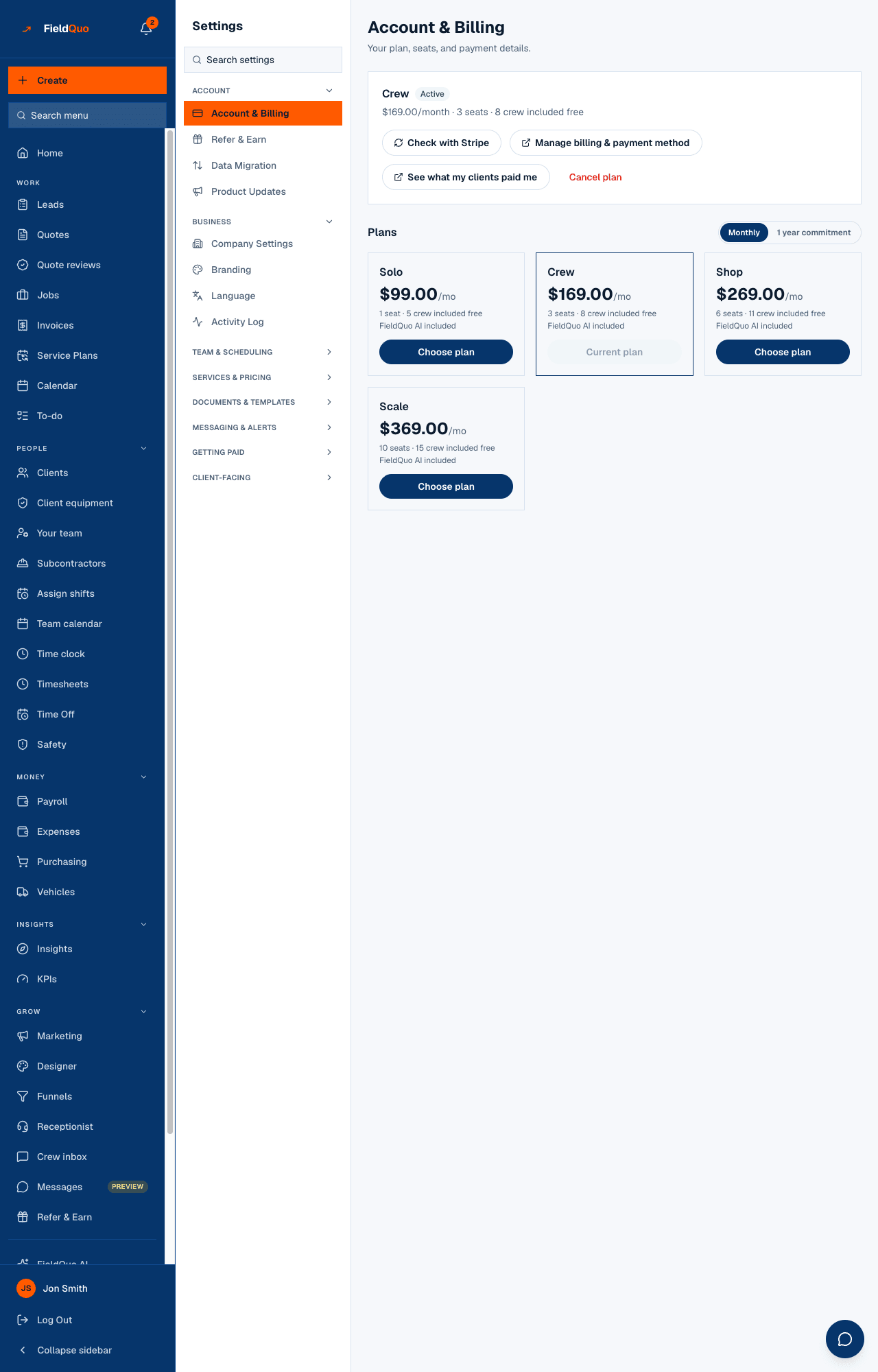
- Open Account & Billing and press Manage billing & payment method.
- On Stripe's portal, open the invoice history. Each charge is listed with its date, amount and status.
- Open an invoice to view or download it as PDF. Send that to your bookkeeper; it is the document the bank line matches.
- Use the portal's return link to come back to FieldQuo.
Only an owner or administrator can open the portal. If your bookkeeper is neither, download the PDFs and send them on — or make them an administrator, which also lets them change the plan and the card.
What an invoice shows
| Line | Where it comes from |
|---|---|
| FieldQuo — Crew (or Solo, Shop, Scale) | The plan you were on for that period. After a scheduled change lands, the line names the new plan from that renewal. |
| The amount and currency | The plan's monthly or yearly price in your billing currency — the same number you see on the plan card. |
| A prorated line | Appears only on the invoice after a mid-period upgrade: the difference for the rest of that period. |
| Sales tax | Added automatically by Stripe from the billing address on file; the rate is the jurisdiction's, not something FieldQuo sets. See Taxes and currency on your subscription. |
| Your business tax number | Printed if you entered it at checkout or in the portal; blank otherwise. |
| Billing address | The address entered at checkout or updated in the portal. |
A top-up of phone or AI credit, or a migration-service payment, appears in the same portal as its own one-off invoice, with its own line — see AI credit and phone credit and Paying for the migration service.
Emails FieldQuo sends about your billing
- When a plan starts — one confirmation naming the plan, Status: Free trial during the free trial, and Trial ends or Next billing date. Sent once, however many times the page checks with Stripe.
- When a plan change lands — the same email, naming the previous plan and the new one, on the day the change takes effect.
- Before the first charge — seven days before a trial converts, with the amount and the card's last four digits if known. Yearly renewals get the same email 30 days ahead; monthly renewals get none. See Renewal reminders.
- When a payment fails — the grace-period warnings, see Failed payments and the grace period.
- When you cancel — a confirmation with the date your access ends.
None of these is an invoice. The invoice itself is in the portal, and any receipt email that arrives from Stripe's own address is Stripe's, not FieldQuo's.
Häufige Fragen
Can FieldQuo email me the invoice every month?
Not from the app. The invoice is in the Stripe portal from Manage billing & payment method, downloadable as PDF.
Why does the invoice show tax when my own invoices to clients do not?
They are two different sales. Stripe adds the tax that applies to FieldQuo selling to you, from your billing address. The tax on your invoices to clients comes from your own tax settings.
Is my subscription in my expenses?
Not unless you add it. FieldQuo does not record its own charge as one of your expenses. Record the FieldQuo invoice as a software expense from the PDF — in your own books, or with Add Expense on Expenses.
War das hilfreich?