

Texting clients: what is automated and what is not
Exactly two texts reach your clients — On my way and the appointment reminder — in the client's language, with your wording if you set it. What triggers each, what is not texted, and what happens when a client replies.
Dieser Artikel ist vorerst auf Englisch, Französisch und Spanisch verfügbar. Sie lesen die englische Fassung. Français · Español
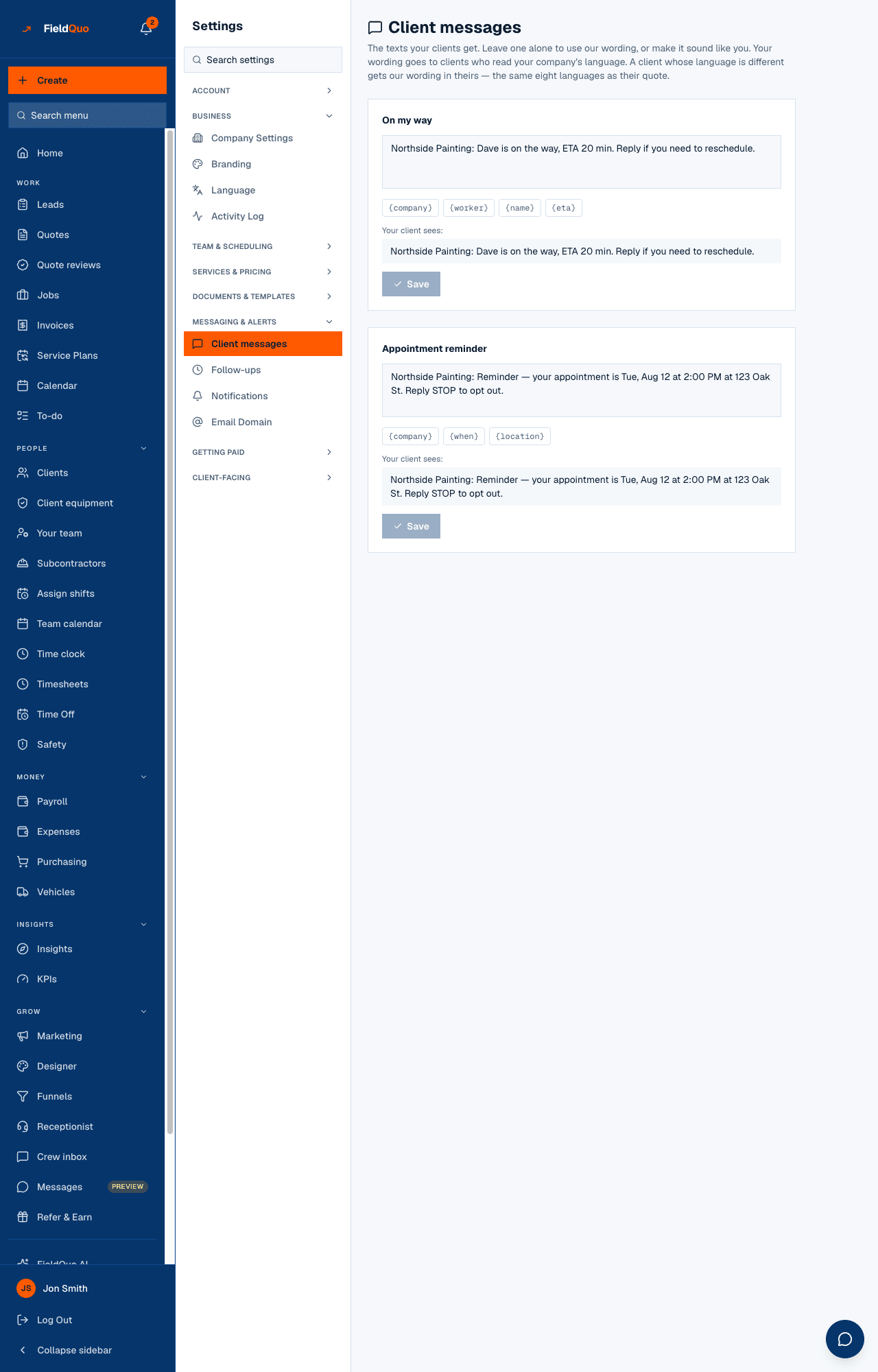
FieldQuo texts your clients in two situations and no others: when a crew member marks a visit On the way, and before an appointment or a job visit, at the lead time you chose. Both go out under your business name, in the client's language, with the wording you set under Settings → Client messages or the built-in wording if you left it alone.
Everything else — a quote, an invoice, a booking confirmation, a follow-up — goes by email, and there is no two-way texting with clients. This article draws that line precisely so nobody promises a text the product does not send.
Overview
Text messages are the last thing a client reads before the van arrives, so FieldQuo keeps them short, in the client's own language, and few. The two that exist are wired end to end — a real trigger, a real send, an opt-out check before every one. Several others exist as wording only and are deliberately not offered for editing until they send, because an editor for a message that never goes out would be a dead control.
The two texts that go out
| Text | When it goes | Built-in wording (English) |
|---|---|---|
| On my way | The moment a visit's status is set to On the way — usually the crew member tapping it on their phone. Only when the job's client has a phone number. | “Northside Painting: Dave is on the way, ETA 20 min. To reschedule, call 555-0100.” The ETA is worked out from the crew member's position at the tap to the job's address; the phone is your company phone, and that sentence is dropped when you have none on file. |
| Appointment reminder | Once an appointment on your Schedule, or a visit on a job, is inside the lead time you chose under Settings → Notifications — 2, 24 or 48 hours before. Checked every hour; sent once per appointment or visit. | “Northside Painting: Reminder — your appointment is Tue, Sep 15, 2:00 PM at 123 Oak St. Reply STOP to opt out.” |
Appointment reminders are Off until an owner or administrator picks a lead time — reminders are included in your plan, but nothing is sent that nobody switched on. They apply to appointments on the Schedule (bookings from your booking page, calls the receptionist booked, appointments you add) and to visits booked on a job alike, once each; a completed or cancelled entry gets none.
What is not texted
- No two-way texting. A client's reply to a text is not delivered to any screen in FieldQuo. The Messages inbox is Facebook, Instagram and WhatsApp; it is not SMS.
- No booking confirmation text. A booking from your booking page is confirmed by email. The wording for a confirmation text exists and is not wired to send, so it is not offered for editing.
- No quote, invoice or job-complete texts. “Your quote is ready”, “Invoice overdue” and “Your job is complete” go by email only — the follow-up rules send email templates and nothing else.
- The receptionist cannot text. When it has to send a caller to your booking page it reads the link out and says plainly that it cannot text it.
- No marketing texts. Campaigns are email; there is no mass-text feature.
A reply to the On my way text is not read by FieldQuo — only STOP is — so the built-in wording ends “To reschedule, call {phone}”, your company phone from Company Settings. If you write your own wording, keep {phone} in it rather than inviting a reply nobody will see.
Language and wording
The built-in wording exists in English, French, Spanish, Ukrainian, Punjabi, Tagalog, German and Italian, and each client gets theirs — the same rule as their quote and their covering email. The date and time in a reminder are written in the client's format and in your company's time zone, so a 2 PM visit in Toronto is never texted as 6 PM. Your custom wording is written once, in the language you work in, and is used only for clients who read that language; everyone else gets the built-in translation. Nothing is machine-translated at send time.
Full detail on the editor, the tokens and Use default is in The two texts your clients get. Past 160 characters a text splits into two.
Opting out
Before every text FieldQuo checks the client's number against the opt-out list for your company: a number that has asked to stop receiving texts, or that has asked not to be called, is skipped — the on-my-way text and the reminder alike. The reminder ends “Reply STOP to opt out” in every language, and STOP is kept in English on purpose because carriers treat it as universal. Client texts leave on FieldQuo's shared line, so a STOP cannot name one company: it opts that phone out of every company holding it on a client record.
There is no marketing consent involved: both texts are about a visit the client booked. Neither carries an unsubscribe link, and neither is sent to a client who has no phone number on file.
Häufige Fragen
Can I text a client from FieldQuo?
No. There is no compose box for client texts and no client SMS inbox. Client conversations live in Messages (Facebook, Instagram, WhatsApp); everything else is email.
Does a booking from my booking page trigger a text?
No — the confirmation goes by email. The reminder text goes later, at the lead time you set, if reminders are on.
Why did a client get the English reminder when their quote was in French?
The text follows the language on the client's record, the same way the quote does. Check the client's language; a client with none set gets your company's default.
War das hilfreich?