

Account & Billing
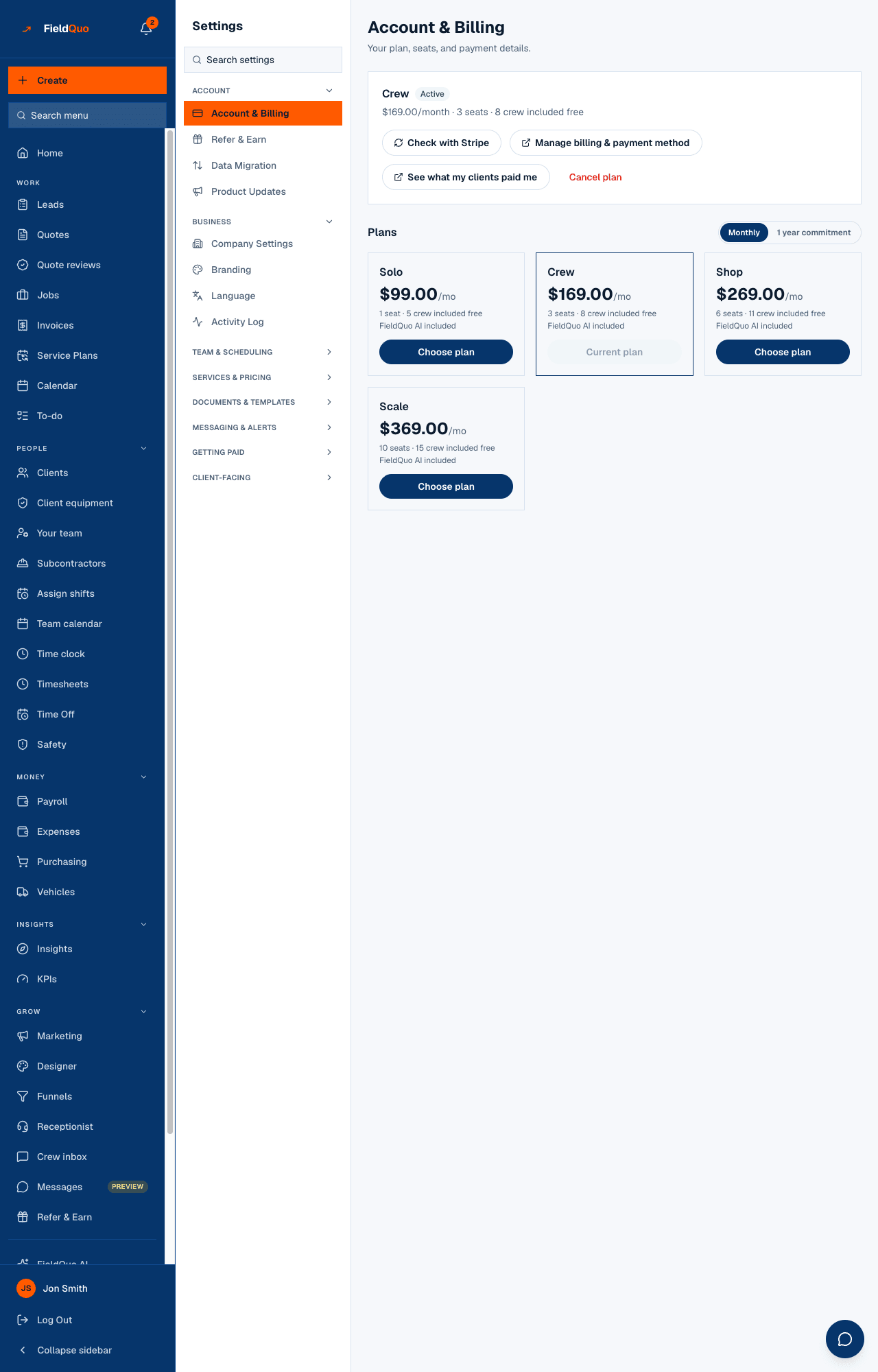
The Settings row that is the same page as Plan in the main sidebar: your plan, its price and next billing date, the billing portal, a shortcut to your Stripe earnings, Cancel plan, and the four plans to choose from.
Dieser Artikel ist vorerst auf Englisch, Französisch und Spanisch verfügbar. Sie lesen die englische Fassung. Français · Español
Settings → Account → Account & Billing — “Your plan, seats, and payment details.” It is the same screen the Plan row of the main sidebar opens, reached from the Settings menu. This article is a short map of it; the full story of plans, seats, changes and cancellation is in Your plan and seats.
What is on the screen
- The plan card: the plan's name and status, the price with /month or /year and 1 year commitment where that applies, the seats line (for example “6 seats · 11 crew included free”), Days left in trial on a trial, and Next billing date.
- A scheduled change, if you booked one — “Switching to … on …” — with Keep my current plan to undo it before it happens.
- Check with Stripe — re-reads your subscription from Stripe when the page does not yet show a payment you made.
- Manage billing & payment method — opens Stripe's billing portal for your card, your invoices and receipts.
- See what my clients paid me — a shortcut to Settings → Payments, the connected account your clients pay into. A different Stripe account from the subscription above.
- Cancel plan — the cancel flow.
- Plans — a Monthly / 1 year commitment switch and one card per plan with its seats and crew logins, FieldQuo AI included, and Choose plan, Switch to yearly or Current plan.
Who can see it
Owners and administrators only. What the company pays FieldQuo is the owner's business, so the row is hidden — not shown read-only — from everyone else, and every control on it is refused on the server for anyone else regardless.
Häufige Fragen
I paid but the page still says trial.
Press Check with Stripe. The page re-reads the subscription and says if Stripe has nothing new yet.
Where are my receipts?
Manage billing & payment method opens Stripe's portal, which lists every invoice and receipt for your subscription. See Invoices and receipts from FieldQuo.
War das hilfreich?