

Business clients and their contact person
What the Company / Contractor client type changes: an office address instead of a job site, a named contact person, and a site address on every job.
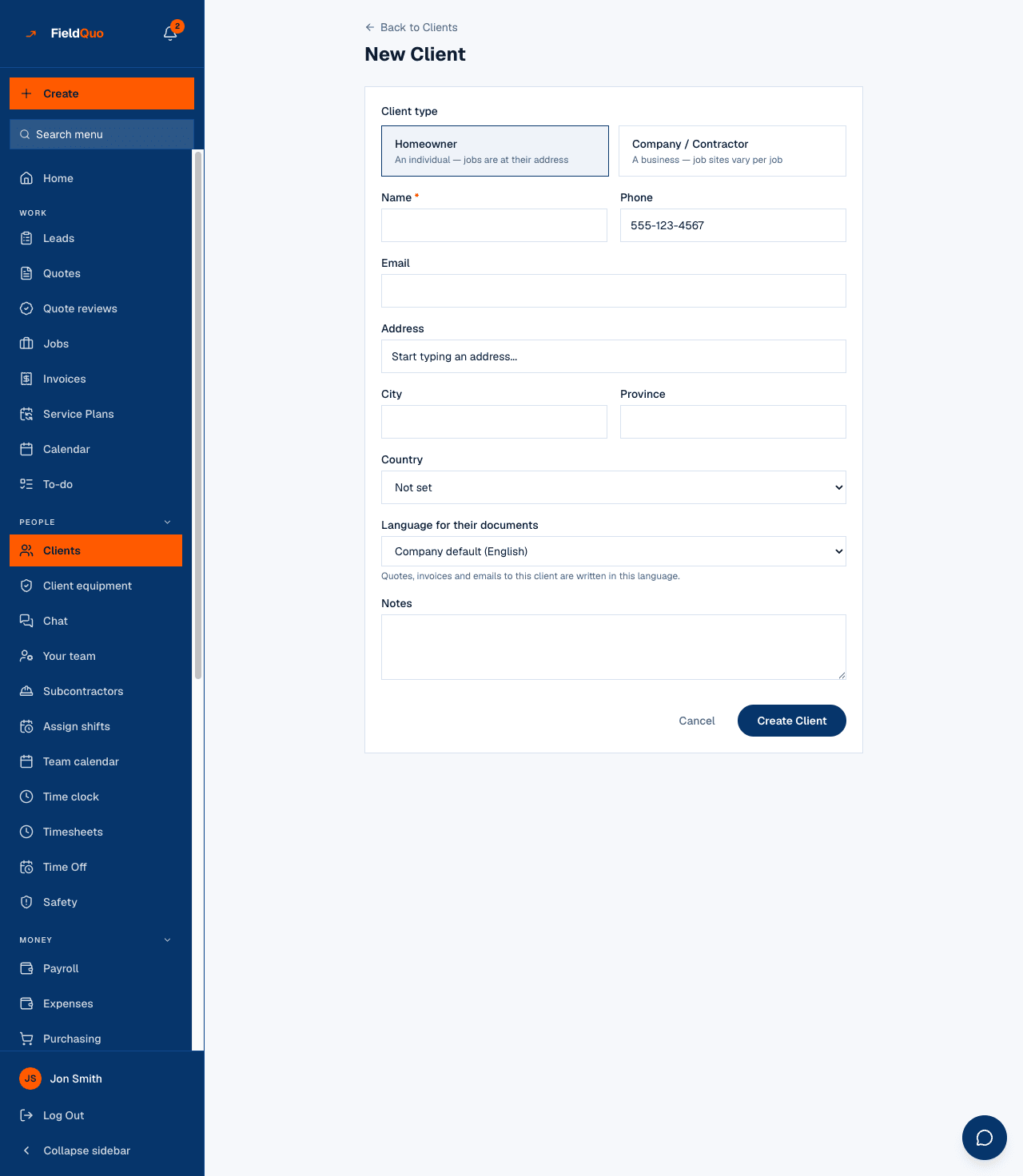
A homeowner is the person and the property in one. A general contractor, a property manager or a builder is neither: they hire you across many addresses and you deal with one person there. FieldQuo keeps the two apart with one choice on the client form, Client type, and everything below follows from it.
The type is not decoration. It decides whether the address on the record is where your crew drives to, whether the record carries a contact person, and what the list and the record print.
Overview
Every client is either Homeowner — “An individual — jobs are at their address” — or Company / Contractor — “A business — job sites vary per job”. The wording is the screen's own. A business client's address is labelled Business address (optional) and the form says why: “This is their office. Each job's actual site address is set on the quote or job itself.”
The person you deal with at that business goes in Contact person — “Who you deal with there”. It is shown under the company name on the Clients list and, on the record, next to the label “contact person”. A homeowner has no such field, because the client is the person.
How to set a client up as a business
- On New Client — or on Edit for an existing client — choose Company / Contractor under Client type.
- Type the Company name and, in the field that appears beside it, the Contact person.
- Optionally add the Business address (optional) — their office, not a job site — with the phone and email you use to reach them.
- Press Create Client (or Save Changes). The list now shows a Company badge on the card and the contact person under the name.
The address on a business client is never used as a job site. When you create a job for them, fill in the job's own Site address — “Street, city, postal code” — so the crew, the arrival detection and the equipment history all point at the right property. A job with no site address has no location, rather than a guessed one.
What the type changes
| Where | Homeowner | Company / Contractor |
|---|---|---|
| Clients list card | Email under the name | Company badge and the contact person under the name |
| Client record | Address shown as the property | Address marked “office”, contact person marked “contact person”, and the line “Job sites vary for contractors — each quote or job carries its own location.” |
| New job | The client's address is where the work is | Each job carries its own Site address |
| Switching back | — | Changing a business to Homeowner clears the contact person |
The contact person
One contact person per business — a single name, not a list of contacts with their own phones and emails. The phone and email on the record are the ones you reach the business at, whoever answers. If your contact at a builder changes, edit the record and replace the name; the quotes and invoices stay with the company.
Put the contact's direct line in Notes if it differs from the number on the record. Notes are internal and show on the record for anyone who can see full client info.
Frequently asked questions
Can a business have several contacts or several sites on the record?
No. One contact person and one office address per client. Sites live on jobs — each job has its own Site address — so one business client can have jobs at as many properties as you like.
Does the contact person's name appear on quotes and invoices?
The company name is the client name on every document. The contact person is shown on the Clients list and the record; it is not a separate line on the PDF.
I created a builder as a Homeowner by mistake.
Press Edit on the record, choose Company / Contractor, type the contact person and save. Existing quotes and jobs stay linked.
Was this helpful?