

Text a photo in without an app
Send a photo by text message to your company's crew line and it files itself against the job you are on that day. What to text, what it texts back, and what it costs the company.
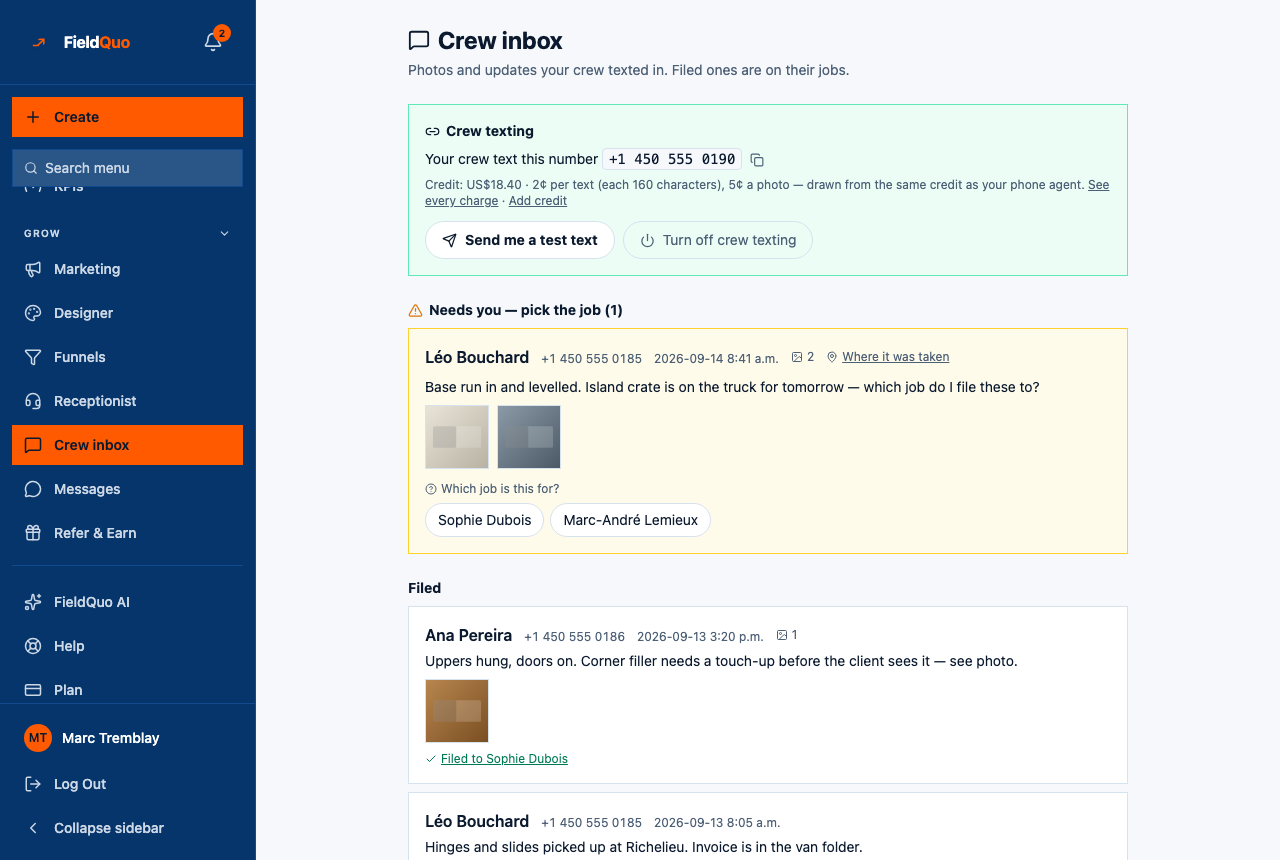
The crew line is one phone number for the whole company. A crew member texts a photo to it — a plain picture message, no app, no login, on any phone — and FieldQuo files the photo against the job that person is scheduled on that day. When it cannot tell which job, it asks by text, and when it still cannot, the photo waits in the office's Crew inbox for a person to pick.
It works because the schedule is FieldQuo's own: the candidates are your visits for the day, nobody else's. This article is written for the person texting; the office screen is The crew inbox: photos and updates by text.
Overview
A text arrives, FieldQuo looks up who sent it by the mobile number on your worker record, re-hosts the photo, and works out the job: if your words name a client, a street number or a job title, that job; if the photo carries a location that sits clearly on one site, that job; if you have exactly one visit that day, that job, silently; otherwise it texts you the list and waits for a number.
Before it works
- Your company turns crew texting on and gets a number — a shared FieldQuo test line or its own — on the Crew inbox screen. That is an owner, administrator or manager decision, because texts are charged to the company's credit.
- An owner or administrator adds your mobile to your worker record on the Workers tab of Manage Team. Until it is there, your texts arrive from an unknown number and file nowhere.
- Save the crew number in your phone's contacts. It is the one on the Crew texting panel: Your crew text this number.
Texts from a number not on the roster get no reply, except during a company's first few messages, when the line answers once to say the number is not on the team yet. Silence afterwards is deliberate — a line that answers strangers is a line spammers keep.
How a photo gets filed
- Only one visit today — filed straight away, no reply. The photo lands on that visit, and on the job's photos.
- A name in your text — a client's surname, a street number or a word from the job title picks that job. The reply confirms where it went.
- Several visits, nothing said — you get a numbered list and the question. Reply with the number, or a distinctive word, within 12 hours. A new photo before you answer abandons the question and starts again.
- No visit today — the line says it sees no job on your schedule to file this against, and the photo waits in the office inbox under Needs you.
Your words also set the stage: something like before or starting files it as Before / start, done or finished as Finished, and issue, leak, damage or broken as Issue / snag. The keywords, the question and the confirmation are in English whatever your language.
What the line texts back
| What happened | Reply |
|---|---|
| Filed to your only job of the day | Nothing — it just files |
| Filed after you chose, or after it inferred the job | A one-line confirmation naming the job |
| Several possible jobs | A numbered list ending with Reply with the number |
What it costs
Texts and photos are metered against the company's credit — the same balance as the phone agent — at the rates printed on the Crew texting panel: a few cents per text and per photo. When the credit runs out, crew texting pauses and the panel says so; a top-up reconnects it. Nothing is ever charged to you.
Who can see it
The Crew inbox row appears once crew texting is on. The Crew and Estimator levels see only the texts they sent; the Dispatcher level and above see everyone's, and they are the ones who clear the Needs you queue. Setting the line up or turning it off is owner, administrator or manager.
Frequently asked questions
Do I need the app open to text a photo in?
No. That is the point — a plain picture message from any phone, and the photo is on the job before you are back in the van.
I texted a photo and got no reply. Did it work?
If you had one visit that day, yes — a silent file is the normal case. If your number is not on the roster, no; ask an owner to add your mobile on the Workers tab.
Can I text the client's number instead?
No. The crew line is one number for the company; it is on the Crew texting panel and worth saving in your contacts.
Was this helpful?