

The referral page
The page another business owner lands on when you share your Refer & Earn link — who it is for, what it promises, what it says about you, and the one place FieldQuo's own name is meant to appear.
Your referral link is not for homeowners. It is for another business — the electrician you share jobs with, the painter who asked what software you use. The page it opens says that you use FieldQuo, offers them a free month on top of the trial, and sends them to the signup form with your name attached.
That makes it the exception to the white-label rule, on purpose: a page whose whole point is to say “this contractor uses FieldQuo — you could too” cannot hide the name. Your logo and colour are on it as the referrer, and FieldQuo's are on it as the product.
Overview
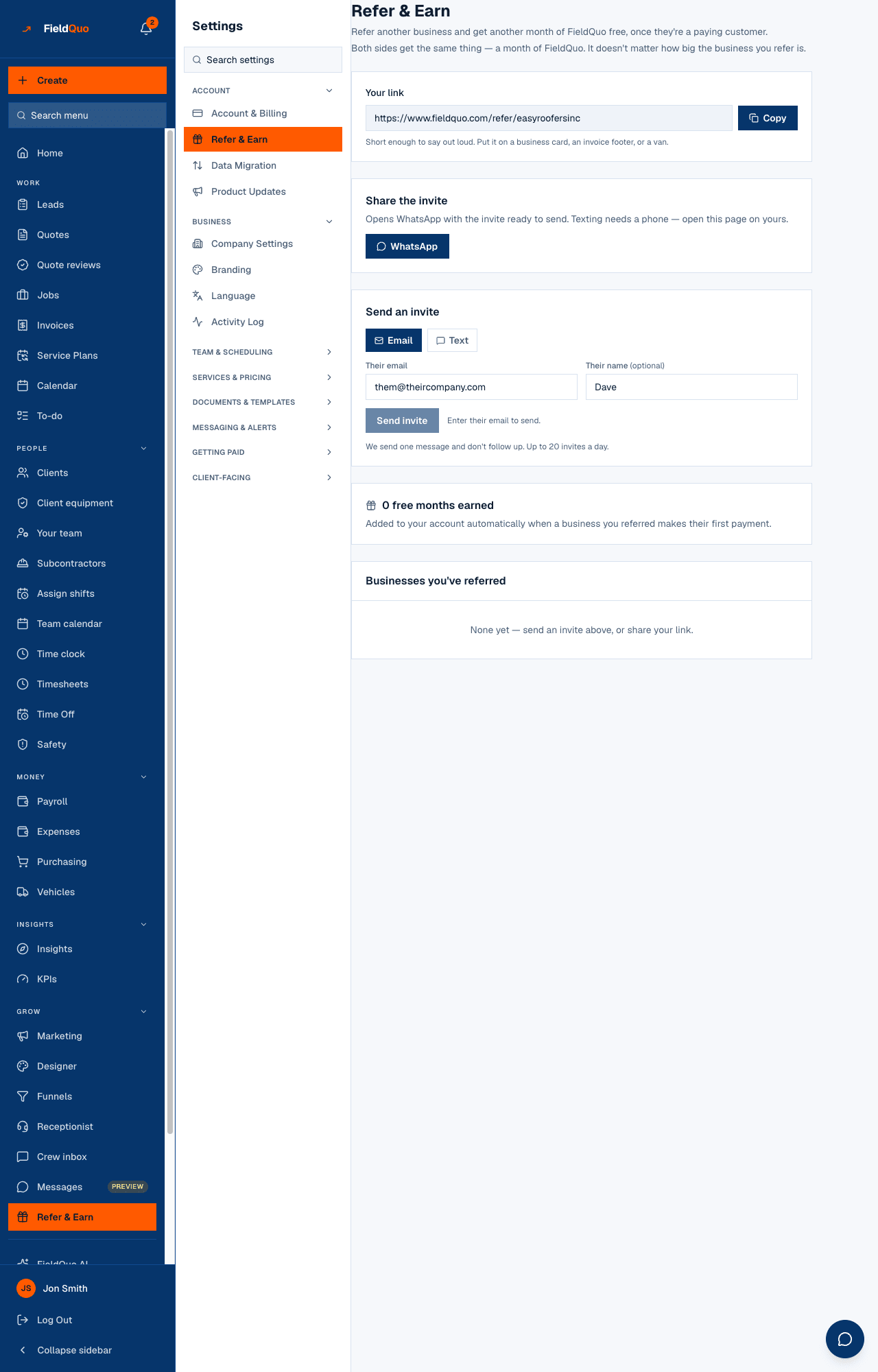
The link is short — your company name with the spaces and punctuation removed, so it can be read aloud, printed on a business card or painted on a van. It is case-insensitive. Your Refer & Earn screen shows it under Your link with a Copy button.
What the visitor sees
- Your logo — or, without one, your initial on your brand colour — over the line “[Your company] uses FieldQuo”.
- The headline Get your first month free, a one-paragraph description of FieldQuo, and a Claim your first month free button that opens the signup form with your referral code attached.
- Under the button: “No card needed to start — you choose a plan from inside the app.” Then three bullets on what the product does.
- A footer that says the quiet part: “For businesses new to FieldQuo. Already have an account? Sign in.” — an existing company cannot redeem an offer.
The page is server-rendered so it is readable in the first half-second on one bar of signal, and it carries a link preview (title and description) because it gets pasted into WhatsApp and Facebook groups where the preview card is the pitch.
What it promises, exactly
| Who | What they get | When |
|---|---|---|
| The business you referred | 1 extra free month added to their trial | At signup, the moment they use your link |
| You | 1 free month added to your own access | When the referred company makes its first payment — not at signup |
Both sides get the same thing — a month of FieldQuo — whatever the size of the business you refer. Your month lands on their first payment rather than their signup so that twenty throwaway signups cannot earn a free year; the cap is 50 credited referrals per calendar month.
The link does nothing for a company that already has an account, and you cannot refer yourself. The page tells them so before they fill anything in.
How to send it
- Open Refer & Earn (in the sidebar, or Settings → Refer & Earn — the same screen).
- Press Copy next to Your link and paste it anywhere, or Text it on a phone to open your own messaging app with the invite written.
- Or use Send an invite with Their email or Their mobile number and an optional name, then Send invite. FieldQuo sends one message and never follows up; up to 20 invites a day.
- Watch Businesses you've referred: each one reads Signed up — not yet paying until their first payment, then Credited, and your month appears under the count at the top.
An invite sent from this screen is a FieldQuo email or text — FieldQuo's header, FieldQuo's sender — saying that your company uses the product. It is the one message in the product that is not on your stationery, because it is about FieldQuo, not about your work.
Who can see it
The landing page is public. Refer & Earn is owner and administrator only — it lists which businesses were referred and what was credited, which is billing information. A Manager does not see the row.
Frequently asked questions
Is this for my homeowner clients?
No. It is a business-to-business referral to FieldQuo. For what FieldQuo does and does not do about clients referring clients, see Referrals from clients.
Why does the page say FieldQuo when nothing else does?
Because its purpose is to recommend FieldQuo. Every quote, invoice, page and email your clients see carries your name; this page is addressed to another contractor and is about the software.
When do I get my free month?
When the business you referred makes its first payment. Until then the row reads Signed up — not yet paying. Details: Referral months.
Was this helpful?