

Import a quote from another system
FieldQuo does not read a quote file from other software. Here are the four honest ways a quote made elsewhere ends up in your account, and which one fits.
ਇਹ ਲੇਖ ਫ਼ਿਲਹਾਲ ਅੰਗਰੇਜ਼ੀ, ਫ਼ਰਾਂਸੀਸੀ ਅਤੇ ਸਪੈਨਿਸ਼ ਵਿੱਚ ਉਪਲਬਧ ਹੈ। ਤੁਸੀਂ ਅੰਗਰੇਜ਼ੀ ਸੰਸਕਰਣ ਪੜ੍ਹ ਰਹੇ ਹੋ। Français · Español
There is no button that takes a Jobber, Housecall Pro or QuickBooks quote and turns it into a FieldQuo quote. That is deliberate rather than missing: a quote in FieldQuo is priced from your own price book on the server, and a file from elsewhere carries none of that.
What you can do depends on what the quote is: a job already done and paid, a live quote you still need to send, a whole archive, or a quote another FieldQuo company sent you.
Overview
| What you have | What to do |
|---|---|
| A quote for a job that was done and paid before FieldQuo | Enter it as a past job — one form, or a CSV for the whole year. Import past jobs. |
| A live quote you still need to send | Rebuild it in the quote builder from your price book. Ten minutes, and it is a real FieldQuo quote the client can approve online. |
| A whole history — years of quotes, invoices and clients | The paid data migration service: FieldQuo's staff bring it in. The data migration service. |
| A quote another FieldQuo company sent you, as a subcontractor | Pull it into your own quote as a marked-up cost line from the quote page you received. Import a subcontractor quote. |
Rebuild a live quote
- Import the client first if they are not on file — Import clients from a CSV — so the quote is addressed to an existing card.
- Open Quotes → New Quote, choose the client and the quote type.
- Add the lines from your price book, or type them; group by room or scope if the old quote did.
- Check the language before saving — a quote keeps the language it is created in — then send it. The client gets a page and a PDF with your branding and can approve online.
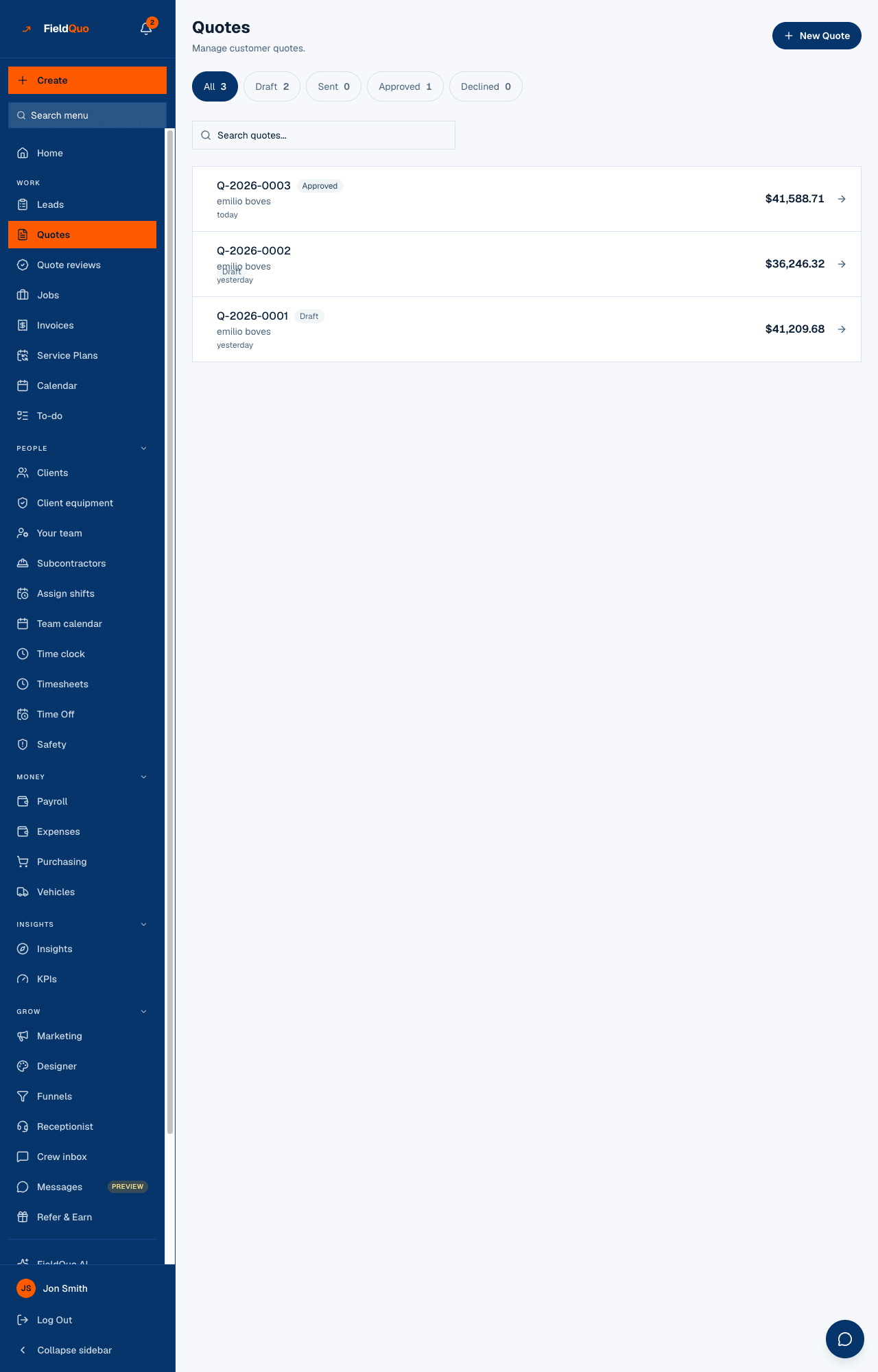
If the old quote was already approved and the job is under way, create the quote and mark it approved, then the job is made from it — see What happens when a quote is approved.
A quote from another FieldQuo company
When a subcontractor who uses FieldQuo sends you their quote, the page you receive carries a card headed Add this to one of your quotes — shown only to a signed-in contractor of a different company, never to a homeowner. You pick which of your open quotes to add it to, a markup of 0, 10, 20 or 30 percent or a custom one, and whether your client sees One line or Itemised. Your client never sees the subcontractor or your markup. On your quote it appears under Subcontractor costs, where you can edit the markup or remove it while the quote is open.
What FieldQuo does not do
- It does not parse a PDF, a Word file or another product's export into a quote.
- It does not accept prices from the browser — every line on a quote is priced on the server from your own rows, which is why an outside file cannot become a quote directly.
- It does not import a quote through a public API; there is none. Integrations.
ਅਕਸਰ ਪੁੱਛੇ ਜਾਂਦੇ ਸਵਾਲ
Can FieldQuo staff enter my open quotes for me?
Yes, as part of the paid migration service. The quotes they create are drafts you finish and send yourself; they never edit a quote that already exists.
I have a spreadsheet of quotes. Is there a CSV import?
Not for quotes. For clients there is; for jobs already done and paid there is. A live quote is rebuilt in the builder.
Will an imported past job's quote show as sent to the client?
It is marked accepted and dated as you typed it, and nothing is ever sent to the client about it.
ਕੀ ਇਹ ਮਦਦਗਾਰ ਸੀ?