

Photos on a quote
Where the photos, videos and PDF plans on a quote come from, how to add your own from the site visit, the limits, and where they do and do not show up.
Sa ngayon, available ang artikulong ito sa Ingles, Pranses at Espanyol. Binabasa mo ang bersyong Ingles. Français · Español
A quote carries a set of media — Photos & videos from the client — that comes from two directions: what the homeowner attached to their enquiry, and what you add from the site visit. They stay on the quote, carry over to the invoice, and are read by the AI review. They are for your side of the job: the client's copy of the quote does not print them.
Overview
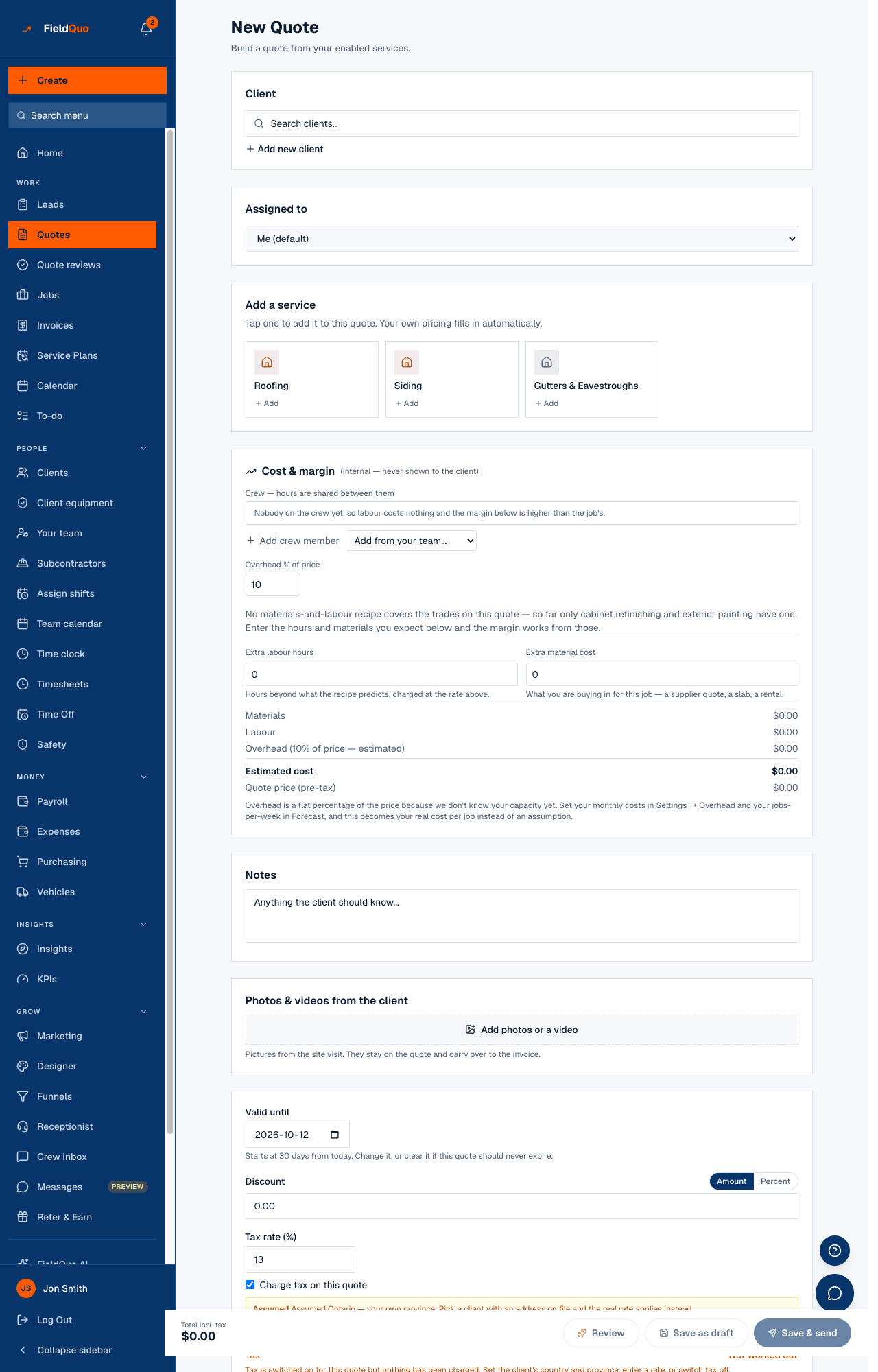
The card in the builder is titled Photos & videos from the client, with Add photos or a video and the hint Pictures from the site visit. They stay on the quote and carry over to the invoice. The same set is shown on the quote's page in the back office, and on the invoice created from the quote.
Where the photos come from
- The enquiry. Photos, a short video or a PDF plan the homeowner attached on your quote form, the kitchen designer, a funnel or an instant estimate are on the lead, and Convert to quote carries them onto the quote.
- A phone-call draft. A quote drafted from a receptionist call has no media until you add some.
- The site visit. You add them in the builder, on a new quote or a saved one.
- The invoice. An invoice created from the quote inherits the set; an invoice written from scratch has its own uploader.
How to add photos
- Open the quote in the builder — New Quote, or Edit on a saved quote.
- Scroll to Photos & videos from the client and press Add photos or a video.
- Pick photos, a video or a PDF from your phone or computer. Each file uploads at once and appears as a tile; a tile's cross removes it.
- Save the quote. The media is stored with it.
Uploads go straight from your browser to secure storage; the quote keeps a link to each file, not the file itself. A photo taken on an iPhone in its native format is accepted as it is.
Limits
| Kind | Largest file | How many |
|---|---|---|
| Photo (any image format except SVG) | 15 MB | Up to 12 items in the builder's uploader; the quote stores up to 20 |
| Video | 100 MB | Counted in the same 12 |
| PDF plan | 25 MB | Counted in the same 12 |
Where they show up
Media on a quote is read on your side, not the client's:
- The quote's page in the back office and the builder, as thumbnails that open full size.
- The invoice created from the quote, under the same heading.
- The AI review reads the photos with the quote and can tell you what they show that the lines have missed; the paid deep photo read goes further. See AI quote review and The AI deep photo read.
- The review's completeness checks note No photos on a quote with no picture of the job — optional, but it separates you from whoever quoted over the phone.
The client's approval page, the quote email and the PDF do not print these photos. Before-and-after photos a client should see are a different feature — see References and before-and-after photos in the quote email.
Mga madalas itanong
Does the client see the photos I add?
No. They stay on the quote for your team, the invoice and the AI review. The client's page, email and PDF do not include them.
Can I add photos to a sent quote?
Yes — open it with Edit, add them under Photos & videos from the client and save. Adding media does not reprice or re-send the quote.
Where do job-site photos taken by the crew go?
On the job, not the quote — see Job photos and tags. The quote's set is about the estimate; the job's set is about the work.
Nakatulong ba ito?