

How FieldQuo works for crew
A Crew login is free and shows the person in the van their day — jobs, shifts, the clock, chat, time off — and no prices, quotes or invoices.
Поки що ця стаття доступна англійською, французькою та іспанською. Ви читаєте англійську версію. Français · Español
Crew is the access level for installers and helpers: the people who drive to the address, do the work, and clock out. It costs nothing, does not use a seat, and shows only what that day needs. Nothing on it carries a price.
This article is what a Crew login sees, on the phone and on a laptop, and what it will never see however hard it looks.
Overview
The product's own description of the level: “View their schedule, the jobs they're assigned to, and what to buy for them. Mark work complete and track their time. No prices, quotes, invoices or requests.” Every part of that is enforced on the server, not only in the menu.
Jobs are view-only and limited to the ones you have a visit on. The client's name and address are there because you have to drive to it; the rest of the client's record is not.
What is in your sidebar, and what you can do there
| Screen | What you can do |
|---|---|
| Jobs | Open the jobs you are booked on: address, visits, notes, the checklist, the list of what to buy. Mark work complete. |
| Calendar and To-do | Your visits and the tasks assigned to you, including ones that need photos. |
| Assign shifts | Your own published shifts — nothing appears until the office presses Publish week. |
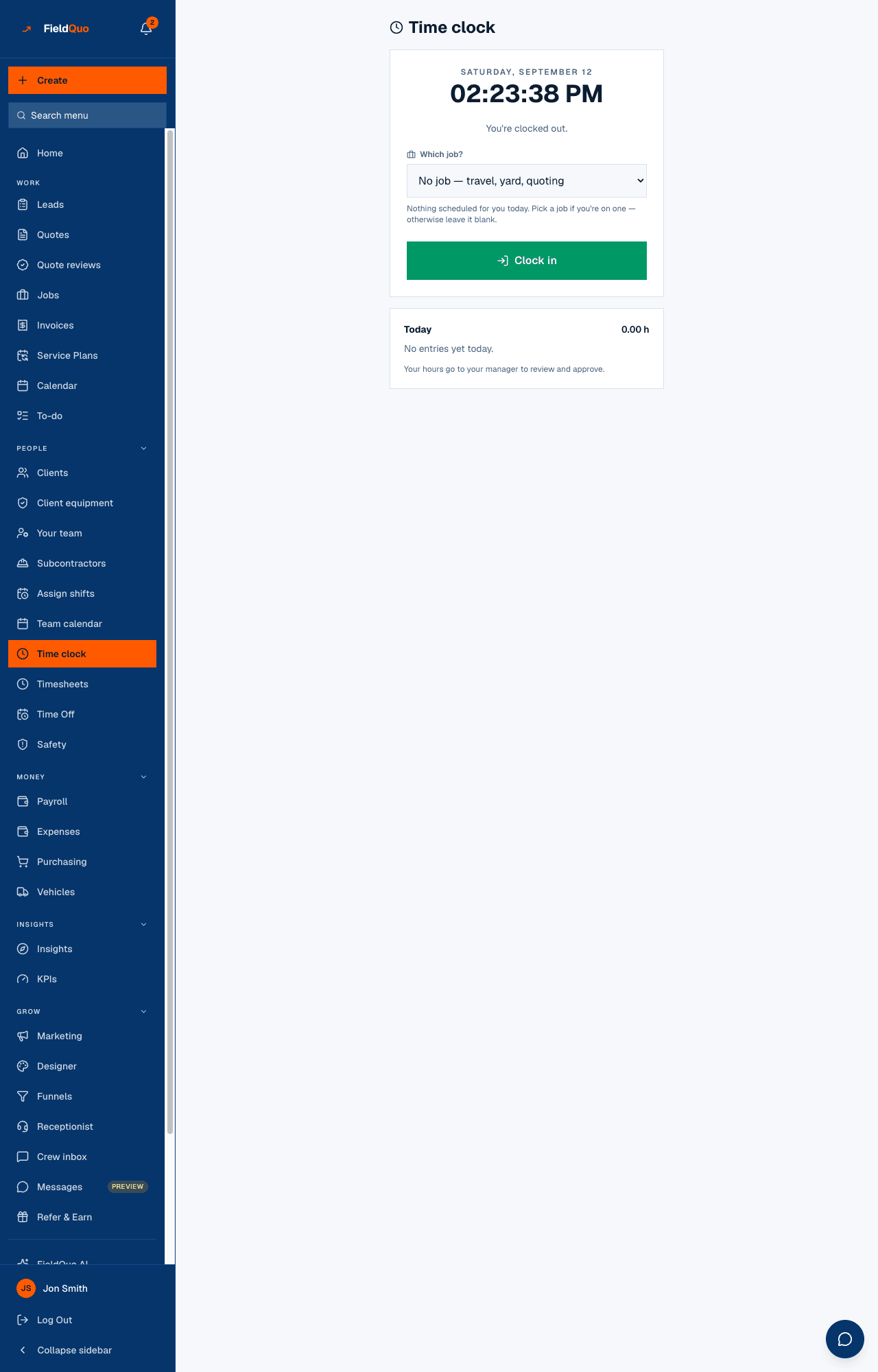
| Time clock | Clock in on a job, Clock out, switch jobs mid-day. Your day's hours total underneath. |
| Time Off | Your balances, Request time off, and withdraw a pending request. |
| Safety | Report an injury or near-miss, and see the ones you filed. |
| Chat | #general with the whole team, a room for each job you are on, direct messages. |
| Payroll | Your own payslips. Nobody else's. |
| FieldQuo AI | Questions about your schedule — “what work is coming up this week?” — and nothing with money in it. |
| Settings | Three rows: Language, Availability (your own hours) and Product Updates. |
A day on a Crew login
- Open FieldQuo on your phone. The tab bar shows Jobs, Chat and More; the pipeline tabs the office uses are not there for you.
- Open Jobs, tap today's job, and read the visit notes and the checklist.
- Open Time clock and press Clock in. The pill reads On the clock and the timer runs against that job.
- Photos: take them from the job page, or text them to the crew number and they file themselves — see Text a photo in without an app.
- Press Clock out. If you forgot, you can fix your own hours on the entry; a self-edited entry goes back to pending so the office re-checks it.
What a Crew login never shows
- No Leads, Quotes or Invoices — the rows are absent and the pages refuse.
- No Clients list. A name and an address on your own job is not the company's customer book.
- No prices anywhere: not on a job, not in chat, not from FieldQuo AI.
- No Your team, Timesheets (the office reviews your hours there), Expenses beyond your own, Insights, Marketing.
- No settings except your language, your hours and the changelog.
The owner can raise any single dial for one person in the Custom access editor without moving them off the free level — until the grid grants something that makes them a seat, such as creating quotes.
Часті запитання
Do I need to install an app?
No. FieldQuo runs in the phone's browser; add it to your Home Screen and it opens like an app. See Install it like an app.
Why can I not see tomorrow's shift?
The office has not published the week yet. Shifts are drafts until Publish week is pressed.
Can I see how much the job was quoted for?
No. A Crew login carries no prices, and a job record has no money on it at this level.
Чи була ця стаття корисною?