

Scope of work and payment terms on every quote
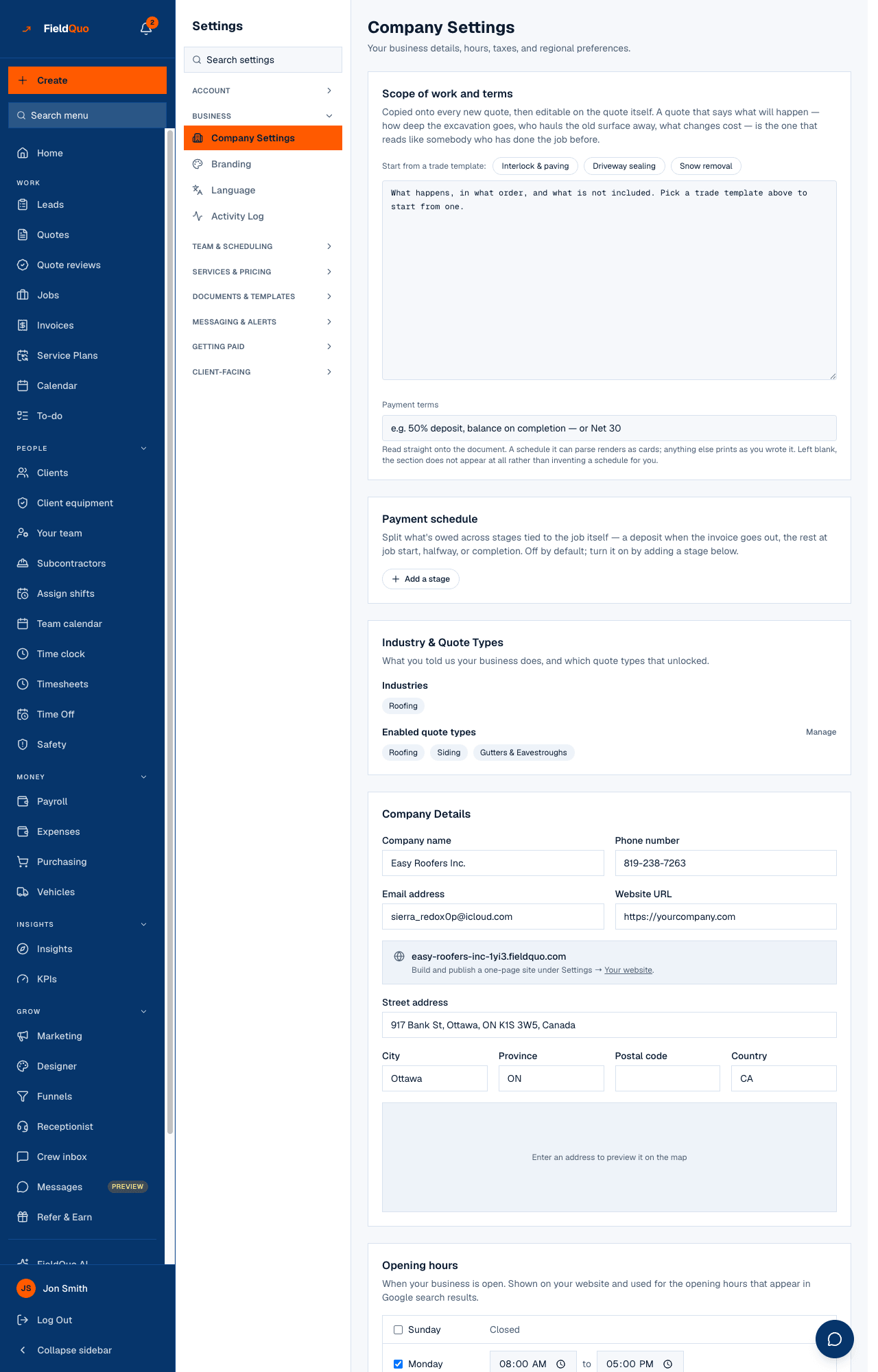
Two boxes under Settings → Company: a default scope of work copied onto every new quote and editable there, and payment terms printed on every quote and invoice — with trade templates to start from and bracketed blanks you must fill.
Поки що ця стаття доступна англійською, французькою та іспанською. Ви читаєте англійську версію. Français · Español
A quote that says what will happen — how deep the excavation goes, who hauls the old surface away, what a change costs — reads like somebody who has done the job before. The Scope of work and terms card on Settings → Company is where you write that once. Every new quote starts from it, and the payment terms attach themselves to every document you send.
Overview
The card has two fields. Default scope of work is copied onto every new quote as its What happens next text — editable on the quote itself, printed on the document after the steps of the work. Payment terms is free text such as “50% deposit, balance on completion” or “Net 30”, printed as a payment section on quotes and invoices; when the text describes a schedule, the document renders it as cards with the percentages large, and otherwise prints your sentence as written.
How to set them
- Open Settings → Company and find Scope of work and terms.
- Under Start from a trade template: press Add the … terms for your trade — interlock and paving, driveway sealing or snow removal — or write your own in Default scope of work. The template is inserted as text you then edit; pressing the button again removes it.
- Replace every value in [square brackets]. The card counts what is still to decide and warns that they will print on the quote exactly as they appear.
- Type your Payment terms, then press Update Settings.
An unedited template is visibly unfinished on purpose. The warranty term, the deposit split, the lead time and the change-order fee are yours to own; a default warranty is a contract term, not a nice touch, so FieldQuo leaves them blank rather than asserting one for you.
What each field changes
| Field | Where it goes | If empty |
|---|---|---|
| Default scope of work | The What happens next box of every new quote, then the quote page and PDF | Quotes carry no default scope of work; the box on each quote starts blank |
| Payment terms | The payment section of every quote and invoice, as cards when a schedule can be read from it | The payment section does not appear on documents |
Changing the default does not rewrite quotes that already exist — each quote keeps its own text, which you can edit in the builder under What happens next.
If your company uses the structured Payment schedule on the same screen, the payment terms text is generated from that schedule so the document always matches what actually bills, and the box becomes read-only. Turn the schedule off to write the terms by hand again. See Deposits and payment schedules.
Who can see and change it
Settings → Company is for owners, administrators, Managers and Dispatchers. The same card also has a read-only rendering for someone who may open the page but not change it — an estimator asked about the terms on a doorstep can read what their own documents say, and is told to ask an owner or admin to finish any unfilled brackets.
Часті запитання
Is the scope of work translated?
No. It prints in the language you typed it in, on documents of every language. A company quoting in two languages keeps two versions by editing the box on each quote.
Which templates exist?
Interlock and paving, driveway sealing and snow removal. Other trades write their own — the what's-included wording per service lives under Settings → Services.
Can the client see the brackets?
Yes, if you leave them — they print exactly as they appear. That is why the card counts them.
Чи була ця стаття корисною?