

Follow-ups
Rules that email a template a set time after an enquiry, quote, invoice or job reaches a state — the four triggers, the delay, and when a rule stops.
Поки що ця стаття доступна англійською, французькою та іспанською. Ви читаєте англійську версію. Français · Español
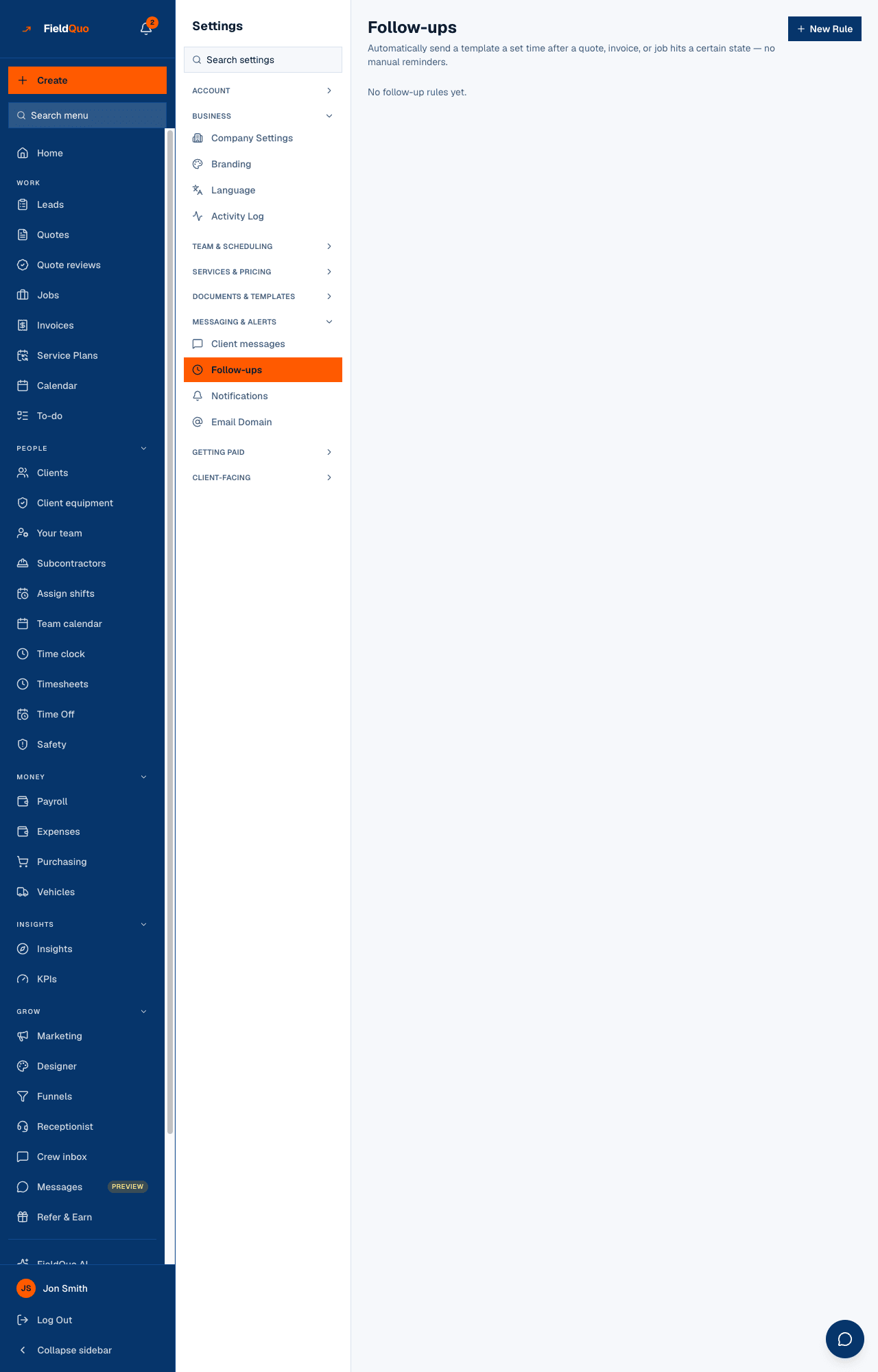
Settings → Follow-ups is where you set the automatic chasing: “three days after a quote is sent with no answer, send this email”; “five days after an invoice is overdue, send that one”. Each rule is a trigger, a delay and an email template. FieldQuo checks the rules once a day, sends to whoever qualifies, and stops the moment the client acts.
Overview
The screen is a list of rules under a read-only diagram called How these run, drawn from the rules themselves: Trigger → Wait → Send email → Stops. Several rules can share a trigger — a soft nudge at three days and a firmer one at seven — and the diagram stacks them in the order they fire.
A rule needs an email template of the right kind. Only templates of type Follow-up email, Marketing email or Custom are offered, never a quote, instructions or receipt template. With none of those, the screen says so and points you to Email Templates; the New Rule button stays disabled until one exists.
What is on the screen
- Follow-ups — Automatically send a template a set time after a quote, invoice, or job hits a certain state — no manual reminders. and the New Rule button.
- How these run — the flow diagram, one column per trigger, showing each rule's wait, its template, and the stop conditions. A paused rule is drawn as skipped.
- The rule list — each rule's name, Paused when it is off, a line such as “3 days after Quote sent, no response → Quote follow-up”, the two stop sentences, then Pause or Activate and a delete button.
- No follow-up rules yet for a new company.
How to create a rule
- Open Settings → Follow-ups and press New Rule.
- Give it a Rule name (optional) — left blank, it takes the trigger's name.
- Choose the Trigger. The sentence under the dropdown says exactly when it fires.
- Set the Delay and its Unit (hours or days). Each trigger proposes a sensible default.
- Pick the Template to send from your eligible templates.
- Press Create Rule. It is active immediately and will be considered on the next daily run.
Choosing New enquiry, nobody replied shows an extra line: an enquiry has no quote yet, so a template's quote fields ({{quoteUrl}}, {{quoteTotal}}, {{quoteNumber}}) come out blank. It can still fill the client's name, phone and address, your company details, and the service they asked about.
The four triggers
| Trigger | Fires when | Default delay | Stops |
|---|---|---|---|
| New enquiry, nobody replied | an enquiry has sat at ‘new’ for the delay with no quote and nobody marking it contacted | 2 days | once the enquiry is marked contacted, quoted, won or lost |
| Quote sent, no response | the quote has been sitting at ‘sent’ for the delay with no accept or decline | 3 days | as soon as the client accepts or declines the quote |
| Invoice overdue | an unpaid invoice is past its due date by the delay | 5 days | as soon as the invoice is paid |
| Job completed | a job has been marked complete for the delay — a thank-you or a review request | 2 days | if the job is reopened |
How rules run
- Rules are checked once a day, not the instant the delay passes. An email lands on the first run after the delay is up.
- Each quote, invoice, job or enquiry gets a given rule's email once. Two rules on one trigger are two emails; one rule never repeats.
- Clients with no email address on file are skipped.
- The email goes out from your own domain when you have verified one, otherwise from FieldQuo's shared address under your company name — see Email Domain. Replies go to your company email.
- Job completed is a marketing send: a client who has unsubscribed from your marketing mail is skipped, and the email carries an unsubscribe link. The other three are transactional and always go.
Who can see it
Owners, administrators, and the Dispatcher and Manager levels. Creating, pausing and deleting a rule need that access, so the row is hidden from everyone else. Rules are company-wide: there is no per-person follow-up.
Часті запитання
Does pausing a rule cancel emails already sent?
No. It stops future sends. Anything already delivered stays delivered, and the rule remembers who it has emailed, so activating it again does not resend.
What happens if I delete the template a rule uses?
The rule shows (template deleted) and sends nothing. Delete the rule or create a new one against another template.
Can a rule send a text instead of an email?
No. Follow-up rules are email only. The texts FieldQuo sends are the two under Client messages.
Why did the email arrive a day later than my delay?
Rules run on a daily schedule. A 3-day delay means the email goes on the first daily run after the third day, not at the exact hour.
Чи була ця стаття корисною?