

The large-quote alert
An email to every owner and administrator when someone on the team creates a quote above an amount you set — checked once a day, from Settings → Notifications.
Per ora questo articolo è disponibile in inglese, francese e spagnolo. Stai leggendo la versione inglese. Français · Español
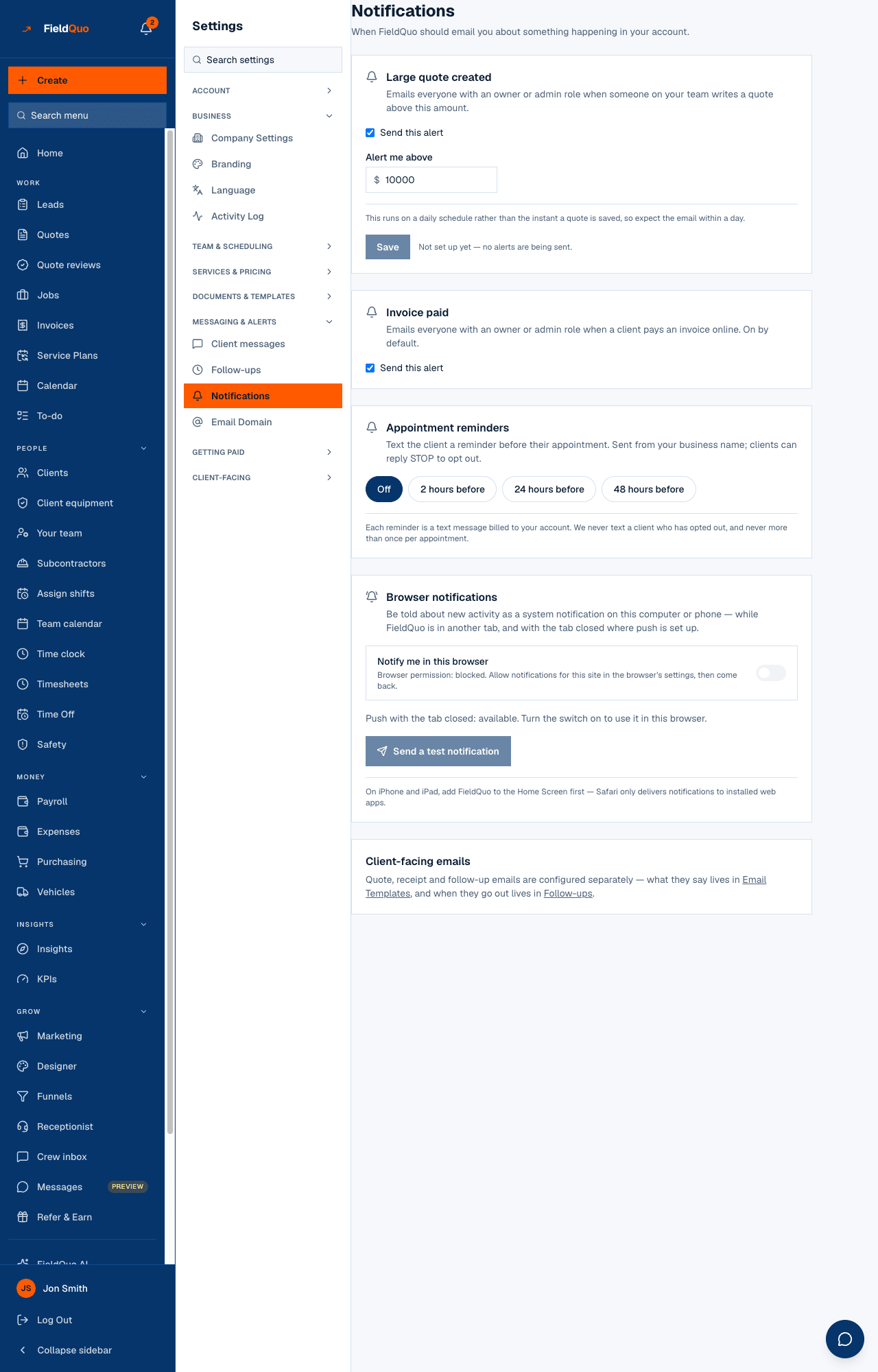
An owner who is not writing every quote wants to know when a big one goes out. The Large quote created card on Settings → Notifications is that: a threshold, a switch, and an email to the owners and administrators for each quote created above it.
Overview
Settings → Notifications is where FieldQuo should email you about something happening in your account: Large quote created with its threshold, Invoice paid, appointment reminders and browser notifications. This article is the first card.
How to set it up
- Open Settings → Notifications.
- On Large quote created, tick Send this alert and type the amount in Alert me above.
- Press Save. Until a threshold is saved the card says not set up yet — no alerts are being sent.
The card says it plainly: this runs on a daily schedule rather than the instant a quote is saved, so expect the email within a day.
What it does
- Once a day, FieldQuo looks for quotes created in the last day whose total is at or above your threshold.
- For each one, every active member with an owner or administrator role receives an email in the company's name: “Large quote created: $12,500”, naming the client, the amount and your threshold. Managers and Dispatchers are not emailed.
- Quotes entered as past jobs are skipped — a job typed in today with a 2024 total is bookkeeping, not a large quote that just came in.
- Unticking Send this alert keeps the threshold and stops the emails; nothing else changes.
There is no per-quote record of having alerted: the daily window is what prevents repeats, and a quote is reported once, in the run after it was created.
Who can see it
Settings → Notifications is for owners and administrators only — they are also the only people the alert emails. The email is written in English.
Domande frequenti
Does it fire on an edit that pushes a quote over the threshold?
No. It looks at when the quote was created, not when it was last changed.
Can I send it to an estimator or a manager?
Not today. The recipients are fixed to the owner and administrator roles.
Is the amount before or after tax?
It compares the quote's total — the figure at the bottom of the quote, tax included when tax applies.
È stato utile?