

Solo in FieldQuo
Lead funnels
Mobile-first, tap-through quizzes for your ads and link-in-bio that qualify a visitor and drop a scored lead on your Leads board — with a drop-off report per step.
Per ora questo articolo è disponibile in inglese, francese e spagnolo. Stai leggendo la versione inglese. Français · Español
A funnel is a short landing page for an ad or a flyer: one question per screen, a tap per answer, and at the end a contact form — or a price before the contact form. Funnels lists yours with their status, channel and lead count; New funnel starts one from a channel template or from a sentence you type to the AI. Every completed run becomes a lead on your Leads board, scored Hot, Warm or Cold from the answers, so the person who tapped “this month” and “over $15,000” is at the top of the list when you open the app.
Overview
A static form asks eight questions at once and loses the visitor at the second. A funnel asks one at a time, with the visitor's thumb doing the work, and records how far each visitor got — so “60% quit at the budget question” is a number you can read rather than a guess. The public page carries your logo and brand colour and nothing of FieldQuo's, and is marked not to be indexed, because it is an ad landing page rather than your website.
What is on the screen
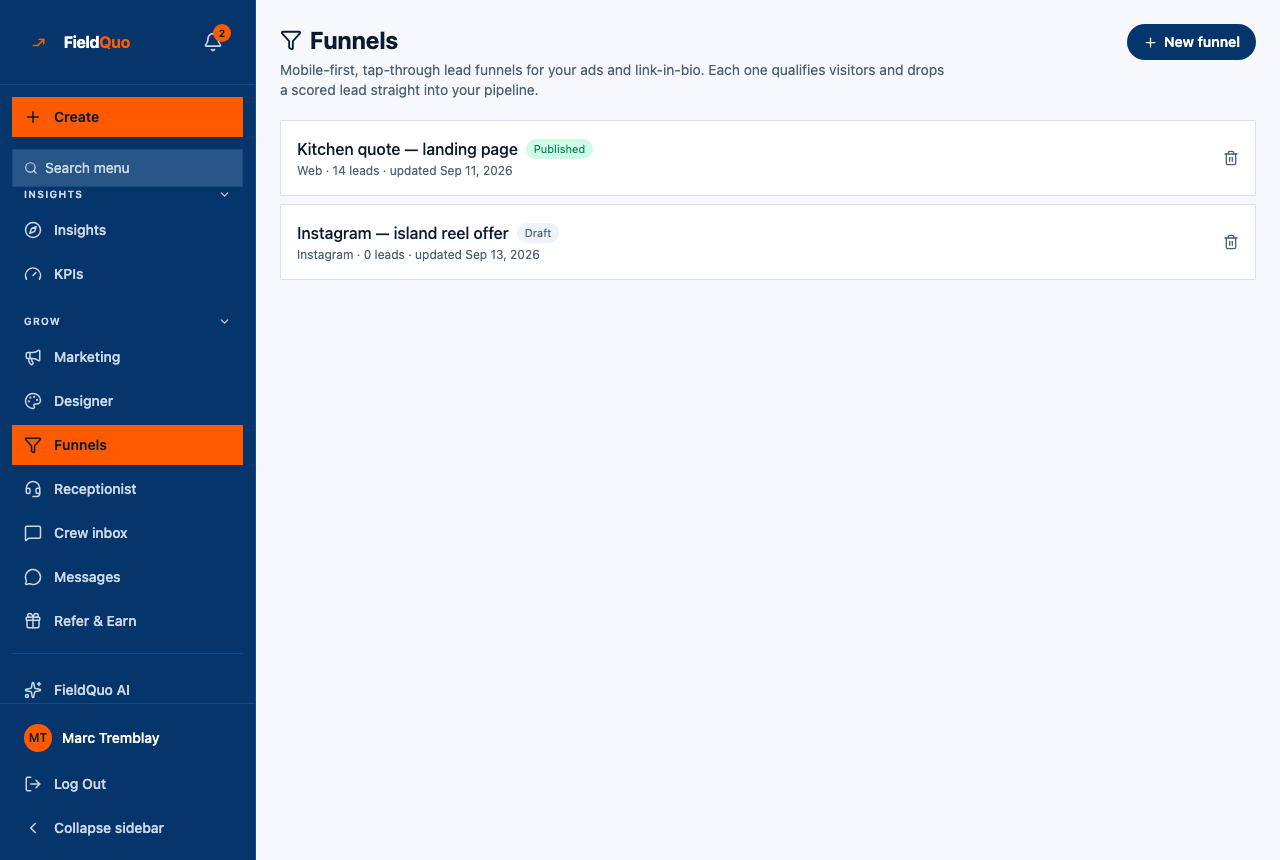
- The heading Funnels — “Mobile-first, tap-through lead funnels for your ads and link-in-bio. Each one qualifies visitors and drops a scored lead straight into your pipeline.” — and New funnel.
- One row per funnel: its name, Published or Draft, its channel (Web, Instagram, TikTok, YouTube), how many leads it produced, when it was last updated, and a bin.
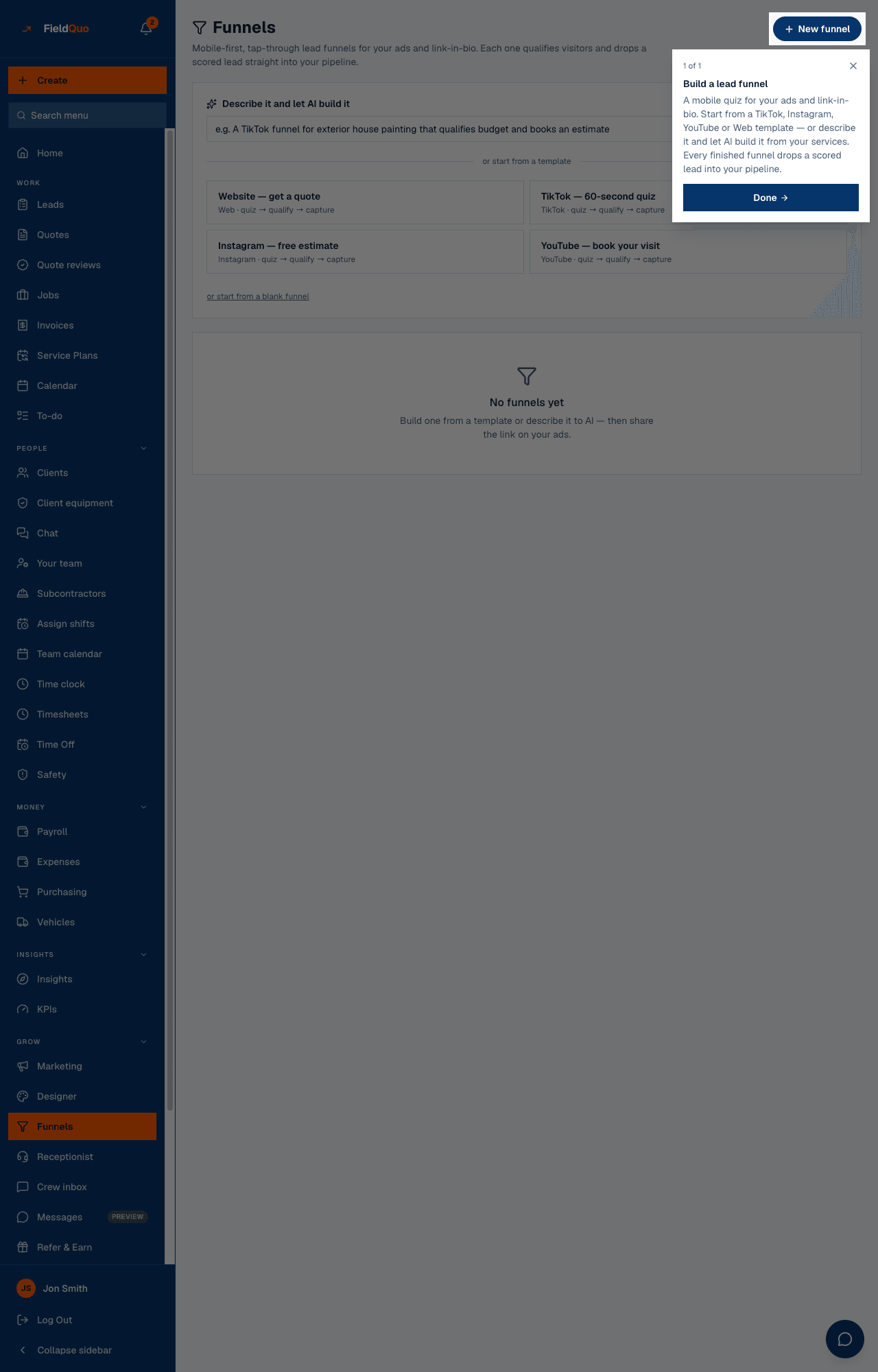
- With no funnels yet: No funnels yet — Build one from a template or describe it to AI — then share the link on your ads.
How to create a funnel
- Open Funnels under Grow in the sidebar and press New funnel.
- Either type a sentence under Describe it and let AI build it (“A TikTok funnel for exterior house painting that qualifies budget and books an estimate”) and press Generate, or pick a template: Website — get a quote, TikTok — 60-second quiz, Instagram — free estimate, YouTube — book your visit, each “quiz → qualify → capture”. or start from a blank funnel is the third door.
- The builder opens with the steps on the left, the selected step in the middle and a branded phone preview on the right — see Build a funnel and read its drop-off.
- Press Publish. The public link and the embed code appear on the funnel's page, and the funnel is listed on Settings → Share your links and, switched on, on your bio link. Unpublish takes it back to a draft; the link stops answering and the runs and report are kept.
The AI writes the funnel's sentences only — the hook, the questions, the button text — from your real services and the channel you named. It never invents a service or a price, and the scoring questions keep their fixed answer values so a generated funnel scores leads exactly like a hand-built one. If the AI is unreachable you get the channel template with plainer copy, never a broken funnel. Generating spends your plan's monthly AI allowance.
The lead it produces
When a visitor finishes, FieldQuo creates a lead named from their contact step, with their email or phone (one of the two is required), the budget band and timeline from the questions you tagged to feed them, every other answer as a line in the lead's message (“Which rooms?: Kitchen, Two bathrooms”), any photos they uploaded, and a source of funnel plus the channel. It is scored the same way as every other lead — see Lead scoring: Hot, Warm, Cold — and sits on the Leads board with the rest.
What other tools do not list
- None of the five competitors whose pricing pages FieldQuo tracks — Jobber, Housecall Pro, QuoteIQ, ServiceTitan and Projul — lists lead funnels at any tier. They list a website contact form; a funnel is a different thing, with a step-by-step drop-off report.
- A funnel can price the job before the contact step, from your instant-estimate rates, so the visitor gives their details already knowing the range — see the instant estimate step in Build a funnel and read its drop-off.
- It is included on every plan.
Who can see it
Owners, administrators, Dispatchers and Managers see Funnels and can create, edit, publish and delete. Estimators and Crew do not see the row, and the list refuses them. The public funnel page needs nothing from the visitor but a thumb.
Domande frequenti
What happens to the leads if I delete a funnel?
Leads already on your board stay where they are. What goes with the funnel is every recorded run and the whole drop-off report behind it — the delete dialog says how many runs.
Can I use the same funnel on TikTok and on my website?
Yes — the channel is a label that travels on the lead's source; the link works anywhere. Make two if you want to compare the two audiences' drop-off separately.
Does a funnel need my FieldQuo website?
No. It is its own page at its own address, and it can be embedded on any site you already run.
Can my Meta pixel or Google Analytics see the funnel?
Yes — paste the id under Ad tracking pixels in the builder. The pixel loads on the public page, records a page view and fires the platform's lead event when the form is sent, with no personal details attached. FieldQuo adds no cookie-consent banner; if your visitors are somewhere that requires one, that is yours to provide. See Build a funnel and read its drop-off.
È stato utile?