

Payment processing fees and payouts
What a card or bank-debit payment costs you, how the fee shows on each payment, when the money reaches your bank, and how your bookkeeper records it.
Поки що ця стаття доступна англійською, французькою та іспанською. Ви читаєте англійську версію. Français · Español
When a client pays an invoice online, the payment goes through the company's own Stripe account and lands in the company's bank. A processing fee is taken off each payment before it gets there — never billed separately, and with no monthly fee for taking payments. This article is the whole story of that fee: the rates, where you see them, what happens on a refund or a dispute, and how your bookkeeper reconciles it.
The short version: 3% + 30¢ on a card, 1% + 40¢ capped at $5 on a Canadian bank debit, an optional 1% to be paid out instantly, and $15 if a client disputes a charge. Everything else on this page explains those four numbers.
Overview
Every online payment a client makes is a Stripe charge created in your company's name and paid out to your bank account. FieldQuo never holds the money. The processing fee is deducted from the payment itself — the client pays the invoice total, the fee comes off, and the net is what Stripe deposits.
You will see three amounts for every online payment: the amount (what the client paid and what the invoice was reduced by), the processing fee, and the net deposited. They appear on the invoice and on the payment record.
There is no tipping and no capital or lending product in FieldQuo. If you are used to Jobber's help pages, those two sections have no counterpart here — a client pays exactly the invoice, and the only money that moves is the invoice's.
Settings
The rates are printed on Settings → Payments before you connect Stripe, so nothing about the fee is a surprise after the first payout. The card shows every method Stripe prices in your currency, a worked example on a $2,260 card payment ($68.10 fee, $2,191.90 deposited), and the two surcharges that apply only to some cards.
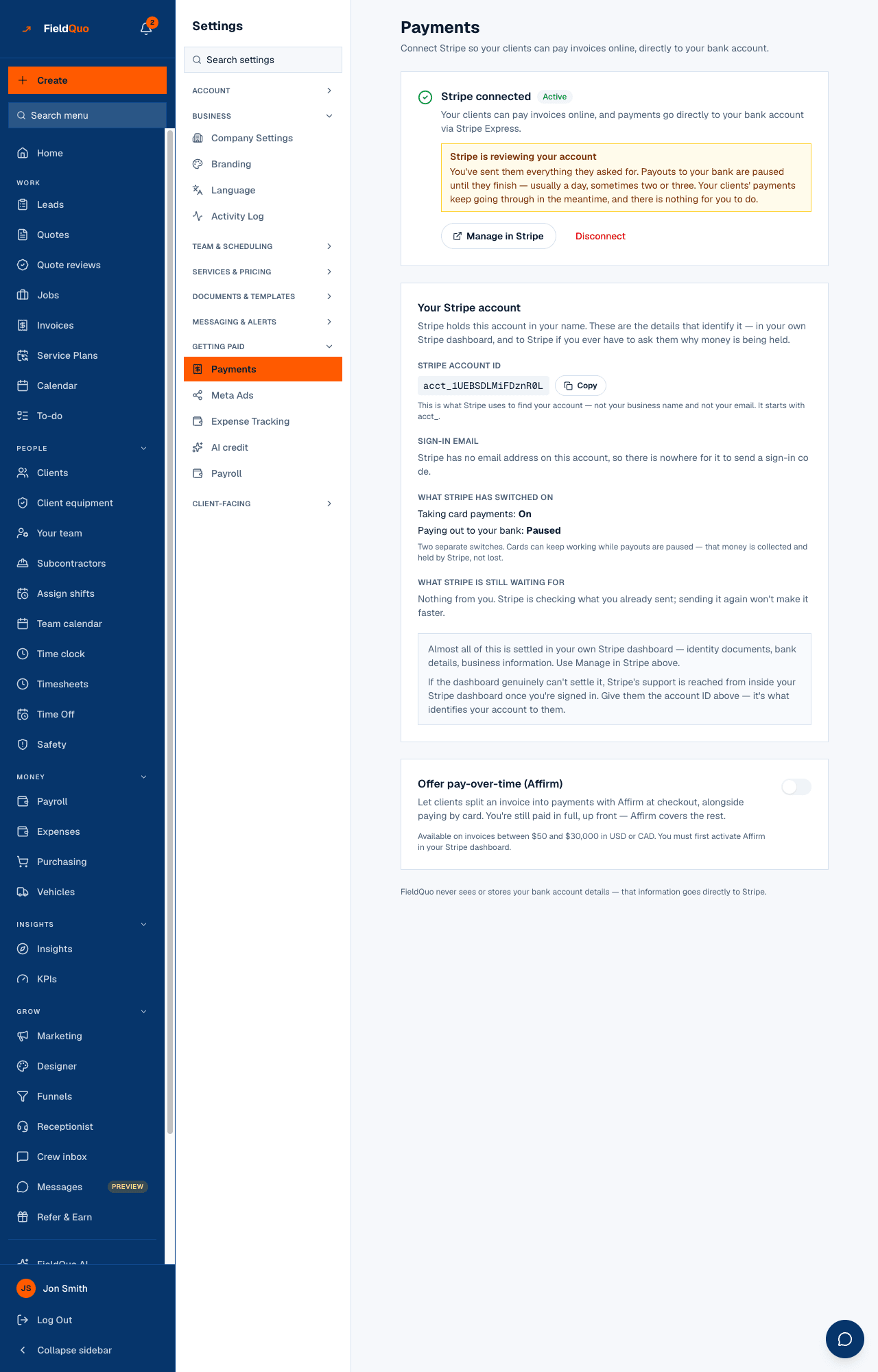
- Open Settings → Payments.
- Read the Processing fees card. Card payments show 3% + $0.30; Canadian companies also see Bank debit (Canada) at 1% + $0.40, max $5.00.
- Connect Stripe (see Connecting Stripe and getting verified). Once Stripe reports charges enabled, a Pay button appears on every invoice your clients receive.
There is nothing to configure about the fee itself. It is the same for every company, it cannot be turned off, and it cannot be passed on to the client as a separate surcharge line — the invoice total is what the client pays.
How to tell a payment has reached your bank
Stripe pays your balance out to your bank on its standard schedule — free, and in about 2 business days for a Canadian or US account. FieldQuo shows the payment as Paid the moment Stripe confirms the charge; the payout to your bank follows on Stripe's clock.
- On the invoice, the payment row shows the date, the method, the amount, and under it the fee and the net deposited.
- To see the payout itself — the transfer to your bank — open Settings → Payments → Manage in Stripe. Stripe's Express dashboard lists every payout with its arrival date and the payments it contains.
- Your bank statement line will match the net deposited figure, never the gross amount.
If a payment is Paid in FieldQuo but nothing has arrived after a few business days, the account is usually being held or reviewed by Stripe — see Payouts held or under review. The Payments settings page says so in plain words when that is the case.
Payments
A client pays from the invoice email's Pay button or from the client portal. The methods on offer depend on your currency and on your Stripe account: cards everywhere, and — once Stripe has activated it on your account — Pay from bank account beside the card button on invoices, deposits and payment-schedule instalments: pre-authorized bank debit for a Canadian company billing in Canadian dollars. A bank payment takes 3–5 business days to clear, and the invoice reads Bank payment pending until it does.
On each payment, FieldQuo records the fee at the published rate, and the invoice's payment row reads, for example, “card processing $68.10 · deposited $2,191.90”. A payment you record by hand — cash, cheque, e-transfer — carries no fee and shows none.
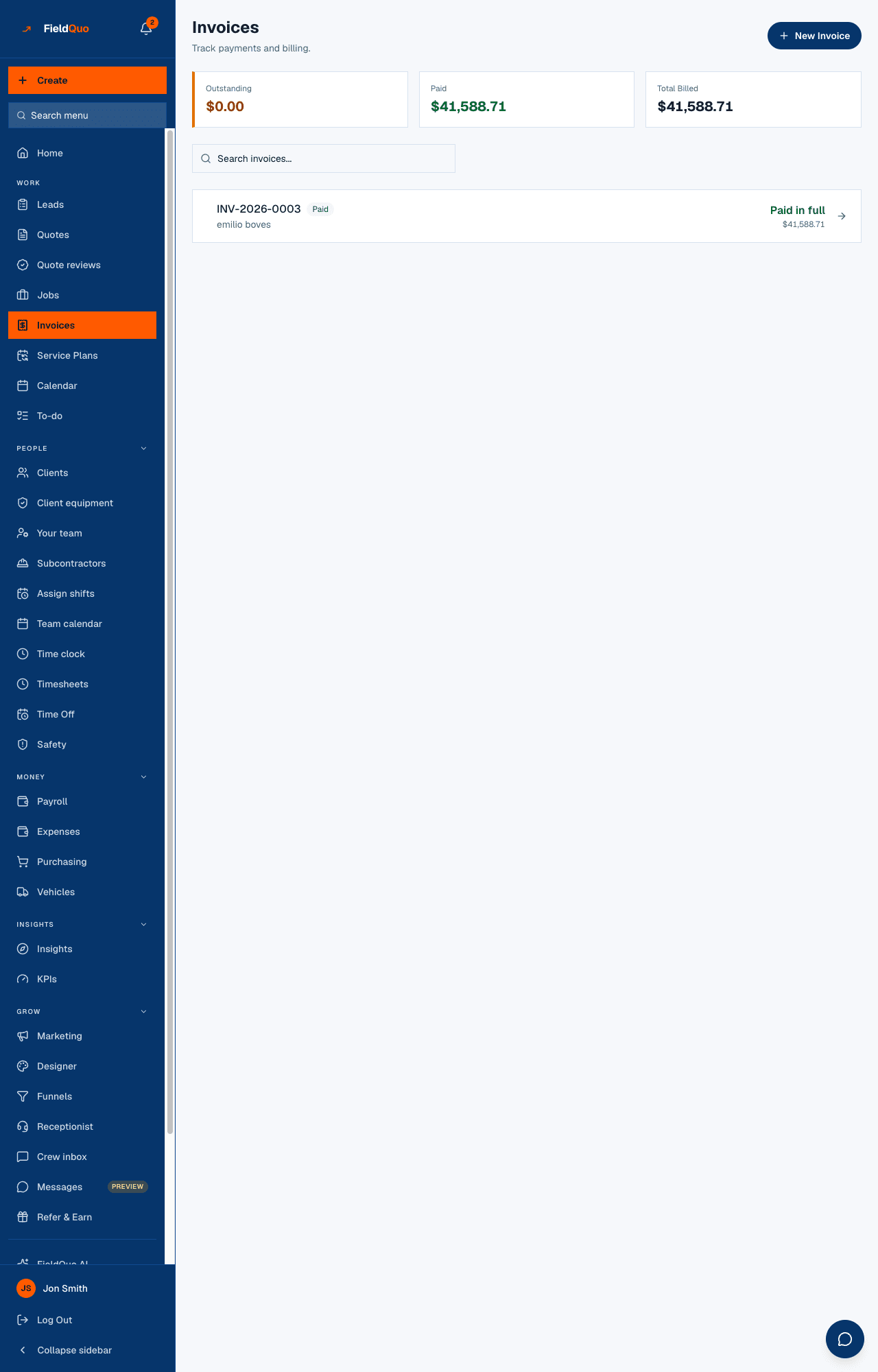
Pay-over-time financing (Affirm), if you turn it on, is priced by Affirm rather than at the card rate; that fee is passed through on those payments the same way.
Instant payouts
Instead of waiting for the standard schedule, you can move your available Stripe balance to a debit card in about 30 minutes, any day, any time. It costs 1% of the amount (minimum 50¢) — Stripe's own charge, passed through at cost. FieldQuo keeps none of it.
- Open Settings → Payments and find the Instant payout card.
- It shows what is available now, the fee, and what you will receive. Press Pay out … now and confirm.
- The money reaches the debit card Stripe has on file, usually within 30 minutes; your bank can delay it.
Instant payouts need a Stripe account at least 30 days old with payouts enabled and a debit card on file. A bank account only takes standard payouts — add a debit card in your Stripe dashboard to use instant ones. Full detail: Instant payouts.
Fees
| Payment method | Fee | Currency |
|---|---|---|
| Card (Visa, Mastercard, Amex, business cards alike) | 3% + $0.30 | CAD and USD |
| Bank debit — pre-authorized debit (Canada) | 1% + $0.40, capped at $5.00 per payment | CAD |
| Instant payout (optional) | 1% of the payout, minimum $0.50 | CAD and USD |
| Dispute (chargeback) | $15 per dispute, not returned if you win | CAD and USD |
The card rate is one number whatever the card: a business or Amex card costs the same 3% + 30¢ as a consumer Visa. It is 2.9% + 30¢ to Stripe plus a 0.1% FieldQuo margin, and you see the single combined rate everywhere — on the settings page and the payment record.
Two surcharges apply only when they apply, because the card is unknown until it is charged: +0.8% on a card issued outside Canada, and +2% when the payment needs a currency conversion. They are passed through at Stripe's cost on that payment only. Bank debit carries no surcharge.
A $5,000 invoice paid by bank debit costs $5 — the cap — where the same invoice by card costs $150.30. For large invoices from Canadian clients, offering bank debit is the single biggest saving on this page.
Stripe also bills a small account fee: a monthly active-account fee in months you take payments and 0.25% + 25¢ per payout to your bank. These are passed through at cost and appear as their own line on your next payment — “Stripe account fees $2.25 (2026-09)” — never folded into the processing fee.
Refunds
A refund is issued from the invoice in FieldQuo — Refund on the payment row, full or partial, with a reason — and returns the client's money through Stripe. The processing fee is not returned: Stripe keeps its fee on a refunded charge, and so the fee already deducted stays deducted. The payment keeps showing its original fee, and the refund is its own line under it, with the amount as a negative. See Refunds.
Refund the invoice amount, not the net. A client who paid $2,260 expects $2,260 back; the $68.10 fee is your cost of having taken the payment.
Disputes
When a cardholder disputes a charge, Stripe takes the disputed amount and a $15 dispute fee while the dispute is open. FieldQuo moves both out of your balance — the amount as a hold, the fee as a fee — and the invoice shows a line such as “Dispute — $2,260.00 held, $15.00 fee”. You respond to the dispute in your Stripe dashboard with your evidence: the signed quote, photos, the completion checklist.
- If you win, the held amount comes back to you. Stripe does not refund the $15 dispute fee, and the invoice says so: “Dispute won — $2,260.00 returned. Stripe does not refund the $15.00 dispute fee.”
- If you lose, the held amount is gone and the fee stays: “Dispute lost — $2,260.00 taken back, $15.00 fee.”
A dispute can only take back what the payment transferred to you. If the disputed amount plus the fee exceed the net you received, the difference is recorded rather than silently absorbed — you will see it, and so will support.
Negative balances
Your Stripe balance can go negative after a dispute or a refund larger than what is available. Stripe recovers a negative balance from your next payments before paying anything out, and, for the Connect account fees above, FieldQuo adds what is outstanding to your next charge as its own line — capped so the fee never exceeds the payment, with any remainder carried forward to the payment after.
A company that stops taking payments keeps its outstanding balance on the books; nothing is written off silently.
Errors
- “Stripe is holding your money” on Settings → Payments — Stripe still needs something from you (a document, a bank account, a director's name). Open Manage in Stripe and finish what it asks for; clients' payments keep going through in the meantime.
- “Stripe is reviewing your account” — you have sent everything and Stripe is checking it, usually a day, sometimes two or three. Nothing to do.
- A payment with no fee shown — it is a manual payment, or an online payment recorded before fees began to be recorded on the payment. The payment shows no fee rather than $0.00, because “no fee is known” and “no fee” are different statements.
- The Pay button is missing from an invoice — Stripe has not enabled charges yet. Settings → Payments shows what it is waiting for.
Recording it in your books
Each online payment on an invoice carries its three figures side by side — the amount (gross — what the client paid and what the invoice was reduced by), the processing fee and the net deposited — and that is where your bookkeeper reads them. FieldQuo does not export payments as a file and does not sync with QuickBooks or Xero.
Post the gross to income and the fee to a merchant-fees expense from the same payment; the bank deposit then matches the net deposited. The fee is an expense in your books, not a smaller sale.
A payment belongs to the day it was received, not the invoice's date — a December invoice paid in January is January's cash. A manual payment, and an online payment taken before fees were recorded on the payment, shows no fee.
To match a bank deposit to its payments, open Settings → Payments → Manage in Stripe: Stripe's Express dashboard lists every payout with the payments it contains. For what else an accountant can have, see What to hand your accountant and QuickBooks, Xero and your bookkeeper.
Часті запитання
Can I pass the fee on to the client?
Not as a separate surcharge — the invoice total is what the client pays and the fee comes off your side. Price the job with the fee in mind, or offer bank debit to Canadian clients, which is capped at $5.
Is there a monthly fee for taking payments?
No. Stripe bills a small active-account fee only in months you take payments, and it is shown as its own line on your next payment.
Why does my bank statement not match the invoice amount?
The bank receives the net deposited — the amount minus the processing fee. The payment on the invoice shows both figures.
Does FieldQuo hold my money?
Never. The charge is created in your company's name and Stripe pays your bank directly.
Чи була ця стаття корисною?