

A quote keeps its language
You pick the language a quote is written in when you create it, and it stays in that language for life — the PDF, the approval page and the covering email all follow it, and nothing is machine-translated at send time.
Поки що ця стаття доступна англійською, французькою та іспанською. Ви читаєте англійську версію. Français · Español
Two languages are in play and they are separate. The first is the one you work in — the app itself, set on Settings → Language. The second is the one the client reads: the quote, the invoice, the emails. A Gatineau shop can work in English and quote in French; a Spanish-speaking crew can send an English quote to an English-speaking client.
One rule is worth stating plainly because it sounds like a limitation and is actually the reassuring part: a quote keeps the language it was created in. A signed document will always say what it said when it was signed. Nothing is re-translated behind the client's back.
Overview
Eight languages are available for a client: English, French, Spanish, Ukrainian, Punjabi, Tagalog, German and Italian. Each has a hand-written set of document labels, a covering-email text and a PDF font that can set it. The language is chosen once per quote, in the builder, and the edit page then reads: “Written in Français. A quote keeps the language it was created in — the signed copy has to keep saying what it said.”
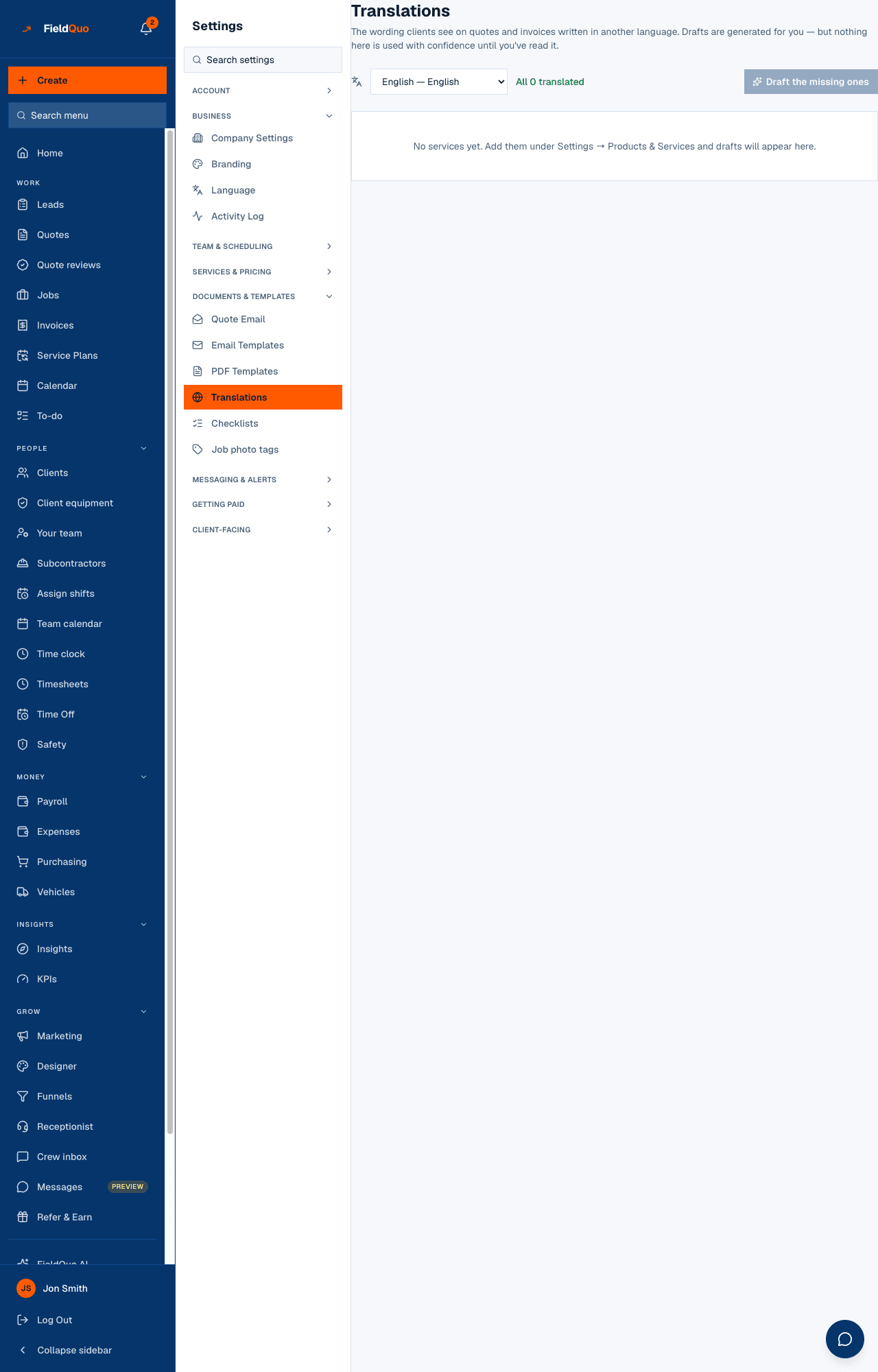
Your own service wording is yours to translate. Settings → Translations shows each service's scope text per language, a count of what is still missing, and Draft the missing ones, which writes AI drafts for a person to review — nothing is machine-translated at the moment a quote is sent.
Choosing the language on a quote
- In the builder, pick the client. The Write this quote in bar appears with their saved language pre-selected — or the company default if they have none.
- Change it if this quote should differ. The client's preference is a suggestion, not a lock — you may be quoting a Punjabi-speaking homeowner's English-speaking son — but the bar shows the mismatch and offers Use that instead.
- Read any warning: “3 of your 12 services don't have Français wording yet — those line items will come out in English.” Fix it under Settings → Translations before sending, or accept it.
- Save. From here on the language is fixed; the edit page states it and offers no way to change it.
Set each client's language once on their record and every quote for them starts in it. See A client's language.
What follows the quote's language
- The approval page — every label, the date and money formats (“9,9 %” in French), the approve and decline buttons, the signature consent line.
- The PDF — labels, dates, currency formatting and the per-trade scope text in that language where you have written it.
- The covering email and every follow-up for that quote — subject, greeting and body. A French quote never arrives wrapped in an English note, because that would imply a translation that does not exist.
- The invoice that mirrors it and its own emails, which inherit the quote's language.
- The line items derived at save time — a cabinet upgrade added by the takeoff is written in the quote's language, not the estimator's.
Which language wins
| Priority | Source | Used for |
|---|---|---|
| 1 | The document's own language, fixed at creation | The quote, its PDF, its approval page, its covering email and follow-ups |
| 2 | The client's saved language | Anything not tied to a document — a booking confirmation, a payment reminder |
| 3 | The company default under Settings → Language | A client with no saved language |
| 4 | English | When nothing above is set |
Who can set it
Anyone who can create a quote picks its language. Settings → Translations and the company default under Settings → Language need someone who can manage the team: Dispatcher, Manager, administrators and the owner.
Часті запитання
The client changed their mind — can I switch a quote to French?
Not the same quote: its language is fixed so the signed copy cannot drift. Create a new quote for them in French. Their client record's language can be changed at any time and will apply to the next quote.
What if a service has no French wording?
The bar warns you before you save. The line comes out in your company's default language until you add the French under Settings → Translations. Nothing is machine-translated at send time.
Does the app switch language too?
No. The quote's language is for the client. Your own screen follows Settings → Language for you, and each team member can have their own.
Чи була ця стаття корисною?