

The data migration service
Ask FieldQuo to bring your old records in: a request, a call, a price you accept or decline, a payment through FieldQuo billing, and a log of every record created.
Dieser Artikel ist vorerst auf Englisch, Französisch und Spanisch verfügbar. Sie lesen die englische Fassung. Français · Español
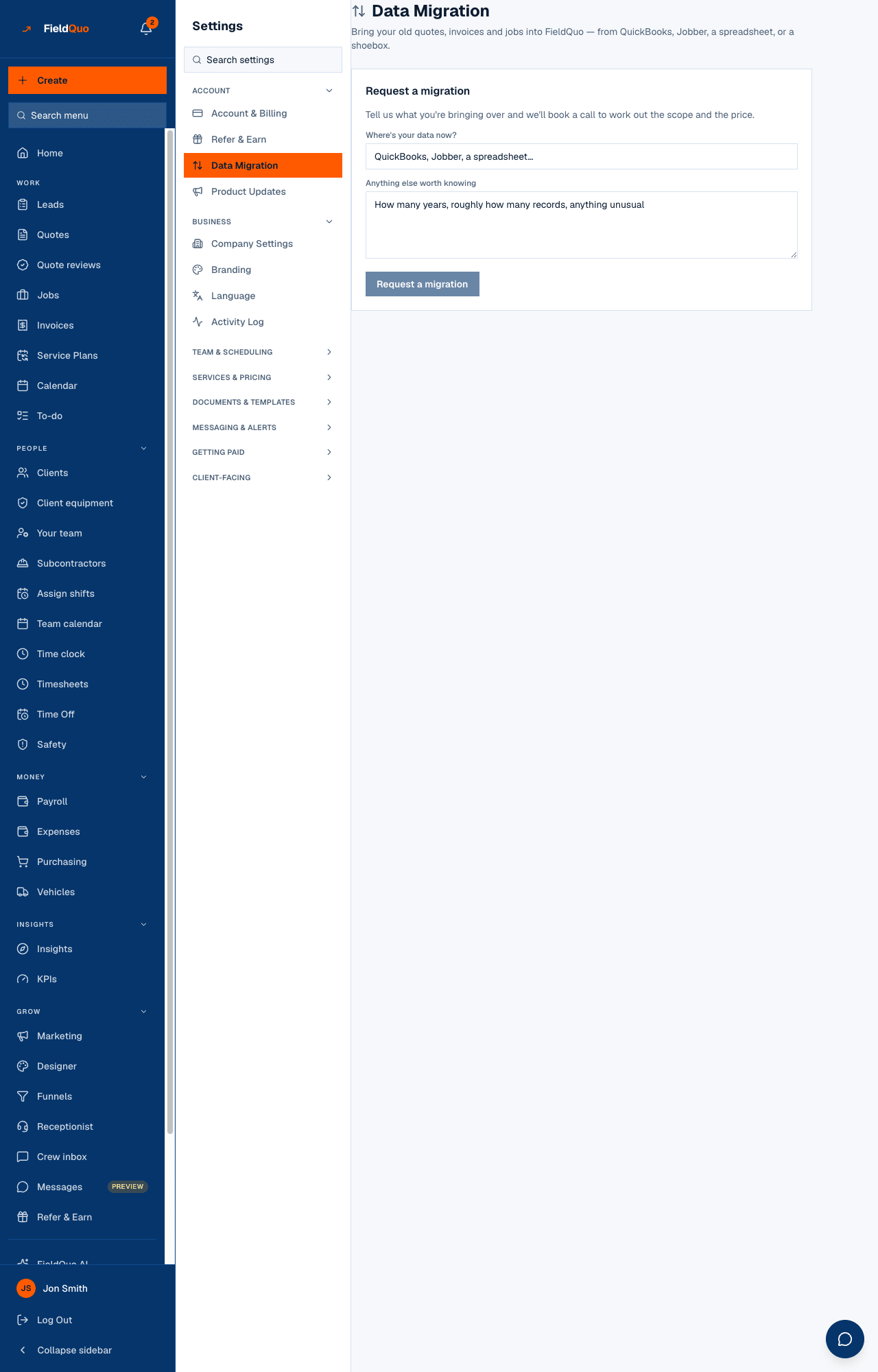
Data Migration — Bring your old clients and quotes into FieldQuo — from QuickBooks, Jobber, a spreadsheet, or a shoebox. It is a paid service done by FieldQuo's own staff, not a self-serve importer, and it is the one sanctioned case where FieldQuo writes inside your account.
The rules are strict and worth knowing before you ask: staff may only create new records, never change or delete anything that already exists, only after you have accepted a price and paid it, and every record they create is logged where you can see it.
Overview
You describe what you are bringing, book a call, get a price, accept it and pay. Then FieldQuo creates the clients and quotes in your account and you watch them appear under What's been brought in. Payment goes through FieldQuo billing — the same card as your subscription — never through your own Stripe account, which is for your clients paying you.
What is on the screen
- Request a migration — Where's your data now? and Anything else worth knowing (how many years, roughly how many records), then Request a migration.
- The request card, with its status: Requested, Call booked, Quote ready, Accepted — payment due, Paid, In progress, Completed, Declined or Cancelled.
- Book a call with FieldQuo — open times to pick from, or No times are open right now — we'll be in touch to schedule one.
- Documents — Upload a file: a QuickBooks or Jobber export, a spreadsheet, or a ZIP of your old records. CSV, XLS, XLSX, TXT, PDF, ZIP and the QuickBooks formats are accepted.
- What's been brought in — every record FieldQuo created for you — and Previous requests.
How it goes, step by step
- Fill in Request a migration. The status reads Requested.
- Book a call from the open times, or wait for FieldQuo to schedule one. You can pick a different time until a price exists.
- FieldQuo prices the work. The status becomes Quote ready, the dashboard says FieldQuo quoted your data migration at {amount}. Review and respond., and the card shows Accept and Decline.
- Press Accept. The card reads Quote accepted — pay when you're ready to start.
- Press Pay and start migration. You are sent to Stripe to pay; the status becomes Paid and the card reads Payment received — thank you. FieldQuo will be in touch to start the migration.
- While staff work, the status is In progress and records appear under What's been brought in as they are added.
- Completed — Migration complete.
Uploading documents is possible at every stage until the request is declined or cancelled — an export is useful before a price exists, too.
What FieldQuo writes, and what it never touches
- It creates client records and quote records inside your account. Today those are the two record types the service writes; a migrated quote is a draft, marked as historical, with no tax applied.
- It never updates or deletes a client, quote, invoice or job that existed before — the code has no path that can.
- It writes only while the request is Paid or In progress, checked fresh at every single write. Cancel the migration and the writing stops that instant.
- Every write is logged with what was created and when, and you read that log under What's been brought in.
This is a different mechanism from a support session. When FieldQuo support looks at your account to help you, that session is read-only, with no exception; the migration is the only door for writes, and only you can open it by paying.
Cancelling, and who can see it
Cancel this request is available until you have paid. After payment, cancelling is a conversation with support rather than a button. The screen is under Settings → Account, for owners and administrators only — the same people who see the company's billing. The price and receipt are explained in Paying for the migration service.
Häufige Fragen
What does it cost?
There is no list price. FieldQuo quotes each migration after the call, based on what you are bringing, and you accept or decline the figure on this screen.
Can FieldQuo fix a quote of mine while they are in there?
No. Staff can only create new records. Anything that existed before the migration is out of their reach by design.
Do the migrated quotes go to my clients?
No. They are drafts marked as historical. Nothing is sent to anyone.
War das hilfreich?