

Opening hours
The hours your business is open — shown on your website, sent to Google as structured data, and respected by the phone receptionist and the AI employee. Not the same thing as anyone's bookable hours.
Dieser Artikel ist vorerst auf Englisch, Französisch und Spanisch verfügbar. Sie lesen die englische Fassung. Français · Español
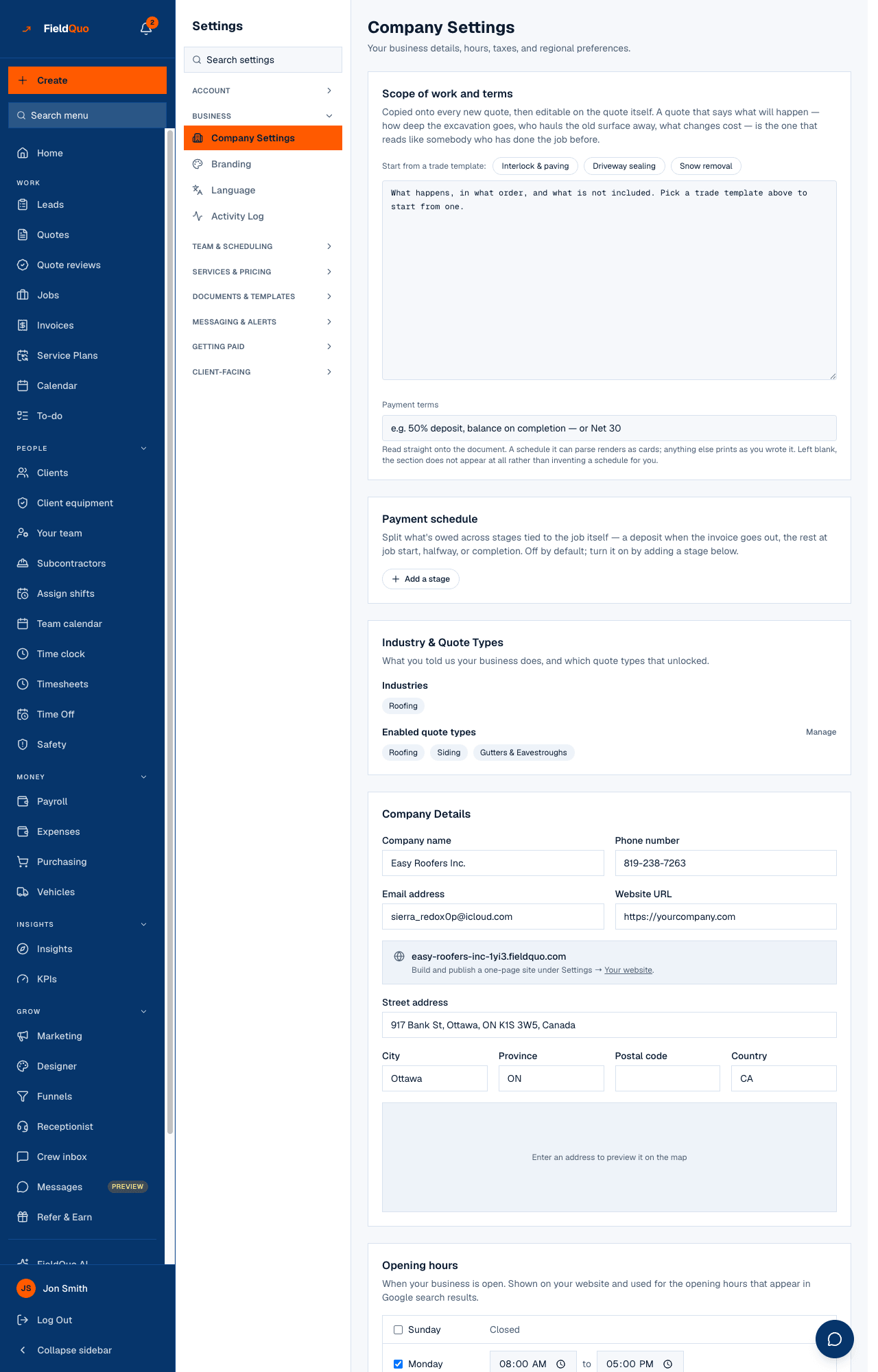
Opening hours is a card on Company Settings: seven rows, one per day, each either Closed or a time range. They answer one question — when is the company open — and they are the company's, not any one person's.
They matter more than they look. The same seven rows become the opening-hours block on your website and the structured data that puts “Open · Closes 5 PM” in a Google result, a box read by people who never load the site.
Overview
FieldQuo stores two different weeks and keeps them apart on purpose. Opening hours say when the *company* is open. Bookable hours — the card directly below, and the fuller Availability screen — say when a *person* can be booked. An estimator taking Friday off must not publish the shop as closed on Fridays, so the two are allowed to disagree.
A company that has never set opening hours has none — the read-only view says No opening hours have been set. and nothing goes to the website or to Google. FieldQuo never invents a Monday-to-Friday week on your behalf; absence of a statement is not a statement.
What is on the screen
Under Opening hours — When your business is open. Shown on your website and used for the opening hours that appear in Google search results. the editor shows the week starting on your First day of the week.
- A checkbox per day — ticked means open; unticked shows Closed and hides the times.
- Two time boxes, open to close. A close earlier than its open shows Closing time must be after opening. and, if saved anyway, the server stores that day as closed.
- Apply Monday's times to every open day (the day named is the first day shown) — copies one day's times onto every other *open* day. It never reopens a closed day.
- Reset to typical trade hours — Monday to Thursday 8:00 to 17:00, Friday 8:00 to 16:00, weekend closed. A starting point, saved only when you press save.
How to set your opening hours
- Open Settings → Company Settings and scroll to Opening hours.
- Tick the days you are open and untick the days you are not.
- Set the first open day's times, then press Apply … times to every open day to copy them.
- Adjust any day that differs — a shorter Friday, a Saturday morning.
- Press Save opening hours. This card saves on its own; a green Saved confirms it, and you do not need Update Settings for it.
If every day is ticked closed, a line under the card says so: no hours will appear on your website or in search results. Untick nothing by accident.
Where the hours are used
| Where | What the hours do |
|---|---|
| Your website | Printed as the opening-hours block, and emitted as structured data so search engines can show them beside your name — see The website builder. |
| Phone receptionist | Callbacks and booked slots are offered inside opening hours only; a caller is never promised a call at seven in the morning — see The phone receptionist. |
| AI employee | Its only reply during business hours option reads these hours; with none set, the option cannot stop anything — see The AI employee. |
| Company Settings, read-only view | A team member without settings access reads the hours as text, so a painter need not phone the office to learn when it shuts. |
The hours are *not* used to build anyone's schedule, to decide which slots a client can book, or to count time-off days. Those come from each person's working and bookable hours.
Who can see it
Editing needs the user-management capability — the owner, administrators, Managers and Dispatchers. Everyone else who opens Company Settings sees the hours as a read-only list.
Häufige Fragen
I set my hours but the booking page still offers Saturday. Why?
The booking page reads bookable hours, per person, not the company's opening hours. Open Availability and untick Saturday under Bookable hours for the people concerned.
Why does the form show Monday to Friday when I never set anything?
The editor offers typical trade hours as a starting point so the form is quick to finish. Nothing is stored until you press Save opening hours; until then the company has no hours.
Do the hours change with daylight saving?
No. They are wall-clock times in your company's time zone — 08:00 stays 08:00 all year.
War das hilfreich?