

How long a quote stays valid
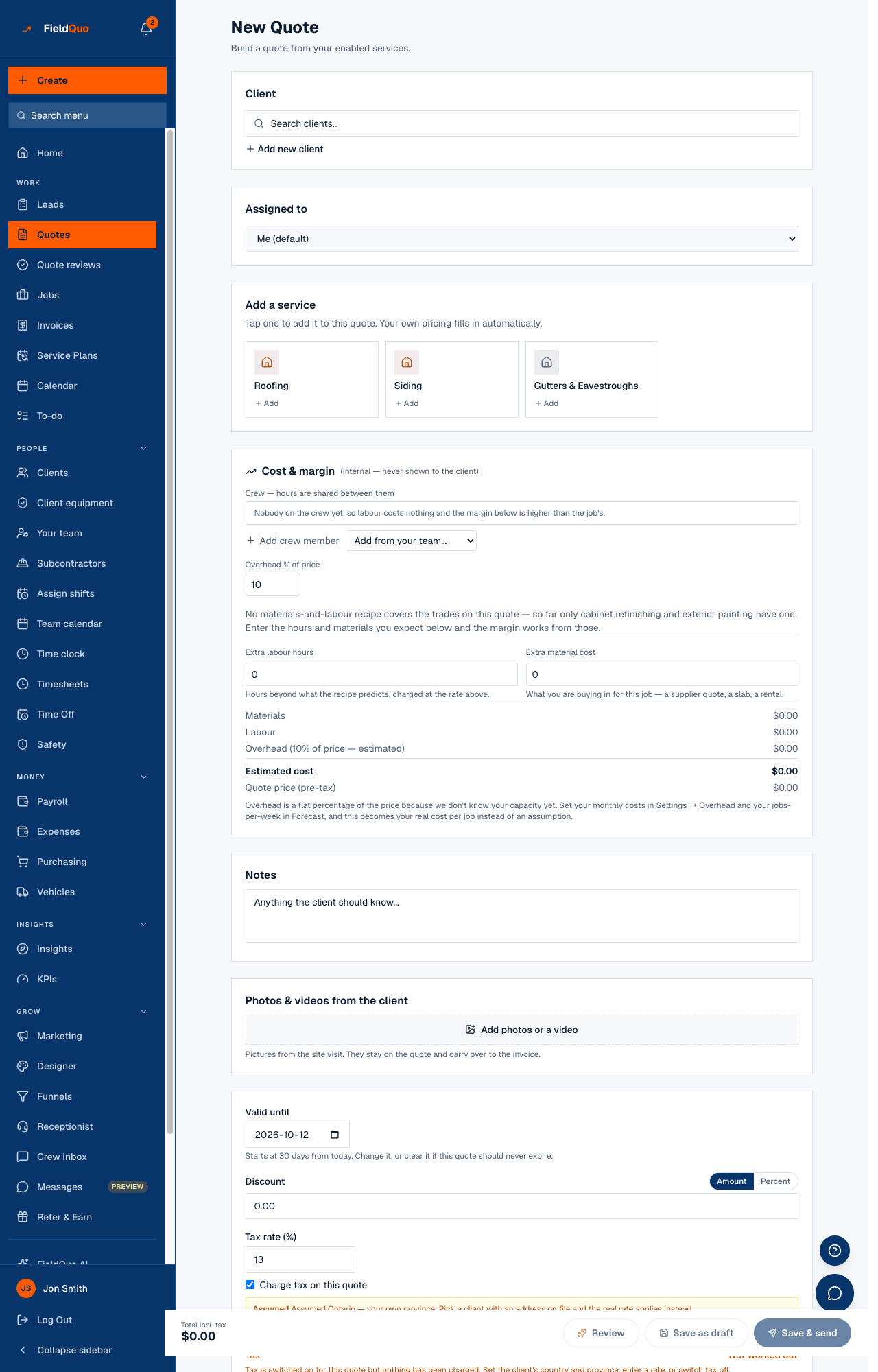
Every new quote starts with a Valid until date 30 days out; you can move or clear it. After the date the client can no longer approve online, the list flags it in red, and nothing else changes on its own.
A quote that never expires is a quote with no reason to answer today. It also leaves you holding a price when material costs move. So the builder opens with an expiry date already filled in — 30 days from today — and the review complains if you clear it.
Overview
Valid until sits at the top of the money card in the builder. The date is a suggestion you can see and change before anything is saved, not a value written on your behalf: the line under it reads “Starts at 30 days from today. Change it, or clear it if this quote should never expire.” Clearing it is honoured — the quote saves with no expiry — and the line changes to say the client has no reason to answer today.
Setting the date
- In the builder, find Valid until above Discount and Tax rate. Change the date, or clear the box for no expiry.
- On an existing quote, press Edit — the box shows “The date already on this quote” — and move it.
- Save. The date prints on the client's page and in the email as the expiry, and on the Quotes list as Valid until beside the quote's age.
The date is stored as a calendar day. A quote written at 8pm in Toronto gets the day you see on the screen, not the day it already is in London.
What happens when the date passes
- The client's approval page shows This quote has expired and “Contact Easy Roofers Inc. for an updated price.” Approve and Decline are gone. If they press Approve in the same minute the date passes, the server refuses too.
- On the Quotes list the quote shows Expired and the date in red, with a red bar on the row. The bar also appears in the 3 days before, when Valid until shows in amber.
- The AI review reports Already expired as a high-severity check: “push the date out before sending.”
- The status stays Sent. Move the date forward and the approval page opens again with nothing else to redo.
- The email and the PDF keep printing the date they were sent with; a new send prints the new one.
What FieldQuo does not do
- It does not change the status to Expired or Declined. Expiry is a date, not a decision.
- It does not email the client or you when a quote expires. Automatic follow-ups run on time since sending, not on the expiry date — see Quotes sent with no response.
- It does not re-price anything. The price on an expired quote is the price you wrote; moving the date is your decision to stand by it.
Frequently asked questions
Can I change the 30-day default?
Not as a company setting today. The builder pre-fills 30 days on every new quote; change the date on the quote itself.
A client wants to approve a quote that expired yesterday.
Open the quote, press Edit, move Valid until forward, and save. The same link opens again and they can sign. Nothing else about the quote changes.
Was this helpful?