

Connect your Meta ad account
Link your own Facebook and Instagram ad account so its spend and campaign results flow into Marketing spend — read-only, synced when you press Sync now — and what the lead forms, publishing and WhatsApp cards beside it do.
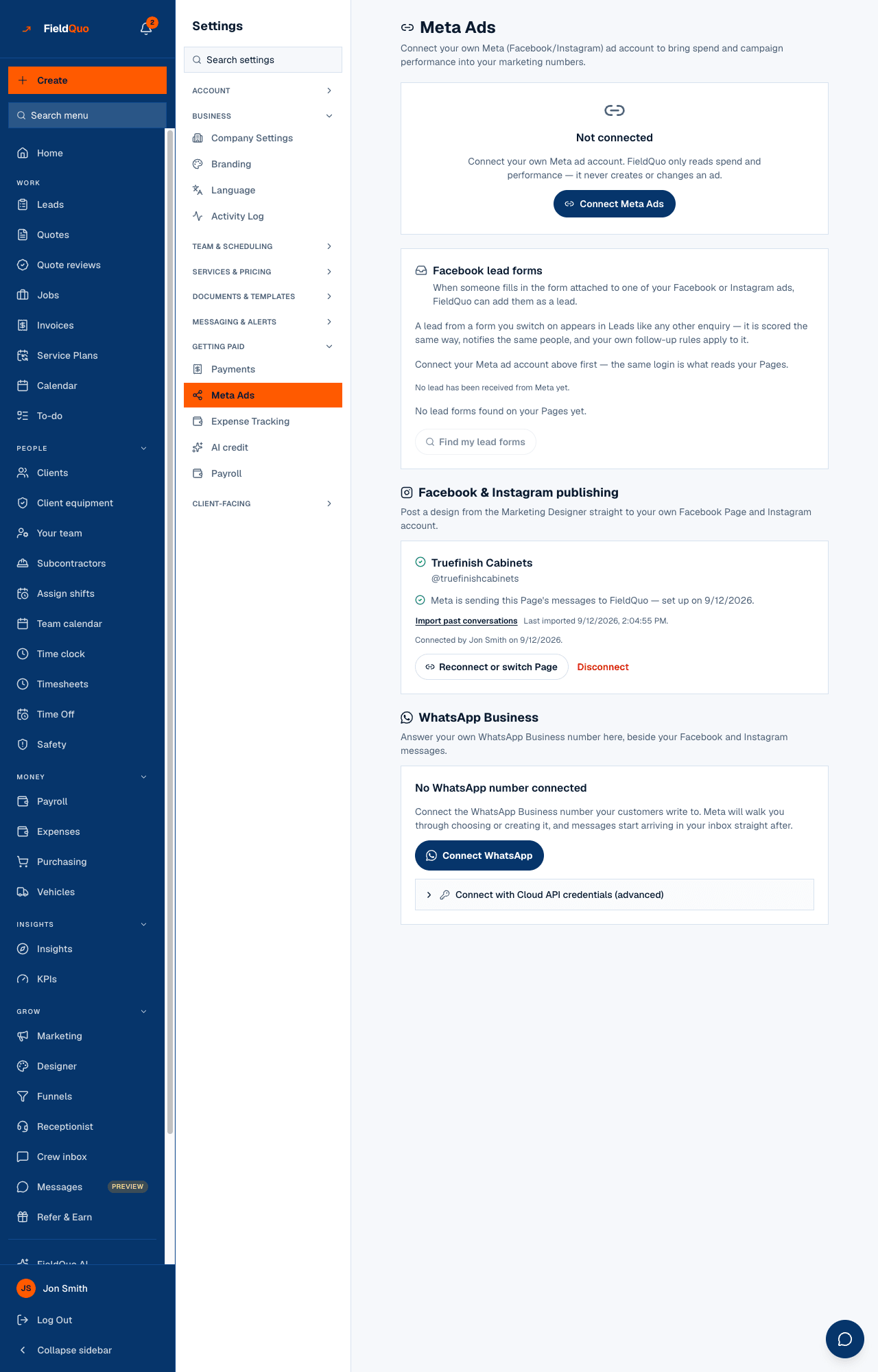
Settings → Getting paid → Meta Ads connects your company's own Meta ad account. In the screen's words: “Connect your own Meta (Facebook/Instagram) ad account to bring spend and campaign performance into your marketing numbers.” FieldQuo only reads spend and performance — it never creates or changes an ad.
The same screen holds three more Meta cards: Facebook lead forms, Facebook & Instagram publishing and WhatsApp Business. Each states its own preconditions. Lead forms and publishing both run on your Facebook Page connection — the publishing card — not on this ad account, and either one shows a notice and disables its controls if a Meta permission it needs is not switched on for FieldQuo. WhatsApp is different: every company sees one “coming soon” sentence and no button until Meta grants FieldQuo advanced access to its two WhatsApp permissions in App Review.
Overview
The screen has four honest states and never shows a button that cannot work. Not set up yet — the deployment has no Meta app credentials. Can't store a token safely yet — a deployment setting is missing. Not connected — a real Connect Meta Ads button. Connected — the account card with Sync now, Disconnect and, once something has synced, See your campaigns →.
How to connect
- Open Settings → Meta Ads and press Connect Meta Ads. You are sent to Meta to log in and consent.
- If Meta returns more than one ad account for your login, the screen asks Which ad account? — pick one and press Connect this account.
- Back on the screen, the card shows the account's name, id and currency with the chip Connected, and “Never synced yet.” Press Sync now.
- The result reads “12 new rows, 3 updated.” Open Marketing → Marketing spend to see them, source From Meta.
Each Sync now imports the last 30 days of campaign results — spend per campaign per day, and what Meta reported alongside it. There is no automatic sync: press it when you want the numbers refreshed. The sync also warns when rows look like spend you already logged by hand, so you do not count both.
What each control does
| Control | What it changes |
|---|---|
| Sync now | Imports the last 30 days into Marketing spend and updates the campaign table. Rows in another currency are converted at a pinned rate and marked ≈. |
| Reconnect | Appears when the chip reads Needs reconnecting — Meta says the stored token is no longer valid. Syncing is paused until you do. |
| Disconnect | Stops syncing. Rows already imported stay in your marketing spend history. |
| Facebook lead forms switches | One per form found on your connected Facebook Page, with its lead count — forms and leads are read through the Page connection, not this ad account. If the card shows “Facebook lead forms need Meta's approval of one more permission; nothing is being received yet.”, the switches are disabled. See Facebook lead forms. |
| Facebook & Instagram publishing | Connect Facebook & Instagram connects your Page and its Instagram account — the connection lead forms are read through and the Designer posts through. It reads Waiting on Meta's approval, with no button, if its permissions are not switched on for FieldQuo. See Post to Facebook and Instagram, now or later. |
| WhatsApp Business | Reads WhatsApp is coming soon. We're waiting on Meta to approve FieldQuo for WhatsApp, and we'll tell you the day it's ready., with no button, until Meta grants FieldQuo advanced access to its WhatsApp permissions. See WhatsApp (coming soon). |
Who can see it
Owners and administrators only — the same shelf as Payments. A manager sees a no-access panel here, and every route behind the screen refuses them too. The numbers the sync produces are visible to anyone who can open Marketing spend.
Frequently asked questions
Will FieldQuo change my ads or my budget?
No. The permission it asks Meta for is read-only; the screen says it never creates or changes an ad.
My ad account bills in USD and my company is in CAD — what happens?
The rows are converted at a pinned exchange rate and every figure they touch is marked ≈ approximate, with the rate's age beside it. A rate older than 45 days is refused and the amount is named as excluded.
Where do the leads from my ads go?
A lead from a form you switch on lands in Leads like any other enquiry. The forms are read through your Facebook Page connection, not this ad account. If the lead-forms card shows the notice about Meta's approval, the switches are disabled and nothing is being received.
Was this helpful?