

A funnel
What someone who taps your ad or bio link sees: a full-screen, one-question-at-a-time page in your colour, an optional instant range, a short contact form — and, on your side, a scored lead.
Per ora questo articolo è disponibile in inglese, francese e spagnolo. Stai leggendo la versione inglese. Français · Español
A funnel is a tap-through landing page for an ad, a flyer QR code or your bio link. The visitor sees your brand colour edge to edge, your logo and name, a progress line, and one step at a time — the Instagram-Stories shape mobile ad traffic expects. There is no menu, no footer and nothing that says FieldQuo; the browser tab carries your company name.
At the end they leave a name and an email or phone, and a Hot, Warm or Cold lead lands on your Leads board with every answer attached.
Overview
Funnels are built on the Funnels screen — from a channel template (Web, Instagram, TikTok, YouTube) or from a sentence you type into the generator — and each one has a status, Draft or Published. Only a published funnel answers at its address; a draft, or a wrong address, shows “This funnel isn't available.” The link and an embed snippet for each published funnel are on Settings → Share your links.
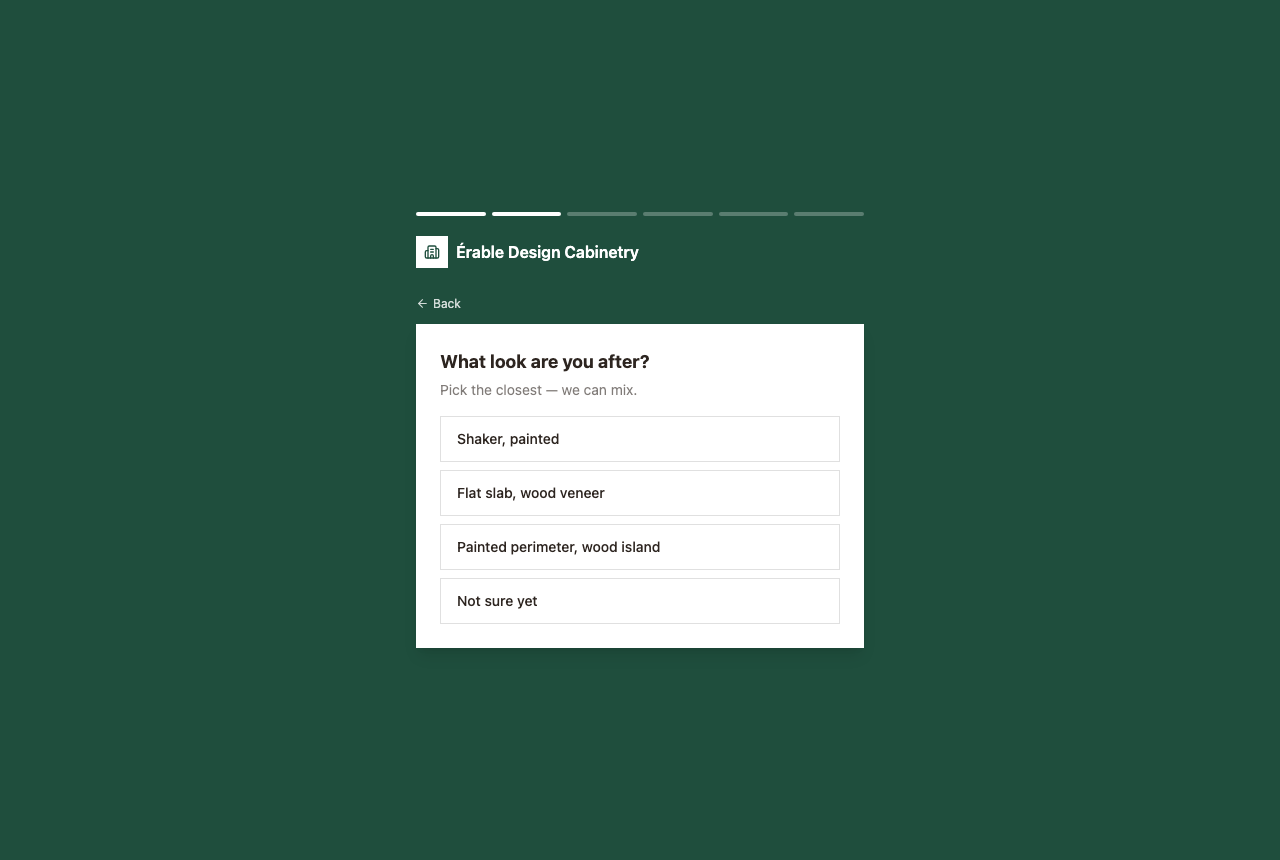
The steps a visitor can meet
| Step | What the visitor sees |
|---|---|
| Intro | A headline, a line of text and a button — Get started unless you named it. |
| Single choice | A question and a list of answers; one tap moves on. An answer can branch to a later step. |
| Multiple choice | Tick several, then Continue. |
| Photo upload | Add photos or a short video of the job, then Continue. |
| Instant estimate | Size bands; tapping one shows a price range the server worked out from your rates — or, if the step is set to details-first, the range is revealed after the form. If your trade is set to show the range only after they submit, it is withheld until then. |
| Form | “Where should we send it?” — name, email, phone. A name and one of email or phone are required. |
| Thank you | Your closing headline and text, or a plain “Thanks!”. |
The words on every step are yours — written in the builder or drafted by the generator — so the funnel is in whatever language you wrote it in. The built-in bits (the Back link and the form's Your name / Email / Phone placeholders) are English.
What happens when they submit
- A lead is created in the normal pipeline — not a special kind — with the source funnel, every answer as a structured field, the photos, and a message line per question.
- A question you tagged as budget or timeline in the builder feeds the scorer directly; the lead reads Hot, Warm or Cold on Leads like any other. See Lead scoring.
- The people who get lead notifications are told. A phone number is recorded as consent to be called back.
- If you entered a Meta pixel, a TikTok pixel or a GA4 id in the builder, the page fires a page view on load and a lead event only after the server accepted the submission — never for a refused one.
- A step-view beacon is recorded as each step is reached, which is what the builder's drop-off report counts. It is anonymous — a per-visit id, not a person.
FieldQuo does not email the visitor a copy of what they sent, and the funnel shows no price unless it has an instant-estimate step. Nothing here reprices anything: an instant range comes from your rates on the server and is marked as needing review before a quote goes out.
What you control
- On Funnels, press New funnel and pick a channel template or describe the funnel and press Generate.
- In the builder, edit each step's words and answers, tag the budget and timeline questions, set an instant-estimate step to price-first or details-first, and add your pixel ids.
- Publish it. Copy its link from the builder or from Settings → Share your links; the bio link page gets a button for it automatically.
- Come back to the builder for the drop-off report — how many reached each step and where they left.
Who can see it
A published funnel is public to anyone with the link, and deliberately not indexed. The Funnels screen is for owners, administrators, Managers and Dispatchers; on Share your links, other people see “Lead funnels are managed by an owner or admin — ask one of them for the link.” The leads are visible to anyone whose access includes Requests.
Domande frequenti
Does the funnel show my prices?
Only if you added an instant-estimate step, and then only a range computed on the server from your rates — never the rate card. Every such estimate is flagged for your review before a quote is sent.
Can I put a funnel on my existing website?
Yes — Share your links has an embed snippet for each published funnel. Inside your own page the logo strip is dropped, since your site already carries your name.
Where do the answers go?
Onto the lead on Leads, as fields you can read and as a note per question, with the photos attached. Convert it to a quote from there.
È stato utile?