

The time clock
The crew's own punch: clock in against the job they are on, switch jobs mid-day, clock out, and see today's hours — with one position captured at the tap so the timesheet can show how far from the site it was.
ਇਹ ਲੇਖ ਫ਼ਿਲਹਾਲ ਅੰਗਰੇਜ਼ੀ, ਫ਼ਰਾਂਸੀਸੀ ਅਤੇ ਸਪੈਨਿਸ਼ ਵਿੱਚ ਉਪਲਬਧ ਹੈ। ਤੁਸੀਂ ਅੰਗਰੇਜ਼ੀ ਸੰਸਕਰਣ ਪੜ੍ਹ ਰਹੇ ਹੋ। Français · Español
Time clock is the one screen an hourly worker touches every shift, so it is kept spare: the date, a live clock, one big button, today's total. Every tap writes a plain time entry that goes to the manager to review on Timesheets — no pay maths happens here.
Each entry can name the job it was worked on, which is what lets job costing know what a job's labour really cost. An hour with no job — travel, the yard, a morning of quoting — is a real hour and is recorded as exactly that.
Still clocked in?
Every fifteen minutes FieldQuo looks for a clock-in that has outlived its shift. If your published shift ended more than thirty minutes ago and you are still on the clock — or, with no shift behind the entry, you have been clocked in for fourteen hours — your phone gets one push, Still clocked in?, and your manager gets a note. Once per entry, never every quarter hour.
Nothing is closed for you. Whether you left at 16:00 or worked until 19:00 is a pay question, and only a person answers it: you, by clocking out, or your manager, with the manual clock-out on the timesheet. A clock that guessed would either invent hours or take them away.
Every punch — in, out, a job switch, lunch and break — is also written to the company's Activity log with the time, so a later edit to the entry never erases what the clock originally recorded.
What is on the screen
The day and the live clock. Under it either You're clocked out. with a Which job? picker and a green Clock in, or an On the clock pill with Since {time}, the elapsed time, On {job}, and a red Clock out. While clocked in, Moved to another job? offers a second picker and Switch job. Below, Today totals the day's hours and lists each entry, the running one marked Open, with the line “Your hours go to your manager to review and approve.”
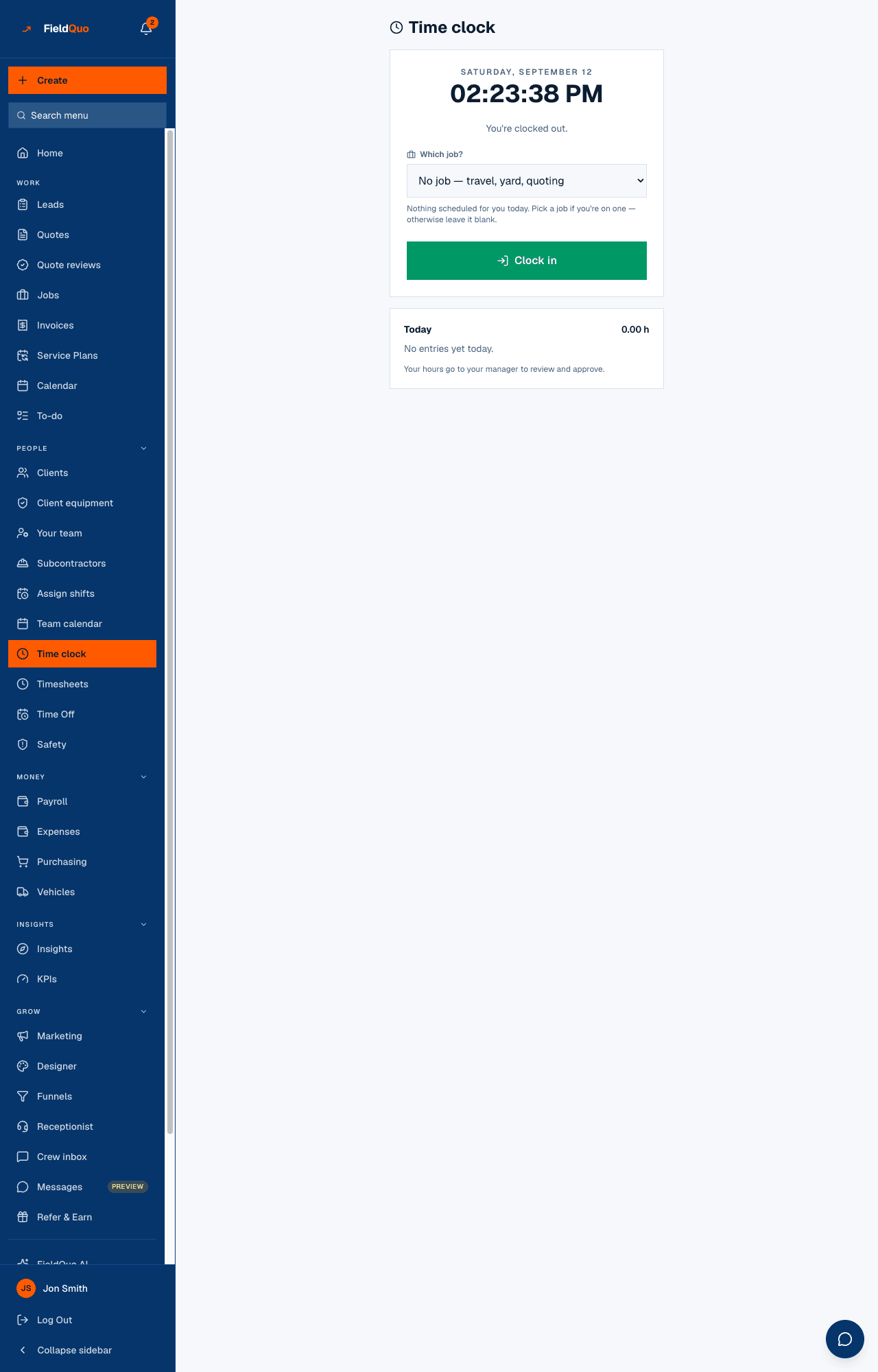
How to clock in, switch and clock out
- Pick the job under Which job?. If you have one visit scheduled today it is already selected (“You're scheduled here today — change it if you're somewhere else.”); with several, pick the one you are starting; with none, choose a job under Your other open jobs or leave No job — travel, yard, quoting.
- Press Clock in. If the browser asks where your phone is, that is the one-time position beside this punch — say yes or no; the punch records either way.
- Moved sites? Under Moved to another job? pick the new job and press Switch job. The hours so far stay on the first job and a new entry starts from now.
- Press Clock out at the end. The entry closes and appears under Today.
One open entry at a time. Clocking in while already in is refused with “You're already clocked in — clock out first.” A forgotten clock-out is fixed on Timesheets — see Timesheets: review and approve hours.
What the location stamp is, and is not
When you tap Clock in or Clock out, the phone is asked where it is — once, with your permission through the phone's own prompt — and that one position is kept beside the punch. Nothing runs in the background and nothing is tracked between taps; a browser cannot do that, and FieldQuo does not pretend to.
- On Timesheets the punch shows On site when it was within about 250 m of the job's site address, or 2.1 km away when it was not — a question for the manager, not a verdict.
- No position is shown when the phone did not answer, the job has no site address, or the reading was too rough to trust.
- Refusing the permission changes nothing about the punch. The answer is remembered for the session; you are not asked again on the next tap.
Where the hours go
- Every entry is pending until a manager approves it on Timesheets; approved hours feed payroll.
- Hours on a job feed that job's costing as labour. Hours with no job are counted and named as unattributed on the costing panel rather than dropped. See Job costing: quoted against actual.
- Correcting your own entry sends it back to pending so it is reviewed again.
Who can use it
Anyone with a worker record, at every access level — the clock is scoped to the signed-in person and nobody can punch for somebody else. Without a worker record the screen says “You're not set up as a worker yet. Ask an admin to add you under Team.”
ਅਕਸਰ ਪੁੱਛੇ ਜਾਂਦੇ ਸਵਾਲ
Do I need the app?
No. The time clock is a web page that works on whatever phone you have. See Clock in and out on your phone.
Does FieldQuo track where I am during the day?
No. It asks for one position at the moment you tap, if you allow it, and nothing in between.
I forgot to clock out yesterday.
The entry is still open. Clock out now, then tell your manager — the hours are corrected on Timesheets before they are approved.
ਕੀ ਇਹ ਮਦਦਗਾਰ ਸੀ?