

Refunds
How to return a payment to a client from the invoice — through Stripe for a card or bank payment, by hand for cash — what FieldQuo records when you do, and why the processing fee stays deducted.
本文目前提供英语、法语和西班牙语版本。您正在阅读英语版本。 Français · Español
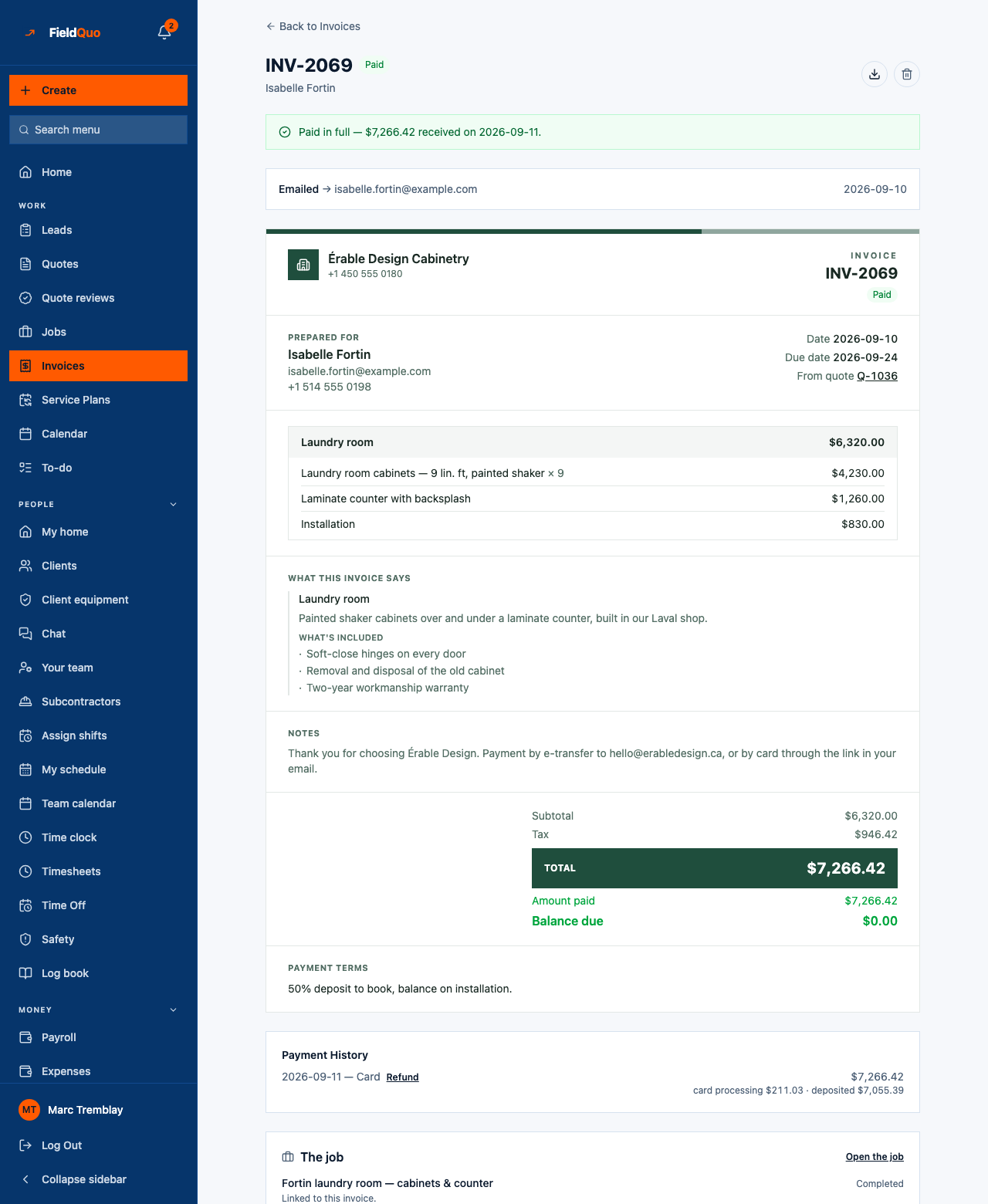
A refund returns some or all of a payment to the client. You issue it from the invoice in FieldQuo — Refund on the payment row — for the full amount or a part of it, with a reason the client will see on their invoice. A card or bank payment goes back the way it came, through Stripe; a cash, cheque or e-transfer refund is recorded with no money moving through Stripe. FieldQuo writes the refund as its own line under the payment, and the invoice's balance and status follow.
The processing fee is not returned. Stripe keeps its fee on a refunded charge, so the fee already deducted stays deducted. Refund the amount the client paid, not the net you received.
Overview
Every online payment is a Stripe charge in your company's name, and refunding it is a Stripe refund — issued from FieldQuo, because the Express dashboard behind Manage in Stripe cannot refund a charge the platform created on your behalf. FieldQuo records the refund only once Stripe confirms the money moved, once or several times on the same payment, and never issues one on its own. A read-only support session is refused: support access cannot move a company's money.
There is one refund FieldQuo does issue itself: a booking visit fee returned when a client cancels a visit inside the notice window you set. That is a separate rule — see Booking fees and visit deposits.
How to refund an online payment
- Open the invoice and find the payment under Payment History. A payment that still holds money shows Refund beside it.
- Press Refund. The dialog — Refund this payment — says how much can still be refunded from it, and asks for the Amount to refund (the whole amount or a part) and a Reason (“Job cancelled, overpaid, goodwill”).
- Read the line under the fields. For a card or bank payment: the money goes back to the client's card or bank account through Stripe, usually within 5–10 business days, and Stripe does not return its processing fee. For a cash, cheque or e-transfer payment: no money moves; it records that you returned the amount.
- Press Refund. The row appears at once — Refund (Card) — your reason, with a negative amount — and the invoice's balance and status update. A double-click or a retried submit cannot issue it twice.
Refund the invoice amount, not the net. A client who paid $2,260 expects $2,260 back; the $68.10 fee is your cost of having taken the payment, and Stripe does not return it.
What FieldQuo records
- A refund row of its own under the payment: a negative amount, the method, the reason and who issued it. The original payment keeps its amount and fee. A second partial refund is a second row, and together they can never exceed what the payment still holds.
- The invoice's paid figure drops by the refund and its balance rises by it. A fully refunded invoice reads Refunded; a partly refunded one reads Partially refunded, with a banner such as “Partly refunded — $500.00 was returned to the client.”
- Owners and administrators get a notification once Stripe confirms the refund: “Money taken back on invoice INV-1042 — Jane Tremblay”, marked Refunded. The Manager level does not — see Disputes and chargebacks for who is told.
A refund on an older version of an amended invoice is applied to the latest version, because the family of versions shares one running balance.
The fee on a refunded payment
Stripe keeps its processing fee on a refunded charge, and FieldQuo does not return its share either — the dialog says so before you confirm. A refund from the invoice, a refund made in your Stripe dashboard and the visit fee FieldQuo returns on a cancelled booking are all created with the fee deliberately not returned: returning it would leave FieldQuo paying Stripe for a payment nobody kept. So the fee you saw on the payment row is the fee you paid, refund or no refund.
If your balance cannot cover a refund, Stripe recovers the difference from your next payments before paying anything out — see the negative-balance section of Payment processing fees and payouts.
Refunding a cash, cheque or e-transfer payment
A cash, cheque or e-transfer payment is refunded from the same Refund action. The payment was not taken through FieldQuo, so no Stripe call is made: the row records that you returned the amount by hand, and the invoice's balance rises by it. The Record Payment form still refuses a negative amount — a refund is not a payment typed with a minus sign. If the invoice should show a smaller total, amend the invoice instead — see Edit an invoice after it was sent.
Who can refund
Owners and administrators, and anyone whose access has both the payments toggle and edit access to invoices — the Manager level qualifies; Crew, Estimator and Dispatcher do not. Refund only renders for them, and the request is refused for anyone else and for a read-only support session. Seeing the refund row on the invoice needs the same payments toggle.
常见问题
Is there a refund button on the invoice?
Yes — Refund, beside each payment under Payment History that still holds money. It is the only place these charges can be refunded: the Express dashboard behind Manage in Stripe cannot refund a charge the platform created for you.
Does the client get their processing fee back?
The client never paid a fee — they paid the invoice total. Refund that total. The fee was deducted from your side and stays deducted.
Will the overdue reminder chase a refunded invoice?
No. The automatic overdue reminder only chases invoices still in the sent or overdue state; a refunded or partially refunded invoice is neither.
这篇文章有帮助吗?