

Translations
Review and correct the translated names and descriptions of your products and services, language by language, with AI drafts you read before they reach a client document.
本文目前提供英语、法语和西班牙语版本。您正在阅读英语版本。 Français · Español
Settings → Documents & templates → Translations is the wording clients see on quotes and invoices written in another language — the name and description of each item in your price book, in French, Spanish or any other language FieldQuo supports. It is laid out source beside translation, one row per item, because the job is comparison: you cannot judge whether “finition” is right without “finish” next to it.
Nothing is machine-translated at send time. A quote keeps the language it was created in, and an item lands on it with the reviewed wording for that language when one exists — otherwise the source text, so a missing translation makes an unfinished-looking line, never a blank one.
What is on the screen
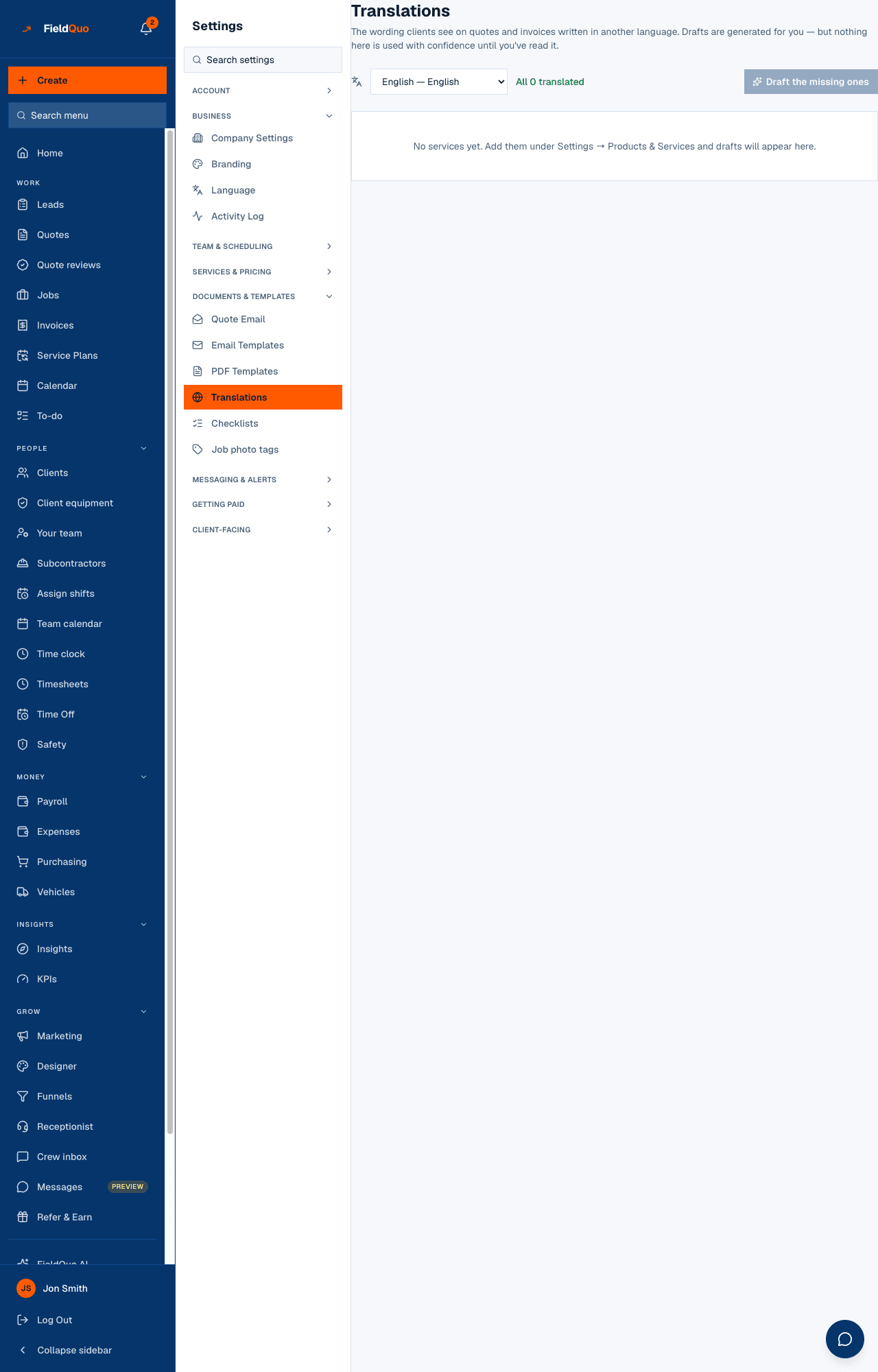
A language picker (every language FieldQuo supports except your company's own), a counter — {count} still missing or All {count} translated, plus {count} drafted, unread — and the button Draft the missing ones. Below, one row per product or service with its source text on the left, the translation boxes on the right, a status (Not translated, Drafted — not read yet, Reviewed with the date) and Mark reviewed. Rows that need attention float to the top.
How to translate your price book
- Pick the language.
- Press Draft the missing ones. Drafts land in the empty boxes, labelled AI draft — read it before saving; nothing is saved yet. Or type the translation yourself.
- Read each row against the source. Fix the trade vocabulary — “finish”, “trim”, “coat” and “run” mean one thing on a job site and another in a dictionary.
- Press Mark reviewed on each row. That is the only action that writes anything, and from then on that wording goes onto client documents.
Drafting spends your AI allowance and stops when it runs out, telling you how many are left to do. If automatic drafting is not switched on for the deployment, the page says so and you can still type the translations in.
What a reviewed translation changes
- When an item from the price book is added to a quote in that language, the quote line takes the translated name and description. A translated name with no translated description falls back to the source description and still counts as missing here.
- Sent documents are untouched. Fixing a translation changes new lines, never a quote a client has already received — a signed PDF keeps saying what it said.
- Products imported by CSV arrive in the language they were written in and show here as Not translated until you draft or type them.
The names of the trades themselves (the quote types) are not edited here; they come from FieldQuo's own catalogue in every language. The languages you send documents in and the language of each client are set under Language and on the client — see Choose your language, and your company's.
Who can see it
Saving a translation and drafting need user:manage, so the row is shown to owners, admins and supervisors. The list reads from the price book, which is why the page says No services yet. Add them under Settings → Products & Services when there is nothing to translate.
常见问题
Is a draft used on quotes before I review it?
A draft made with Draft the missing ones is not saved until you press Mark reviewed, so no. Only saved wording reaches a document.
Will fixing a translation change a quote I already sent?
No. A document keeps the wording it was created with.
Why can I not pick my own language in the picker?
The source language is your company's default; you translate away from it, not into it.
这篇文章有帮助吗?