

Quote statuses, and what each one means
Draft, Sent, Approved and Declined — what puts a quote in each, what each unlocks, and the badges that sit beside the status on the Quotes list.
ਇਹ ਲੇਖ ਫ਼ਿਲਹਾਲ ਅੰਗਰੇਜ਼ੀ, ਫ਼ਰਾਂਸੀਸੀ ਅਤੇ ਸਪੈਨਿਸ਼ ਵਿੱਚ ਉਪਲਬਧ ਹੈ। ਤੁਸੀਂ ਅੰਗਰੇਜ਼ੀ ਸੰਸਕਰਣ ਪੜ੍ਹ ਰਹੇ ਹੋ। Français · Español
A quote has exactly four statuses, and the chips across the top of the Quotes list count them. The badge beside a quote is a promise about what happened to it — Sent means an email was accepted, Approved means the client signed or you recorded their yes — so nothing here changes on its own.
Overview
The Quotes list opens with All, Draft, Sent, Approved and Declined, each with its count, then a search box and the list: number, status, client, amount and age. Quotes that were sent and never answered are promoted to the top under Quote sent, no response, oldest first, so the one that has waited longest is the one you see first.
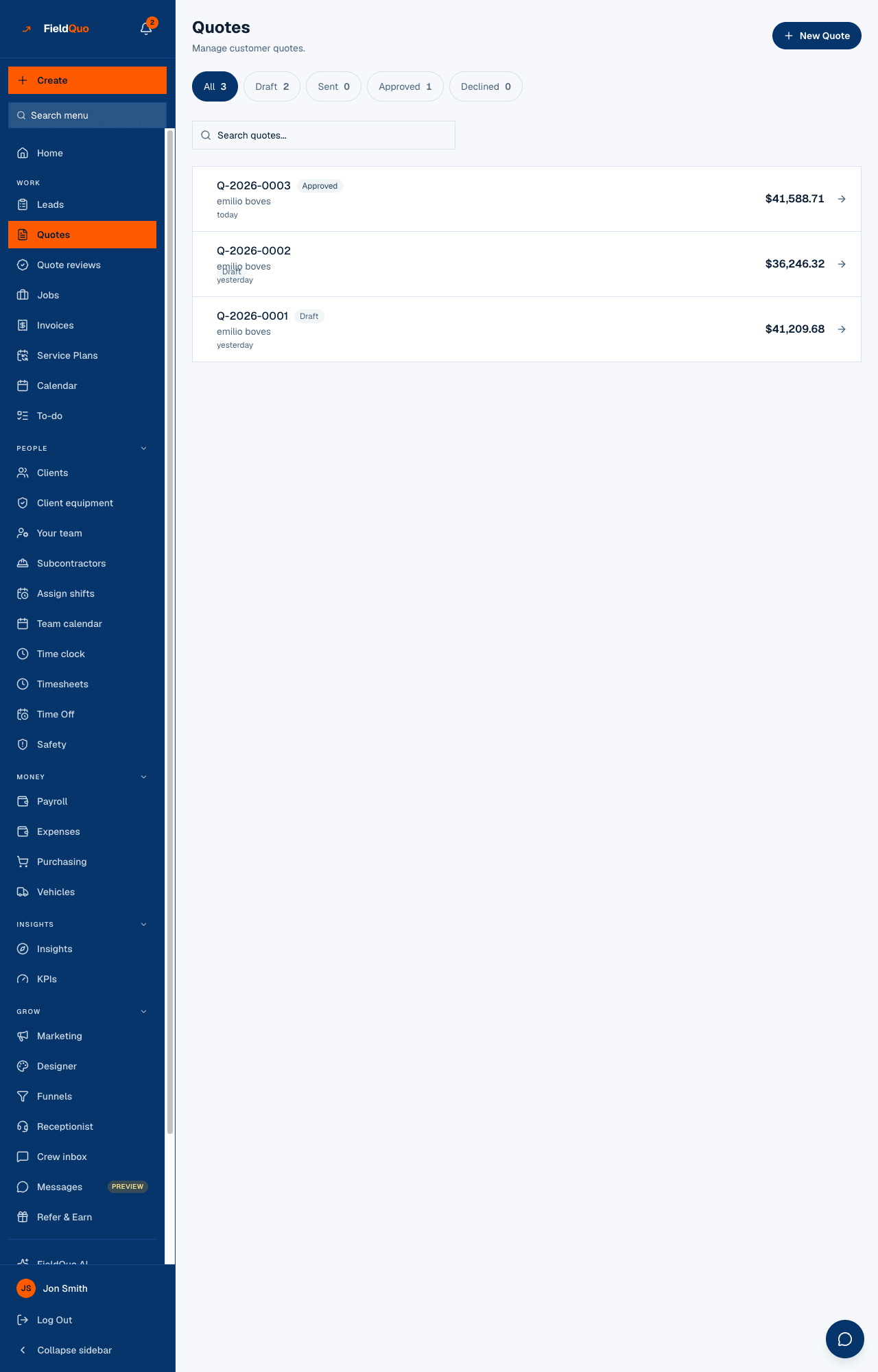
The four statuses
| Status | What it means | How a quote gets there |
|---|---|---|
| Draft | Being written. The client link is closed — a client cannot open a quote you are still working on. | Every new quote. An instant estimate stays a draft while it waits in Estimate Reviews and after it is approved there, until you send it. |
| Sent | Emailed to the client and waiting for an answer. The approval page is open. | Pressing Send, once the email service accepts the message. Also recorded by hand when a quote went out some other way. |
| Approved | The client agreed, at the approved total including any extras. A job and a draft invoice exist. | The client signs on the approval page, or you press They approved it under Get approved. |
| Declined | The client said no, with their reason if they gave one. | The client presses Decline on the approval page, or you press They declined and record why. |
Badges that sit beside the status
- Needs review — an instant estimate a homeowner priced on your website, waiting in Estimate Reviews. It cannot be sent until someone confirms the price.
- Approved — ready to send — that estimate after the price was confirmed. Still a draft; approval there is your company confirming the price, not the client accepting.
- Quote sent, no response — the group heading over sent quotes with no answer, with each one's age and its Valid until date.
- Expired in red, or Valid until in amber within 3 days of the date — only on sent quotes, because an expiry on an approved quote is history.
Recording an answer by hand
Most quotes in the trade are approved on the phone or in a kitchen, not by a click. If the only path to Approved ran through the client's page, your pipeline numbers would be wrong.
- Open the quote and press Get approved.
- Under Record their answer, press They approved it or They declined — the latter asks “Did they say why? (optional)” and records the reason for your win/loss reporting.
- A hand-recorded approval does everything a signed one does — job, draft invoice, payment schedule, lead marked won — except store a signature.
Who can change a status
Sending and recording an answer need create-and-edit access to quotes: Estimator and up. Deleting a quote needs the delete level — Manager, administrators and the owner — and a quote that has become an invoice cannot be deleted at all; void the invoice or mark the quote declined instead.
ਅਕਸਰ ਪੁੱਛੇ ਜਾਂਦੇ ਸਵਾਲ
Why is there no Expired status?
Expiry is a date on the quote, not a status. A sent quote past its date shows Expired in red on the list and refuses approval on the client's page, but it stays Sent so you can push the date out and it opens again. See How long a quote stays valid.
Can I edit a quote that is Approved?
Its lines cannot be changed — that would rewrite what was signed. Create a new quote, or see Edit a quote that was already sent for a quote that is only Sent.
Why does my quote say Sent with no date?
It was marked sent by hand, or imported. The date under a Sent badge is written only when an email is actually accepted, so a phone acceptance carries no send date rather than a made-up one.
ਕੀ ਇਹ ਮਦਦਗਾਰ ਸੀ?