

Paying for the migration service
How the paid data-migration service is priced, accepted and paid — through FieldQuo's billing, never your Stripe account — and what the price does and does not buy.
Sa ngayon, available ang artikulong ito sa Ingles, Pranses at Espanyol. Binabasa mo ang bersyong Ingles. Français · Español
The data-migration service is FieldQuo staff bringing your old clients and quotes into your account by hand, for a price FieldQuo sets after seeing what you have. You request it, FieldQuo prices it, you accept the price, you pay it, and only then does anyone write anything into your account. This article is the money half of that; the service itself is described in The data migration service.
The payment is FieldQuo billing your company — one payment, through Stripe, on the same customer record as your subscription. It never touches the Stripe account your clients pay you through.
Overview
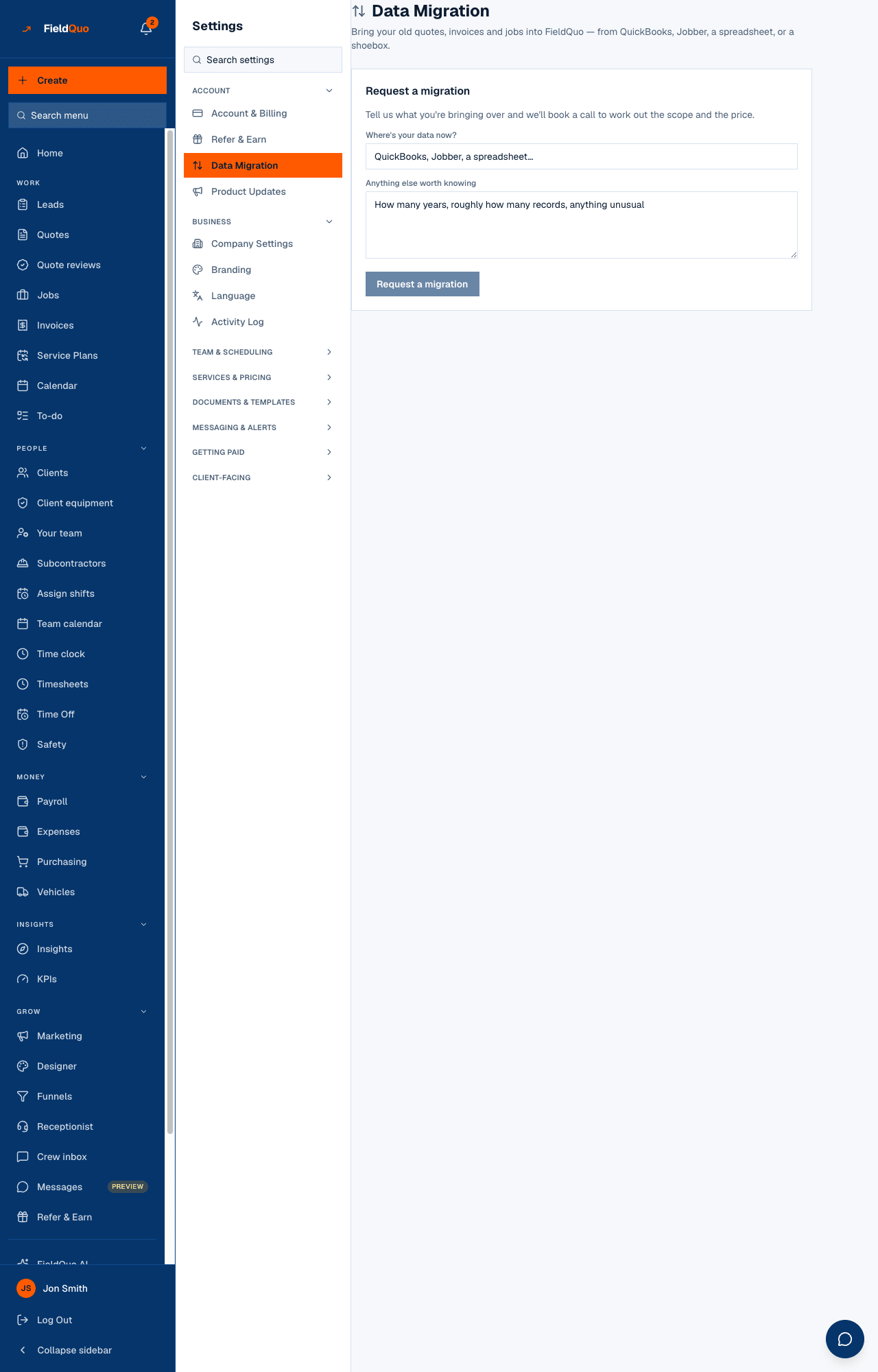
Everything happens on Settings → Data Migration. The request card shows where your data is coming from, its status, and — once FieldQuo has priced it — the price with a note, and Accept / Decline. Accepting turns the card into a payment step with Pay and start migration; paying turns it into a progress card, and What's been brought in fills up below as records are added.
The price and its currency are set by FieldQuo on the request. The browser never sends an amount to Stripe — the checkout is built from the request's own price on the server, the same rule every other payment in FieldQuo follows.
From request to paid
- Press Request a migration and say where your data is now (QuickBooks, Jobber, a spreadsheet…) and anything else worth knowing. The card reads Requested.
- Optionally book a call under Book a call with FieldQuo to work out the scope; the card reads Call booked. You can upload the exports under Documents at any point up to here or later.
- FieldQuo prices it. The card reads Quote ready, with the price and a note explaining it.
- Press Accept. The card reads Accepted — payment due, with the line “pay when you're ready to start”. Or press Decline, which ends the request.
- Press Pay and start migration. Stripe's checkout opens; pay there. When you return the card reads Paid and says FieldQuo will be in touch. If you closed the tab after paying, Stripe's own confirmation still marks it paid.
- Once staff begin, the card reads In progress; when they finish, Completed. Every client and quote they created is listed under What's been brought in.
The statuses
| Status | Meaning | Can you cancel? |
|---|---|---|
| Requested | Received; not yet priced | Yes — Cancel this request |
| Call booked | A scoping call is scheduled | Yes |
| Quote ready | FieldQuo has set a price | Yes, or Decline |
| Accepted — payment due | You accepted; nothing is written until you pay | Yes |
| Paid | Payment received; staff have not started | No — it is a support conversation |
| In progress | Staff are creating records | No |
| Completed | Done | — |
| Declined | You declined the price | — |
| Cancelled | Cancelled by you or by FieldQuo | — |
What the price buys, exactly
- New clients and new quotes, created by a FieldQuo superadmin inside your account. Nothing that already existed is ever updated or deleted.
- Every write is logged — who, when, which migration, what was created — in the same transaction as the record itself.
- Writes are only possible while the request is Paid or In progress, and that is re-checked on every single write, never trusted from an earlier moment.
- Not invoices, not jobs, not an automatic import. There is no “Import from QuickBooks” button; a person reads your export and keys the records in. Invoices and jobs are not part of the service today.
Refunds and cancelling
Before you pay, Cancel this request ends it and nothing is owed. After you pay, the button is gone: backing out of a paid migration is a support conversation, and FieldQuo can call it off from its side — the moment it does, the write path closes.
FieldQuo does not issue an automatic refund when a paid migration is cancelled. If one is owed, it is made by hand from the Stripe dashboard. Ask for it in the same conversation.
Who can see it
The owner and administrators — the Data Migration row is a billing screen, gated the same way as Account & Billing, and the request, accept and pay actions are refused on the server for anyone else. What was brought in is ordinary client and quote data afterwards, visible to whoever can see clients and quotes.
Mga madalas itanong
Is the migration billed through my Stripe account?
No. It is FieldQuo charging your company, through FieldQuo's own billing, the way your subscription is. Your clients' payments and your payouts are untouched.
Does anything get written into my account before I pay?
No. Writes are refused until the request is Paid, and refused again the moment it is cancelled or completed.
Can FieldQuo change a quote I already had?
No. The service creates new records only. Existing quotes, clients and invoices are never updated or deleted by FieldQuo staff.
Nakatulong ba ito?