

Marketing campaigns
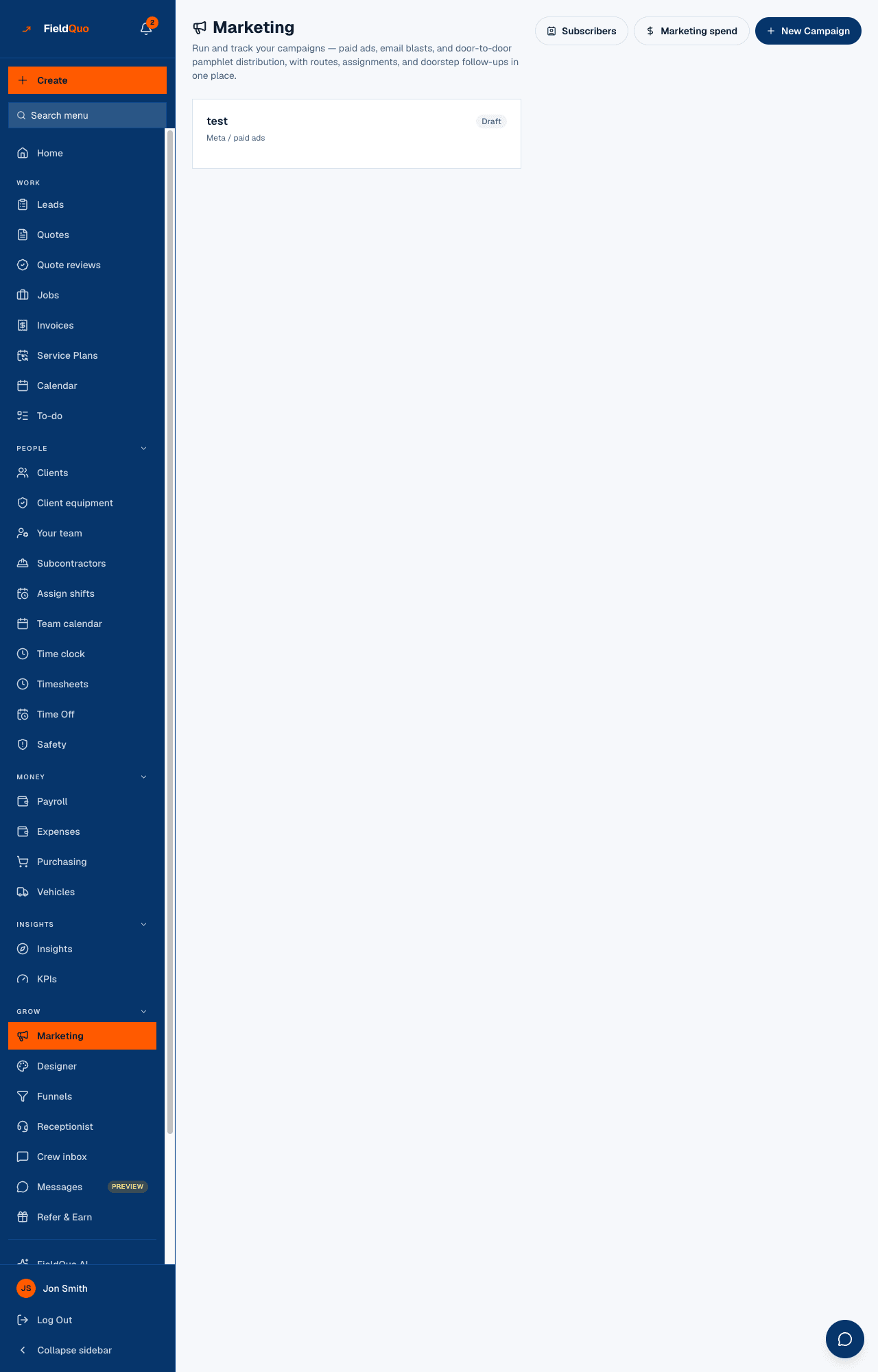
The Marketing screen: one card per campaign — pamphlet distribution, Meta / paid ads, email blast or other — with its kind, status, progress and owner, plus Subscribers and Marketing spend beside it.
本文目前提供英语、法语和西班牙语版本。您正在阅读英语版本。 Français · Español
Marketing is the shelf your campaigns sit on. A pamphlet drop is worked stop by stop from a phone and shows 26/40 stops · 9 spoke to; an email blast shows its template and Sent to … with the count; a paid-ads record shows its budget and a link to the ad manager. This article is the screen, the New Campaign form and the four kinds; the pamphlet route, the email send and the spend report each have their own article.
Overview
Under the title — “Run and track your campaigns — paid ads, email blasts, and door-to-door pamphlet distribution, with routes, assignments, and doorstep follow-ups in one place.” — sit Subscribers, Marketing spend and New Campaign. Each campaign is a card. A pamphlet or email card opens its own page; a paid-ads or other card is a record and opens nothing, because the work happens in the ad platform.
What is on the screen
- The card's name and a status chip: Draft, Active, Paused, Sent, Partially sent or Archived.
- Its kind: Pamphlet distribution, Meta / paid ads, Email blast or Other.
- Its progress — a pamphlet route shows visited/total stops with a bar and … spoke to; an email shows the template name and Sent to … or Not sent yet; an ad shows Budget … and linked when a link was entered.
- Who it is assigned to — and under the card, its status buttons: Activate or Pause (Resume when paused), and Archive; an archived card shows Restore. Once you have any, a Show archived (n) link at the top right brings them back into view.
- With nothing yet: No campaigns yet. Create one to start tracking your marketing.
How to create a campaign
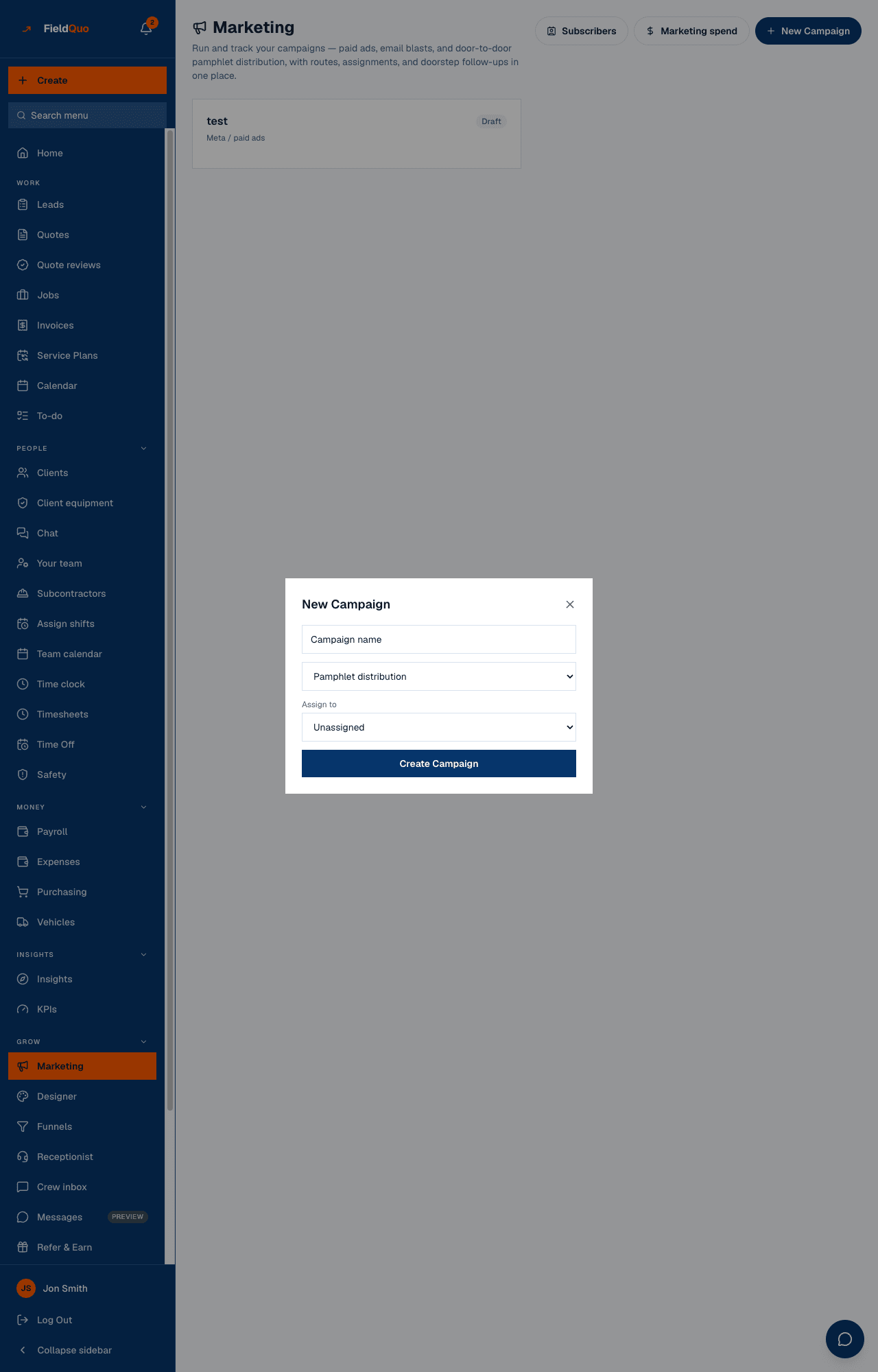
- Open Marketing under Grow and press New Campaign.
- Type the Campaign name and pick the kind.
- Assign to a person, or leave Unassigned. For a pamphlet drop this is who walks the route.
- For Email blast, choose the Template to send — only marketing and custom templates are offered; if you have none, create one under Email Templates first, the form says so. For Meta / paid ads and Other, enter a Budget (optional) and a Link (Meta Ads Manager, etc.).
- Press Create Campaign. The card appears; a pamphlet or email card opens on tap.
The four kinds
| Kind | What the campaign holds | Read next |
|---|---|---|
| Pamphlet distribution | A route of addresses, ordered into an efficient walk, each stop marked Delivered, Spoke to owner, Not home or Skipped from the phone, and a spoke-to homeowner turned into a client on the spot | Pamphlet and door-hanger routes |
| Email blast | One template sent once to everyone currently subscribed, from your own sender, with a count of who it reached | Email campaigns and subscribers |
| Meta / paid ads | A budget and a link to the ad manager, as a record | Marketing spend and Connect your Meta ad account |
| Other | A budget and a link, for anything else — a radio spot, a sponsorship | Marketing spend |
The Budget on a paid-ads or other card is what you set aside for the campaign's whole life. It shows on Marketing spend as Budgeted (campaigns) beside what was actually spent on that channel, and never enters a total or a cost per lead — those read only the spend you logged or synced. See Marketing spend.
Statuses
- Draft — every new campaign. On a pamphlet, paid-ads or other campaign, press Activate when the route is being walked or the ads are on; the chip reads Active.
- Active and Paused — Pause puts an active campaign on hold and Resume brings it back. An email campaign has neither button: sending is the act, and its chip is written by the send itself.
- Sent — an email campaign once every subscriber has been sent it. Partially sent — a send that stopped partway; the campaign page offers Resume send, which mails only the people not yet reached. Nothing you press sets these two.
- Archived — Archive on any campaign, after a confirmation (Archive? It leaves the list; nothing is deleted.). The card leaves the list behind Show archived, its budget leaves the Spend page, and every stop, delivery and note it holds is kept. Restore brings it back as a draft.
Who can see it
The Marketing row, the list, the subscribers and the spend report are for owners, administrators, Dispatchers and Managers, and so are the Activate, Pause, Archive and Restore buttons. Marking a stop on a pamphlet route is fieldwork and is open to any active member, and a campaign's own page hides its budget and notes from anyone below that level — but Crew and Estimators have no row to reach the list from, so hand them the campaign's link directly.
常见问题
Can I delete a campaign?
No, on purpose — deleting would take every doorstep record and every delivery with it. Press Archive instead: the campaign leaves the list, keeps everything, and Restore brings it back. Stops on a pamphlet route can still be removed one by one.
Does a Meta campaign here connect to my Meta ad account?
Not from this card — it holds a budget and a link. The ad-account sync, lead forms and spend import live under Settings → Meta Ads.
Where do the email addresses for a blast come from?
From Subscribers — the people who are currently subscribed. Anyone who unsubscribed is left out automatically.
这篇文章有帮助吗?