

KPIs: Profit
Gross and net margin on a typical completed job, labour cost as a share of revenue, and revenue per employee — how each is worked out from approved hours and logged expenses, and the four reasons a margin refuses to print.
本文目前提供英语、法语和西班牙语版本。您正在阅读英语版本。 Français · Español
Profit — Rolled up across every completed job in the period, off approved hours and logged expenses only. Four cards: Gross margin (typical job), Net margin (typical job), Labour cost, % of revenue and Revenue per employee.
The margins are the most fragile numbers on the page, because they rest on what the crew logged and what was entered as an expense — a crew that logs time badly shows a better margin. So the section flags a knowably short figure and refuses to print one it cannot stand behind.
Overview
The population is every job completed in the period. A job's revenue is the total of the invoices raised for it — the latest version of each, drafts excluded — and its direct cost is the expenses logged against it plus approved hours × pay rate, the same arithmetic as Job costing: quoted against actual on the job page.
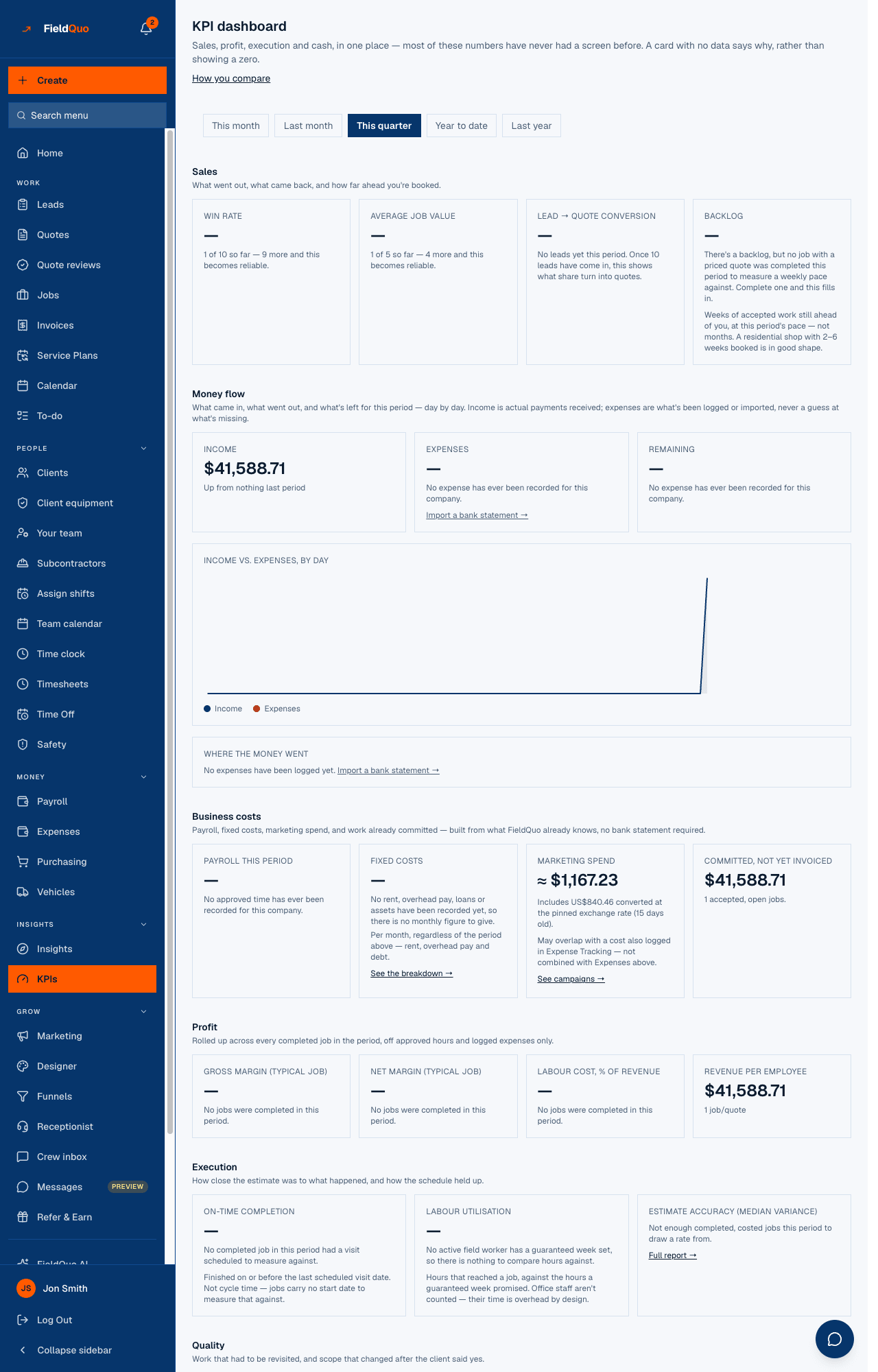
The four cards
| Card | What it is | Floor |
|---|---|---|
| Gross margin (typical job) | The median of (revenue − direct cost) ÷ revenue across completed jobs — a typical job, not a money-weighted average one enormous job could dominate. | 5 completed, priced jobs |
| Net margin (typical job) | The same median with the company's overhead per job added to each job's cost. | 5 jobs, and a weekly job capacity set |
| Labour cost, % of revenue | All labour cost ÷ all revenue across those jobs — one company-wide ratio, because a wage bill is one line the owner reads as one number. | 5 jobs |
| Revenue per employee | Invoices marked paid in the period ÷ the number of active team members today. | At least one active team member |
How the margin is worked out
- Direct cost is materials and other job expenses logged against the job, plus labour: approved hours on the job × each worker's pay rate. No overhead — that is what makes it gross.
- Overhead per job comes from Settings → Overhead: the monthly burn divided by the jobs you said you can take on in a week. It is null, not zero, until Jobs per week is set, and net margin inherits that refusal exactly rather than quietly falling back to the gross figure.
- A completed job with no invoice, or an invoice total of zero, is excluded and counted — never priced at $0.
- Revenue per employee uses the same cash measure as Home's Revenue this month, so the two can never quietly disagree; the headcount is today's, because a worker count has no history to read.
- A job whose hours carry no pay rate, or whose hours are still awaiting approval, is marked incomplete; the card shows the warning triangle and “some data missing” rather than averaging over the gap.
When a margin refuses to print
- “No jobs were completed in this period.” — the population is empty.
- “No completed job in this period had both a revenue figure and a cost to compare.” — jobs finished, but none was invoiced.
- “{n} of 5 so far — {m} more and this becomes reliable.” — under the floor. At five jobs, all landing the same side of a coin flip is already under one in ten; fewer is noise.
- “Set how many jobs a week you can take on in Settings → Overhead, and net margin can be worked out.” — net margin only, with a Set your weekly job capacity → link; the field is Jobs per week on Settings → Overhead.
The materials trap: when the jobs show at least $200 ticked off the materials buy-list but a tenth of that or less entered as expenses, both margins are suppressed with an amber note — “Job costing only reads expenses, so the margin below would be fiction — it's suppressed until materials purchases are logged as expenses too.” Labour cost % still prints, because it does not depend on materials.
Who can see it
Part of the page's single gate, and the reason the gate includes the Job costing switch — see The KPI dashboard. Manager, owners and administrators see it; Crew, Estimator and Dispatcher are refused the page. Overhead per job is read from Settings → Overhead, which an owner, administrator or Manager can edit.
常见问题
Why is net margin blank when gross margin has a value?
Net needs the overhead per job, and that needs Jobs per week on Settings → Overhead. Until it is set, the page refuses to guess it.
Why median and not average?
One $60,000 job among ten $4,000 ones would set the average. The median is the job in the middle — what a typical job of yours makes.
My crew forgets to clock in. Does that make the margin wrong?
It makes it optimistic — missing hours are missing cost. Approve hours from Timesheets; the card flags jobs with unrated or pending hours as incomplete.
这篇文章有帮助吗?