

Update your payment method
Change the card FieldQuo charges through Stripe's billing portal, and what happens the moment you come back — especially if a failed payment had put the account on hold.
ਇਹ ਲੇਖ ਫ਼ਿਲਹਾਲ ਅੰਗਰੇਜ਼ੀ, ਫ਼ਰਾਂਸੀਸੀ ਅਤੇ ਸਪੈਨਿਸ਼ ਵਿੱਚ ਉਪਲਬਧ ਹੈ। ਤੁਸੀਂ ਅੰਗਰੇਜ਼ੀ ਸੰਸਕਰਣ ਪੜ੍ਹ ਰਹੇ ਹੋ। Français · Español
The card on file is held by Stripe, never by FieldQuo, so it is changed on Stripe's own billing portal. One button on Account & Billing takes you there and brings you back: Manage billing & payment method.
This article is the two-minute version of that trip, plus the one case where it matters most — a card that expired, a payment that failed, and an account counting down its grace period.
Overview
Your subscription is a Stripe subscription on a Stripe customer created for your company at your first checkout. The card, the billing address and the invoices all live on that customer. FieldQuo keeps none of the card details — not even the last four digits, which it asks Stripe for when it writes a renewal reminder.
The portal is Stripe's hosted page, opened in the same tab with a return link back to Account & Billing. When you come back, the page asks Stripe for the current state of the subscription straight away rather than waiting for a webhook, so a fixed card shows as fixed at once.
How to change the card
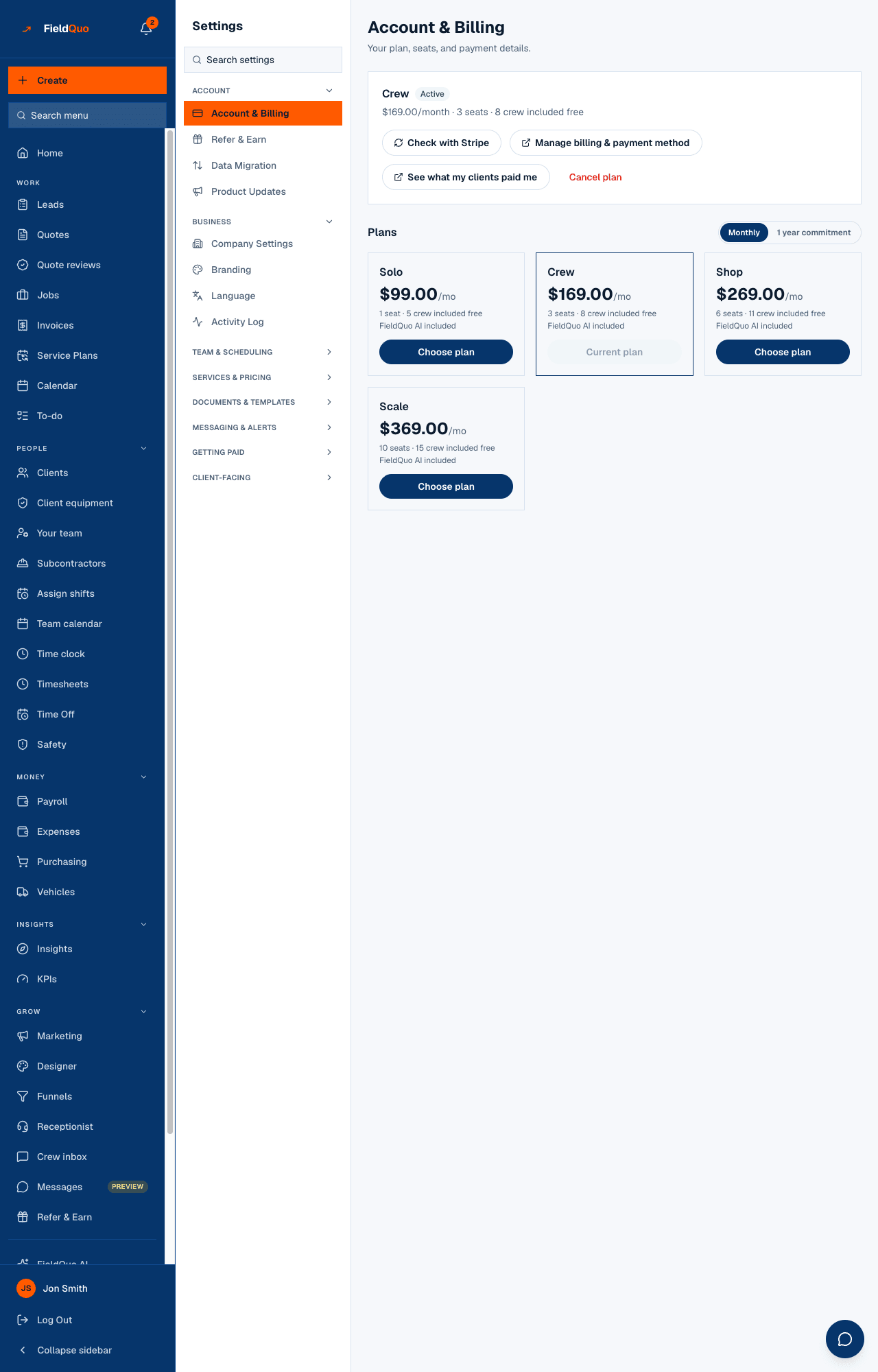
- Open Account & Billing — Plan at the bottom of the sidebar, or Settings → Account & Billing.
- Press Manage billing & payment method. The button reads Opening... and the tab moves to Stripe's portal, which shows your company's name.
- On the portal, add the new card under its payment-method section and make it the default; remove the old one if you want. Update the billing address there too if it changed — Stripe uses it to work out the tax on each charge.
- Use the portal's return link. You land back on Account & Billing, which reads Checking with Stripe… for a second and then shows the current state.
The button needs a billing history to open — a company that has never been through checkout sees No billing history yet — start a plan first. Choose a plan on the same page and the portal works from then on.
After a failed payment
If a renewal charge fails, the plan card reads Overdue and the account goes read-only for 7 days: everyone can see their work, nobody can add to it. After seven days it is locked to the billing screen. Nothing is ever deleted — see Failed payments and the grace period.
Fixing the card is the same trip as above. The difference is what happens when you return: because the lock is enforced when the app loads, the page reloads the whole app after checking with Stripe, so the sidebar comes back the moment the payment goes through rather than whenever a webhook happens to land. If you fix the card and the app still looks locked, press Check with Stripe on the billing page.
The failed charge is an open invoice on the portal. Pay it there by hand with the new card if you do not want to wait for Stripe's next attempt; either way, the Overdue chip turns back to Active as soon as Stripe reports it paid.
What else the portal does
- Invoices and receipts — every charge FieldQuo has made, downloadable as PDF. See Invoices and receipts from FieldQuo.
- Billing address and tax number — the address decides the tax Stripe adds; a business number entered here appears on the invoices.
- Not the plan. Changing tier or cadence is done on Account & Billing, where the timing rule and the confirmation dialog live — see Change your plan. Cancelling is Cancel plan on the same page, which asks why and tells you what happens to your records.
Who can do it
Owners and administrators. The portal route refuses everyone else with Only an owner or admin can change the plan or billing details. — a supervisor who can invite people still has no business reading the company's payment history.
ਅਕਸਰ ਪੁੱਛੇ ਜਾਂਦੇ ਸਵਾਲ
The button says Could not open billing portal.
Nothing about your plan has changed. Try again in a moment; if it keeps failing, the error banner says why, and support can see the same message on their side.
Can I pay by bank transfer or cheque instead of a card?
No. The subscription is charged to a card on file through Stripe.
Does the new card take effect for the charge that already failed?
The failed charge stays as an open invoice on the portal until it is paid — pay it there against the new card. Press Check with Stripe if the page has not caught up afterwards.
ਕੀ ਇਹ ਮਦਦਗਾਰ ਸੀ?