

Industry and quote types
The trades you named at signup and the quote types they unlocked — what the card shows, where the quote types are actually changed, and what they decide elsewhere in FieldQuo.
ਇਹ ਲੇਖ ਫ਼ਿਲਹਾਲ ਅੰਗਰੇਜ਼ੀ, ਫ਼ਰਾਂਸੀਸੀ ਅਤੇ ਸਪੈਨਿਸ਼ ਵਿੱਚ ਉਪਲਬਧ ਹੈ। ਤੁਸੀਂ ਅੰਗਰੇਜ਼ੀ ਸੰਸਕਰਣ ਪੜ੍ਹ ਰਹੇ ਹੋ। Français · Español
Industry & Quote Types is a small card on Company Settings that reflects two lists: the Industries you picked when the company signed up, and the Enabled quote types currently switched on under Services & Pricing. Nothing on the card is edited in place — it is a mirror, with a Manage link to the screen that does the editing.
It earns its place because those two lists decide what a new quote can be, which price-book items can be attached to it, and which settings rows your company even sees.
Overview
The card reads What you told us your business does, and which quote types that unlocked. Industries are one of twelve trades — Cleaning, Construction & Contracting, Electrical, HVAC, Handyman, Landscaping, Lawn Care, Painting, Plumbing, Pressure Washing, Roofing, Tree Care. Quote types are the categories from the trade catalogue you have enabled, plus any custom ones you created.
What is on the screen
Two rows of chips:
- Industries — one chip per trade named at signup, or None selected. There is no control here or anywhere else in the app to change them after signup.
- Enabled quote types — one chip per enabled category, with a · custom suffix on the ones you created yourself, and a Manage link on the right. With none enabled the card says None turned on yet — go to Settings → Services.
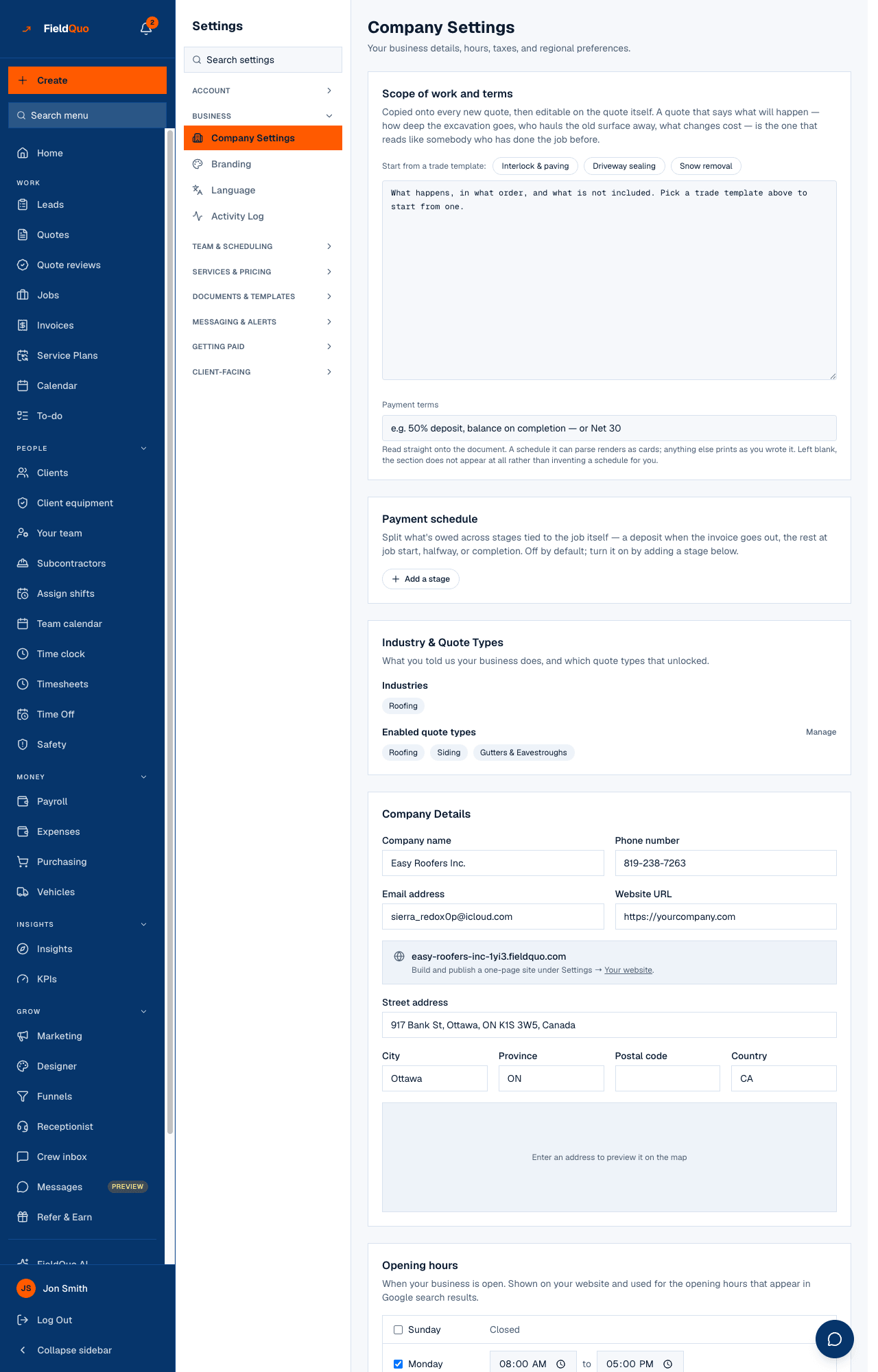
How to change your quote types
- Open Settings → Company Settings and find Industry & Quote Types.
- Press Manage beside Enabled quote types. You land on Services & Pricing with a bar at the top that takes you back to Company Settings.
- Enable or disable categories there, or add a custom one — see Quote types and takeoffs and Services & Pricing.
- Return to Company Settings; the chips reflect the change at once.
Services & Pricing shows the catalogue categories that fit your industries by default, with a way to show every trade. A plumber lands on plumbing quote types rather than the whole catalogue, but nothing is out of reach.
What the two lists change
- The quote builder offers exactly the enabled quote types when someone starts a new quote, and each type carries its own takeoff fields and wording.
- The price book — an item under Products & Services can be linked to a quote type, so a painting line never appears on a roofing quote.
- The Settings menu itself — Material Costs and Cabinet Pricing are drawn only when an enabled quote type prices that way. Enable cabinetry and the rate card appears; disable it and the row goes.
Who can see it
The card is on Company Settings, so the owner, administrators, Managers and Dispatchers see it with the Manage link; a team member with read-only access sees the same chips without it. Services & Pricing itself is drawn for anyone whose See prices switch is on.
ਅਕਸਰ ਪੁੱਛੇ ਜਾਂਦੇ ਸਵਾਲ
Can I change my industries?
Not in the app today. They were recorded at signup and no screen edits them. The list that matters day to day — the enabled quote types — is fully yours to change under Services & Pricing.
What does the · custom suffix mean?
That quote type is one your company created rather than one from FieldQuo's trade catalogue.
I disabled a quote type. What happens to quotes that used it?
Nothing — a quote keeps its type. It just stops being offered for new quotes.
ਕੀ ਇਹ ਮਦਦਗਾਰ ਸੀ?