

How to get help
Where the answers are — the Help screen in the app, the public help centre in three languages, and how to reach a person at FieldQuo.
Поки що ця стаття доступна англійською, французькою та іспанською. Ви читаєте англійську версію. Français · Español
Most questions are answered by the screen you are on: every sidebar row and every Settings row has an article, in your language, with the real screen in it. When that is not enough, there is one address that reaches a person, and a read-only way for that person to look at your account with you.
Overview
Three layers. Help in the sidebar is the in-app help centre. The public help centre is the same articles, in English, French and Spanish, reachable without signing in — which is why you can send a link to a teammate on their first day. And FieldQuo's own support is by email; there is no phone line, no live chat, and no ticket form inside the app.
The Help screen in the app
- Open Help at the bottom of the sidebar. The title reads Help Centre, with a search box under it.
- The guide for every screen — the panel at the top — lists every row of the sidebar and of Settings you can see. Each name opens that screen's article on the public help centre, in your language, in a new tab. Open the help centre takes you to its home page.
- Below it, Replay the setup walkthrough restarts the welcome tour — see Replay the setup walkthrough.
- Under that, the in-app articles by topic — Getting started, Quoting & invoicing, Jobs & clients, Troubleshooting and so on. They open in place.
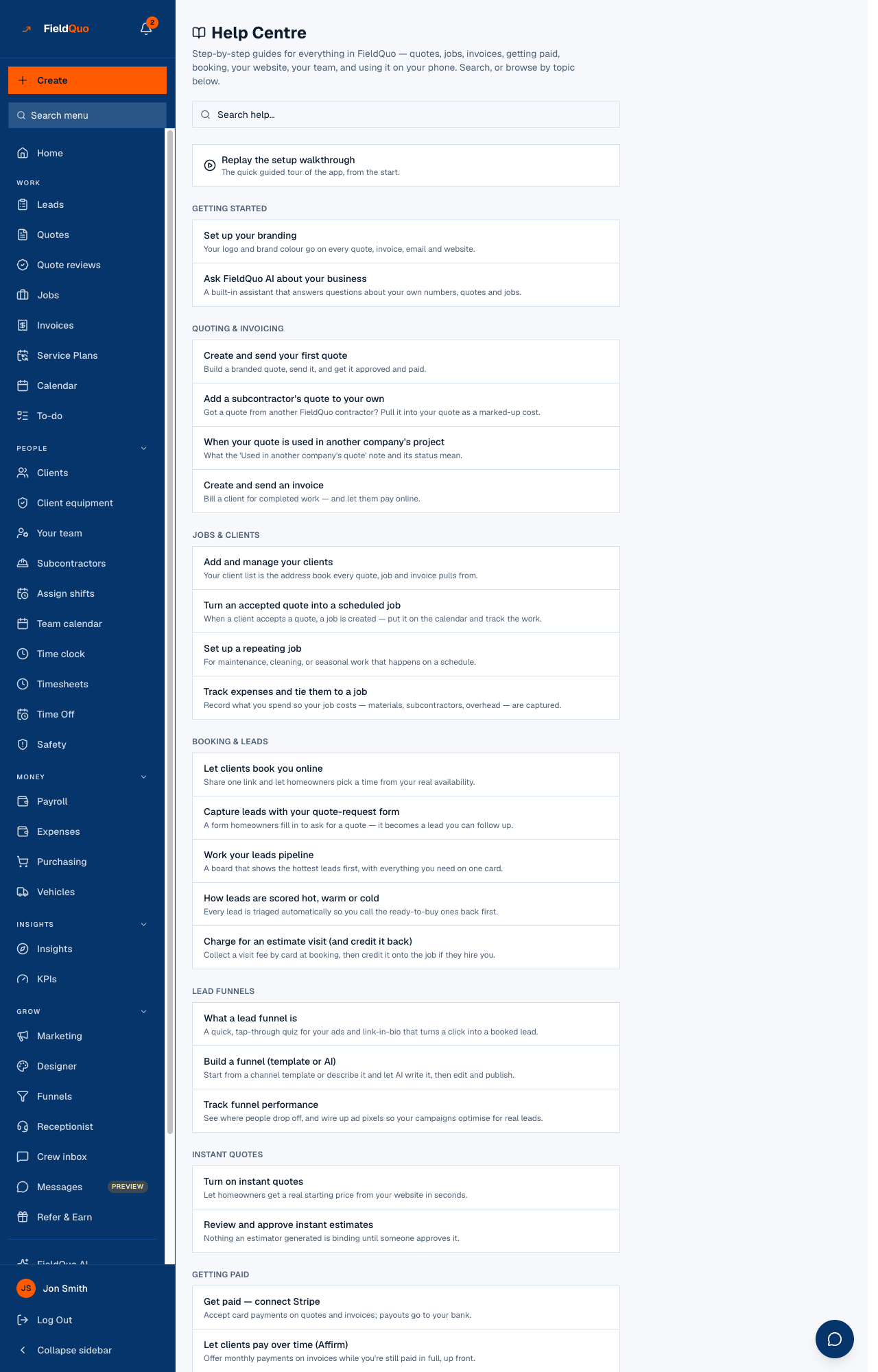
The in-app articles are in English only today. The articles behind The guide for every screen — this help centre — are the ones written in French and Spanish.
The public help centre
This site. Articles in English, French and Spanish, grouped by category, with a search box and a figure of the real screen wherever one exists. If you use the app in another language, you get the English article with a notice at the top saying so.
At the bottom of every article is a Was this helpful? vote. It records the article and the answer, and nothing else — no name, no email, no free text — so use it freely.
How to reach a person at FieldQuo
- Email hello@fieldquo.com. Put your company name in the subject and, if it is about a number or a domain, the number or the domain — a message that can be placed on the first read is answered on the first read.
- The Contact Us page on the public site — name, email, message — reaches the same people. It confirms with “Thanks for reaching out — we'll get back to you shortly.”
- The Phone receptionist settings screen links straight to that address with the subject already filled in when a number is stuck; other screens that say “get in touch” mean the same address.
Include what you were doing, what the screen said (the exact sentence), and the quote or invoice number if there is one. A screenshot of a red message saves a round trip.
What support can see when they look at your account
A FieldQuo support person can open a read-only view of your account to look at a problem with you. Read-only is enforced twice on the server: nothing can be created, edited, sent or deleted from that session, and it cannot post in your chat. Every such session is logged, and anything it touches shows in Settings → Activity Log flagged support session.
Support will talk you through a change or ask you to make it; it will never make it for you. The one sanctioned exception is the paid migration service, where FieldQuo creates new records you asked for — see The data migration service.
Часті запитання
Is there a phone number for support?
No. Support is by email at hello@fieldquo.com, or through the Contact Us page.
Can support change something in my account for me?
No. Support access is read-only and stays that way. They will walk you through it.
Where do I see what is new in FieldQuo?
Settings → Product Updates is a dated changelog. Every level of access can open it.
Чи була ця стаття корисною?