

What happens when a quote is approved
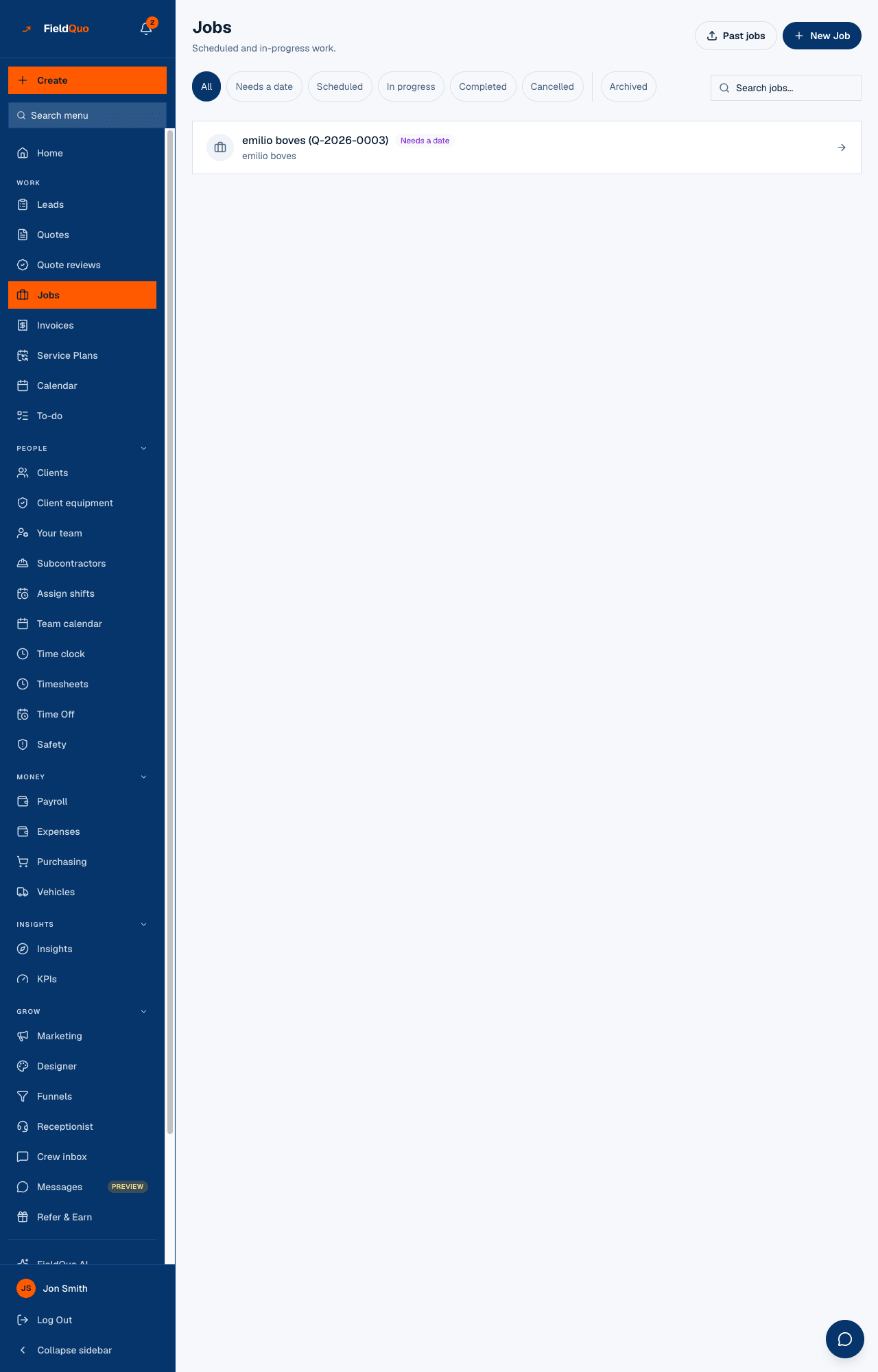
An approved quote becomes a job waiting for a date, a draft invoice, a to-do to schedule it and a Won lead — the same whether the client clicked the link or you recorded it by hand.
本文目前提供英语、法语和西班牙语版本。您正在阅读英语版本。 Français · Español
There is no Convert to job button, because you never need to press one. The moment a quote is approved — by the client on their link, or by you on the Get this approved screen — FieldQuo creates everything the next stage needs, once, and never twice.
This article lists exactly what gets created, where it lands, and the one case where nothing happens on purpose.
Overview
Approval used to mean different things depending on the door it came through: a client clicking the link created a job and an invoice, a staff member recording a phone approval created nothing. That was a bug, and it is fixed at the root — both doors run the same code, so a yes on the phone and a yes on the link leave the company in the same state.
Everything below is best-effort and idempotent: a double-click, a retried webhook or a second approval after the first already ran will not produce a second job or a second invoice.
What is created
| Created | Where it lands | Details |
|---|---|---|
| A job | Jobs, status Needs a date | Titled with the quote type, the client's name and the quote number, linked to the quote. One job per quote. |
| A draft invoice | Invoices | The quote's lines and photos copied across — an invoice mirrors the quote it came from. One primary invoice per quote. |
| A to-do | To-do, high priority | Reminds someone to schedule the job. No due date is invented, because FieldQuo does not know your turnaround. |
| The lead's status | Leads, marked Won | Only if the quote was converted from a lead. A quote typed from scratch has no lead to move. |
| Payment-schedule stages | The invoice | Only if your company has a payment schedule under Settings → Company. The deposit stage is requested straight away; later stages wait for the job's dates. |
| The decision date | The quote | Stamped once, the first time the quote is approved, so it never moves on a later edit. |
The two ways a quote gets approved
- The client, on their link. They approve on the page the quote email points to, with a signature if you ask for one. The owners and administrators are emailed, the client receives the signed PDF, and the steps above run. See Online approval and signature.
- You, on Get this approved. Open the quote, press Get approved, and under Record their answer press They approved it. No email goes to the client — you have already spoken to them — but the job, the invoice and the to-do are created exactly the same way. They declined records a decline and, optionally, the reason.
The activity log names what each approval produced — for example “Quote Q-2026-0031 marked accepted — job created, ready to schedule, invoice INV-0042 drafted”.
The Convert to Invoice button
On an approved quote that has no invoice yet, the quote page shows Convert to Invoice. It exists as a fallback for the rare case where the automatic invoice could not be created. Pressing it when the invoice already exists returns that invoice rather than making another.
When nothing happens on purpose
A quote entered as a past job — from the Jobs screen's import of history — already carries its job and its paid invoice with the real dates. Flipping its status does not raise stages, does not email a deposit request and does not ask anyone to schedule work done in 2024.
A declined quote creates nothing. It records when, and why if anyone said — the reason is the half that changes what you do next.
Who can record an approval
Recording a decision on the Get this approved screen is a quote edit, so it needs Quotes at View, create, and edit or higher — Estimator, Dispatcher, Manager, owner or administrator. The client needs nothing but their link.
常见问题
The job has no date. Is that a problem?
No — that is the point of Needs a date. Open it from Jobs or from the to-do and book the first visit. See The job page.
Can I approve a quote without creating an invoice?
Not on the approved path. The draft invoice is created alongside the job; you can leave it as a draft and edit it before sending.
The client approved twice by mistake. Do I have two jobs?
No. The job, the invoice and the to-do are each created once per quote, whichever door the approval came through and however many times.
这篇文章有帮助吗?