

Tasks
The internal to-do list — chase a deposit, order material, call a client back — sorted by what will hurt most if you leave it, with tasks FieldQuo raises for you at the moments something is owed.
本文目前提供英语、法语和西班牙语版本。您正在阅读英语版本。 Français · Español
Tasks are internal reminders for you and your team. A job is scheduled work at a client's address; a task is the office admin around it — the follow-up call, the order to place, the review to ask for. The To-do row in the sidebar opens the list.
The list is sorted by urgency rather than grouped by status, because the question people open it with is “what have I let slip”. Overdue tasks sit at the top whatever their priority; a low-priority task two weeks late still needs a decision.
What is on the screen
The heading Tasks, a line saying what tasks are, and a count of open tasks. Then one row per task: a tick, the title, a priority chip (High, Urgent or Low — Normal shows no chip), a red overdue badge when the due date has passed, the description, the Due date, who it is assigned to, the client, and a link to the job it belongs to. A task that must have photos shows 0/3 photos; one that must have a comment shows Needs a comment.
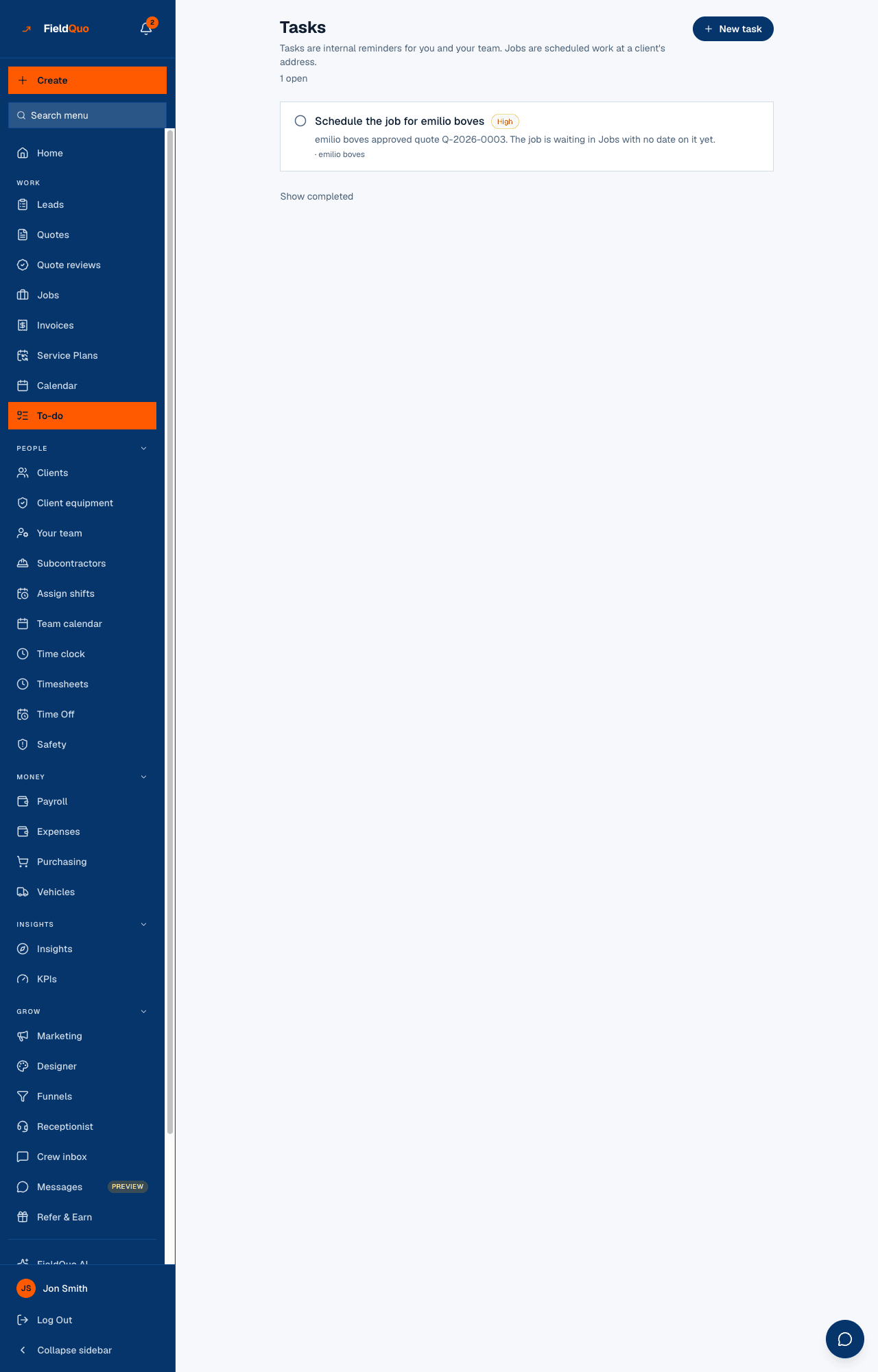
Show completed at the bottom reveals finished and cancelled tasks; Hide completed puts them away again. Ticking a finished task reopens it.
How to add a task
- Press New task.
- Type What needs doing? and, if it helps, Any detail worth keeping (optional).
- Set Due, Priority (Low, Normal, High, Urgent) and Assign to — Nobody leaves it for anyone to pick up.
- Link to a job (optional). Once a job is picked, two more controls appear: Requires photos (a count, up to 20) and Requires a comment.
- Press Add task.
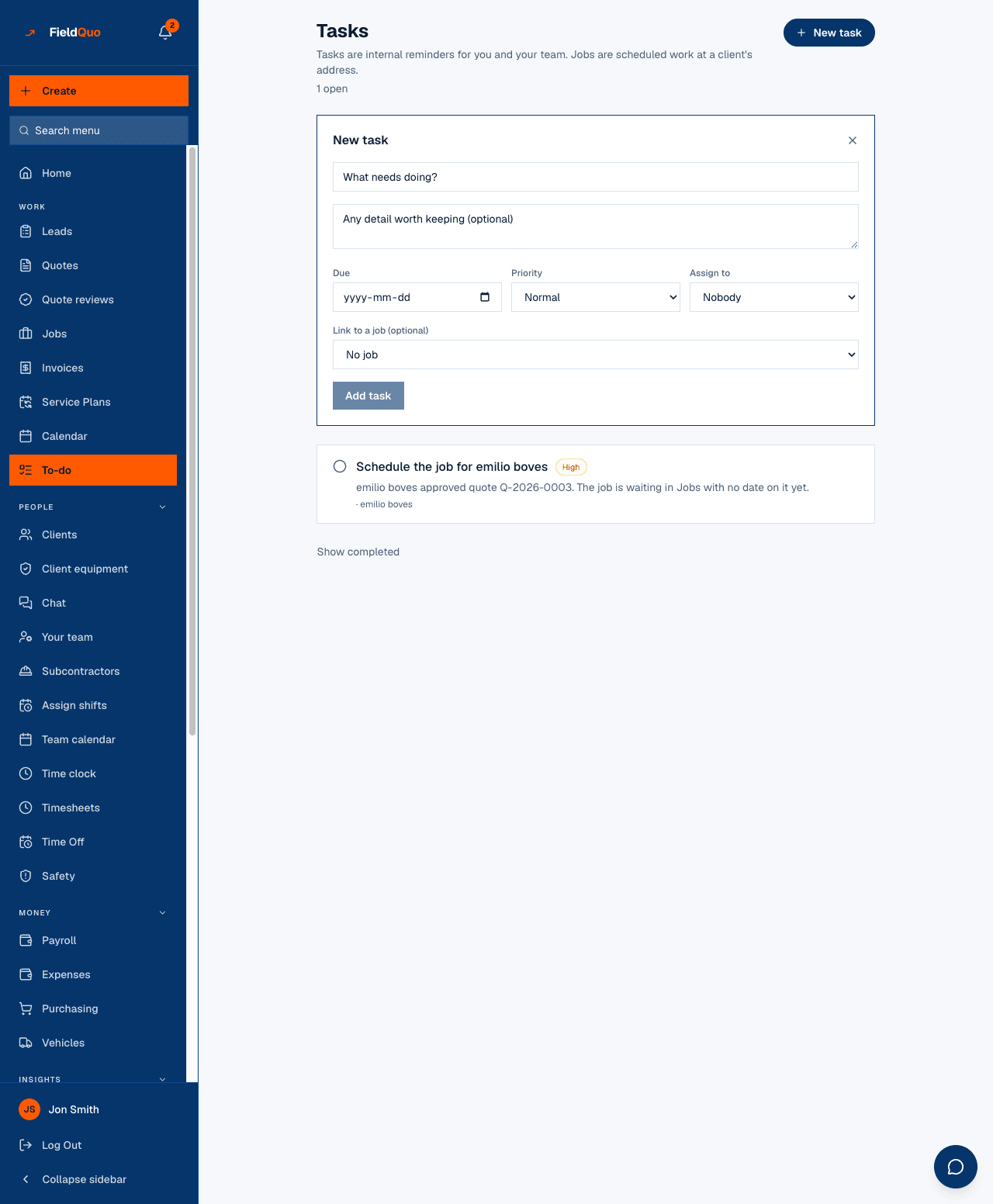
A photo requirement is only offered once a job is linked, because the photos are filed against that job. The tick on such a task refuses until the photos and the comment exist; you add them from the To-dos on this job panel on the job page (Add a photo, Comment, Mark done), not from this list.
Tasks FieldQuo creates for you
Four moments in the pipeline leave somebody owing an action, and FieldQuo writes the task itself — once per event, never twice:
| When | The task | Priority and due date |
|---|---|---|
| A client approves a quote | Schedule the job for {client} | High, no due date |
| An invoice is sent | Follow up payment for {invoice number} | Due in 7 days; resolved by itself when the invoice is paid |
| A job has materials to buy | Buy materials — {job} · 3 of 10 bought | High; the count updates as you tick items off, and it closes when everything is bought |
| A job is marked Completed | Ask {client} for a review, and Review what “{job}” actually cost | Due in 2 days and 3 days |
Each of these links to its job and client. A job entered as a past job raises neither of the two completion tasks.
Who can see what
- New task appears for owners, administrators and the Dispatcher and Manager presets. Assigning a task to somebody else needs the same level.
- Crew and Estimators see the tasks assigned to them, the ones they created and the unassigned ones — and can tick those. They cannot create a task from this screen.
- There is no delete control on this screen. A task is ticked done or left open.
常见问题
Where do tasks show on the job?
Under To-dos on this job on the job page, with a Mark done button, the photo upload and the comment box where the task requires them.
Can the job's notes suggest tasks?
Yes — the Tasks from the notes panel on the job page reads the client, quote and visit notes and proposes tasks you pick from. See Suggested tasks.
Why is a task I ticked still open?
It requires photos or a comment that are not there yet. The badge on the row says which; add them on the job page.
这篇文章有帮助吗?