

Recurring jobs
Mark a job as recurring, pick weekly, every two weeks or monthly, and FieldQuo puts the next visit on the calendar by itself — one upcoming visit at a time, until the job is completed or cancelled.
本文目前提供英语、法语和西班牙语版本。您正在阅读英语版本。 Français · Español
A biweekly clean, a monthly lawn cut, a seasonal filter change: the same job at the same address, over and over. A recurring job is an ordinary job with one tick and a frequency. Once its first visit is on the calendar, FieldQuo schedules every following visit for you, carrying the same person and the same checklist forward.
The rule is small on purpose: three frequencies, one upcoming visit at a time, and nothing invented. The first visit is always yours to book — FieldQuo continues a series, it never guesses when one should start.
Overview
A job carries two things for recurrence: the tick This is a recurring job and a Recurrence of Weekly, Every 2 weeks or Monthly. Both are on the New Job form and on the job's Edit screen. The Jobs list shows a Recurring badge on every job that has the tick.
Recurrence creates visits, nothing else. It does not raise invoices, send anything to the client, or change the job's price. If you want a client billed on a schedule, that is a service plan — see Service plans (recurring billing).
How to set up a recurring job
- Open Jobs → New Job (or Edit on an existing job).
- Tick This is a recurring job. A Recurrence picker appears — choose Weekly, Every 2 weeks or Monthly. The form refuses to save the tick without a frequency, so a job can never read as repeating while nothing is scheduled.
- Press Create Job, then book the first visit with Add visit on the job page. That first date is the anchor every later visit is counted from.
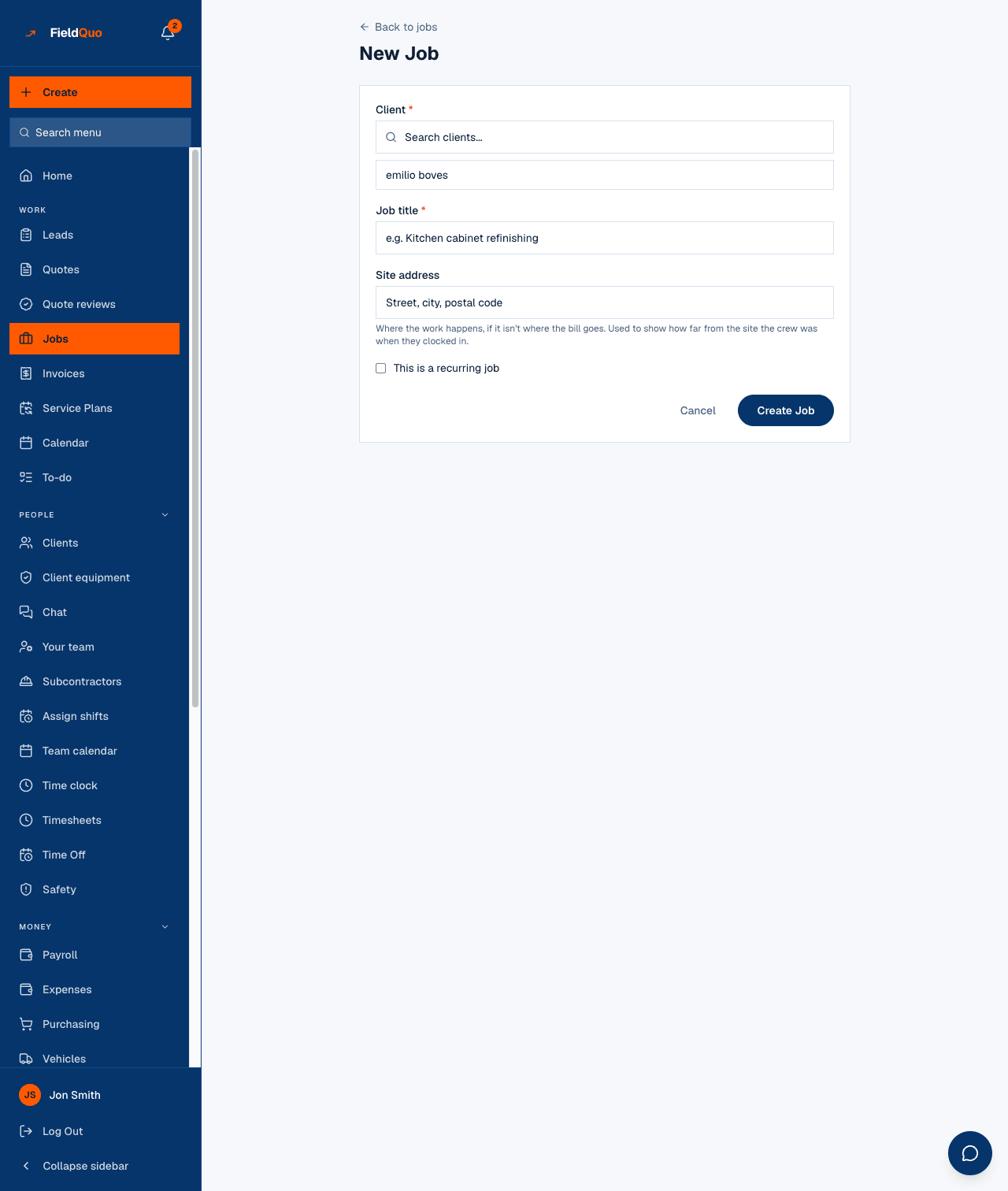
Until the first visit exists, nothing is scheduled. FieldQuo continues a series from its last visit; it does not choose a start date for you.
When the next visit appears
A recurring job always has exactly one upcoming visit. The next one is created at two moments:
- The moment a visit is marked Completed. The crew closing today's visit sees next week's already on the calendar.
- Once a night, as a backstop, for any recurring job whose last visit went by without being marked completed.
The next date is counted from the most recent visit and is always in the future. A job left idle for months gets its next future slot, not a pile of backdated visits nobody will drive to. Monthly stays on the same day of the month; a visit on the 31st lands on the last day of a shorter month rather than skipping it.
The new visit copies the person assigned to the last one and its checklist, so next week's clean is the same clean, by the same person, off the same list — until somebody changes it.
Stopping a series
- Set the job's status to Completed or Cancelled — a finished or cancelled job never rolls forward.
- Or open Edit and untick This is a recurring job. Visits already on the calendar stay; no new ones are created.
To skip one visit, press Cancel visit on it and leave the job active. A cancelled visit still holds its place — nothing new is created until its date has passed — and the nightly check then counts the next date from it, so the series carries on without the skipped one.
Who can set it
Creating a job and editing its recurrence needs the Jobs area at View, create, and edit — the Dispatcher and Manager presets, owners and administrators. Estimators and Crew see the job and its Recurring badge but cannot change it. Visits created by the series obey the same rules as any other visit.
常见问题
Can I set a recurring job to every three weeks, or twice a week?
No. The three frequencies are Weekly, Every 2 weeks and Monthly. For anything else, book the visits by hand.
Does the client get anything when a new visit is created?
Not from the recurrence itself. Each new visit is an ordinary visit — the On my way text, the checklist and the location stamps work on it exactly as on one you booked by hand.
Why is there no next visit on my recurring job?
Either it has no visit at all yet (book the first one), a future visit already exists (there is only ever one), or the job is Completed or Cancelled.
这篇文章有帮助吗?